
aquew - Minecraft Skins & Skin History
Current Minecraft skin of the player aquew, loaded from the official Mojang API. Rotate the 3D model with your mouse or finger, then download the skin as a PNG file and use it in Minecraft: Bedrock Edition or Java Edition for free. When aquew changes their skin, this page updates automatically and the old skin stays in the history below.
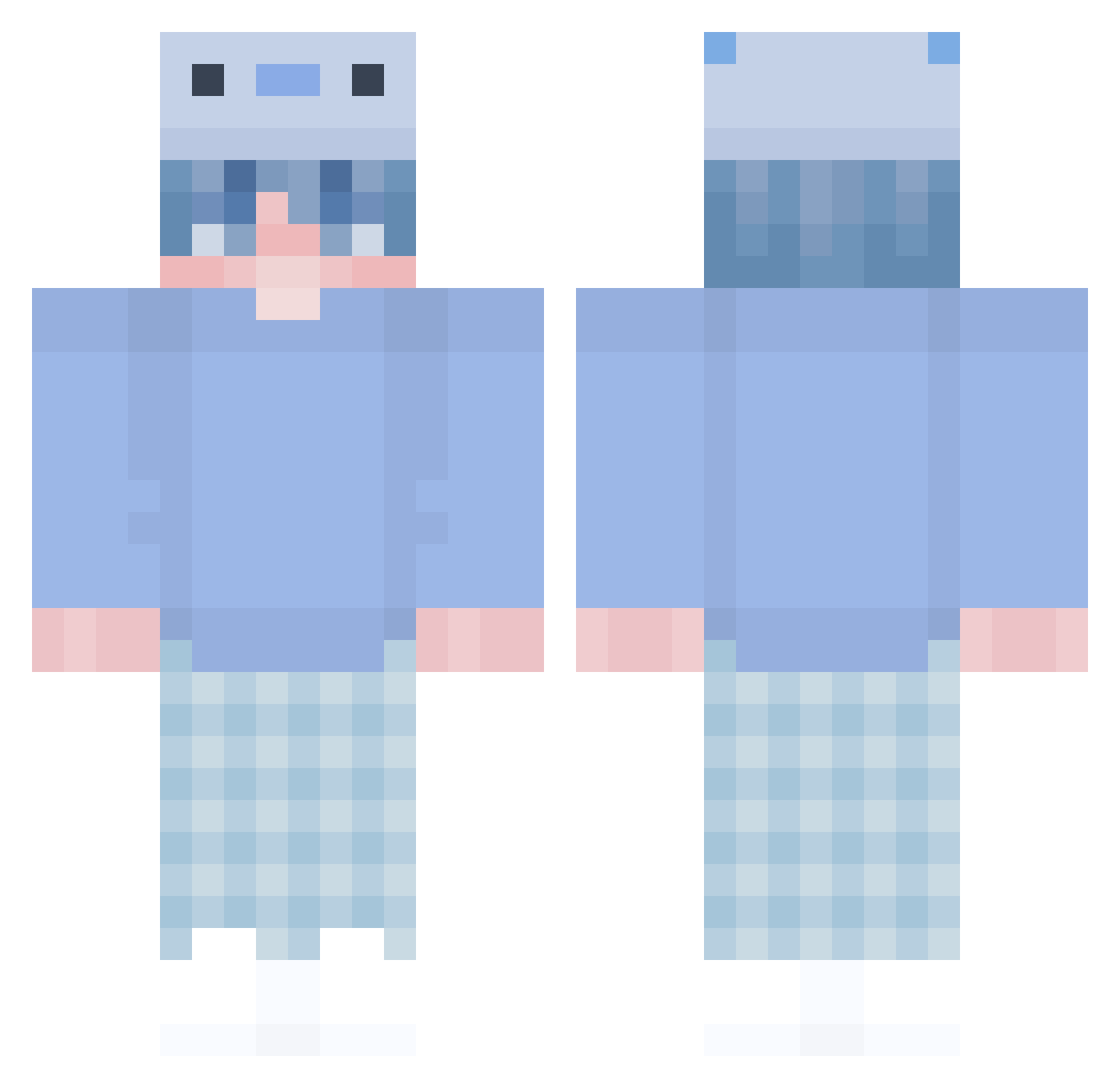
Other players with this skin (303)
aquew was the 105th player we have seen with this skin, first spotted on 30.08.2026. The same skin was seen on these players. Open a nickname to see their current skin and skin history.
 yusuf585 forazzz BeMind minecraft_phd_ch Gaboule56 Sapphire103 DragoKovaXD Bionicbbk UnequalPlaYz iverCcYT Lozomi lepxy Damian24x M3r7s DreamGuyWhale Argenthem iZriox Sun_Cakes Arthurkkjkj XXXFlyff David_1004 Caxtier MikO635 LuckyLayne 46er_LappeN Battlecry59 xxloris Loczek123876 insanazort311 Borys9975 09gooseboi baldprov CriticaSocial9 CmlAKIN Llamame_Al Dezyk1qez DaliTeAmo Alicun AsiatenPolizei VicTim2021 Furaytonne Luness_TW YanJun_K unkn0wn5t0rm Jahreinn Alsbjergdk _Solarbeam_ Lemiliion Nutella_Toast1 Gagey_ babyslayby KingDJG Minato242 MarcioVP TMB8639 NightWave02 Garuto200 PEDRIHN
 eymQ Raulribal6
More Axolotl Minecraft skins
How to install the aquew skin
- Press the Download button above to save the skin as a PNG file.
- Minecraft: Bedrock Edition (PE): open the Dressing Room from the main menu (or tap your character → Edit Character), go to Classic Skins → Owned, press the + (new skin) button, choose the downloaded PNG and pick the Classic (Steve) model. Works on PC and mobile; consoles cannot import custom skins.
- Minecraft: Java Edition: open the Minecraft Launcher, go to the Skins tab, click New Skin, load the PNG, pick the Classic (Steve) model and press Save & Use. You can also upload it at minecraft.net → Profile → Change Skin.
The skin does not show up after import - what should I do?
Restart Minecraft and open the Dressing Room again - imported skins sometimes appear only after a restart. Also make sure you selected the imported skin and picked the Classic (Steve) model.
Which model should I choose, Classic or Slim?
This skin is designed for the Classic (Steve) model. If you pick the wrong model, the arms of the skin will look stretched or squeezed.
Is the skin of aquew free to download?
Yes. Press Download, save the PNG file and use it in Minecraft: Bedrock Edition or Java Edition - no payment or registration needed. The skin also works on multiplayer servers and Realms.
More skins
Looking for more? Go back to all Minecraft skins and check the top skins of the week, month and all time, or find any player's skin by nickname.