
angelkm1019 - Minecraft Skins & Skin History
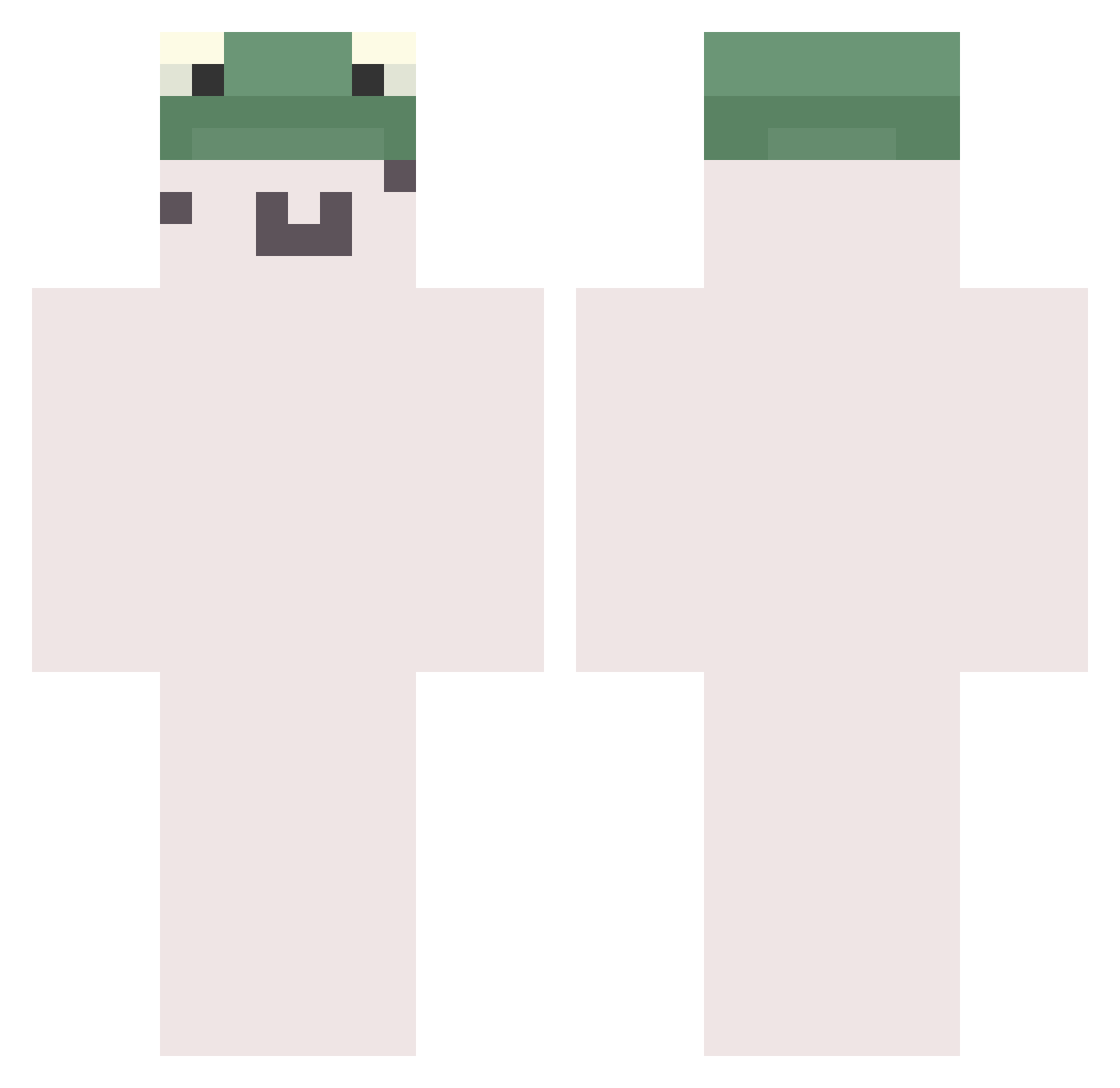
Current Minecraft skin of the player angelkm1019, loaded from the official Mojang API. Rotate the 3D model with your mouse or finger, then download the skin as a PNG file and use it in Minecraft: Bedrock Edition or Java Edition for free. When angelkm1019 changes their skin, this page updates automatically and the old skin stays in the history below.
Other players with this skin (783)
angelkm1019 was the 426th player we have seen with this skin, first spotted on 26.09.2026. The same skin was seen on these players. Open a nickname to see their current skin and skin history.
 HelloTW choikaon Seobinbin Poootis BlanKfroG Tacsizkral9766 Gamjagga Spacejunge Vakii GODDO0 shrastkaspk Lt_Rufus zhengsj Nelson_CN AGreenBrickPro miny__y Ddddx54 SSJ_000 wqio_ The_flamev DouYuTv144992 xiezhig Leonxsz oKHWo ImogenSteam xi_zhu EZ1327 XD_HW Ma_woo0111 lliililiillllili Kingmaroc I19B RrrCccLll catmorph qiliua itkaoru ttoy7519 Dyskatys XDVZT nadoubanfan Kovrikkj rriiaa130 Rynxies BaiwanZ Ozcangk pshoid 1dol2 Frogggee kitsnipingonly Culin dogToge13 memilsoba12 Flickz___ _Noflx_ Sunbeakers morph456 Str1xx tkddb_ Er_777 KrcMrc
More Kermit The Frog Minecraft skins
See all 436 Kermit The Frog skins
How to install the angelkm1019 skin
- Press the Download button above to save the skin as a PNG file.
- Minecraft: Bedrock Edition (PE): open the Dressing Room from the main menu (or tap your character → Edit Character), go to Classic Skins → Owned, press the + (new skin) button, choose the downloaded PNG and pick the Classic (Steve) model. Works on PC and mobile; consoles cannot import custom skins.
- Minecraft: Java Edition: open the Minecraft Launcher, go to the Skins tab, click New Skin, load the PNG, pick the Classic (Steve) model and press Save & Use. You can also upload it at minecraft.net → Profile → Change Skin.
The skin does not show up after import - what should I do?
Restart Minecraft and open the Dressing Room again - imported skins sometimes appear only after a restart. Also make sure you selected the imported skin and picked the Classic (Steve) model.
Which model should I choose, Classic or Slim?
This skin is designed for the Classic (Steve) model. If you pick the wrong model, the arms of the skin will look stretched or squeezed.
Is the skin of angelkm1019 free to download?
Yes. Press Download, save the PNG file and use it in Minecraft: Bedrock Edition or Java Edition - no payment or registration needed. The skin also works on multiplayer servers and Realms.
More skins
Looking for more? Go back to all Minecraft skins and check the top skins of the week, month and all time, or find any player's skin by nickname.