
alxanek - Minecraft Skins & Skin History
Current Minecraft skin of the player alxanek, loaded from the official Mojang API. Rotate the 3D model with your mouse or finger, then download the skin as a PNG file and use it in Minecraft: Bedrock Edition or Java Edition for free. When alxanek changes their skin, this page updates automatically and the old skin stays in the history below.
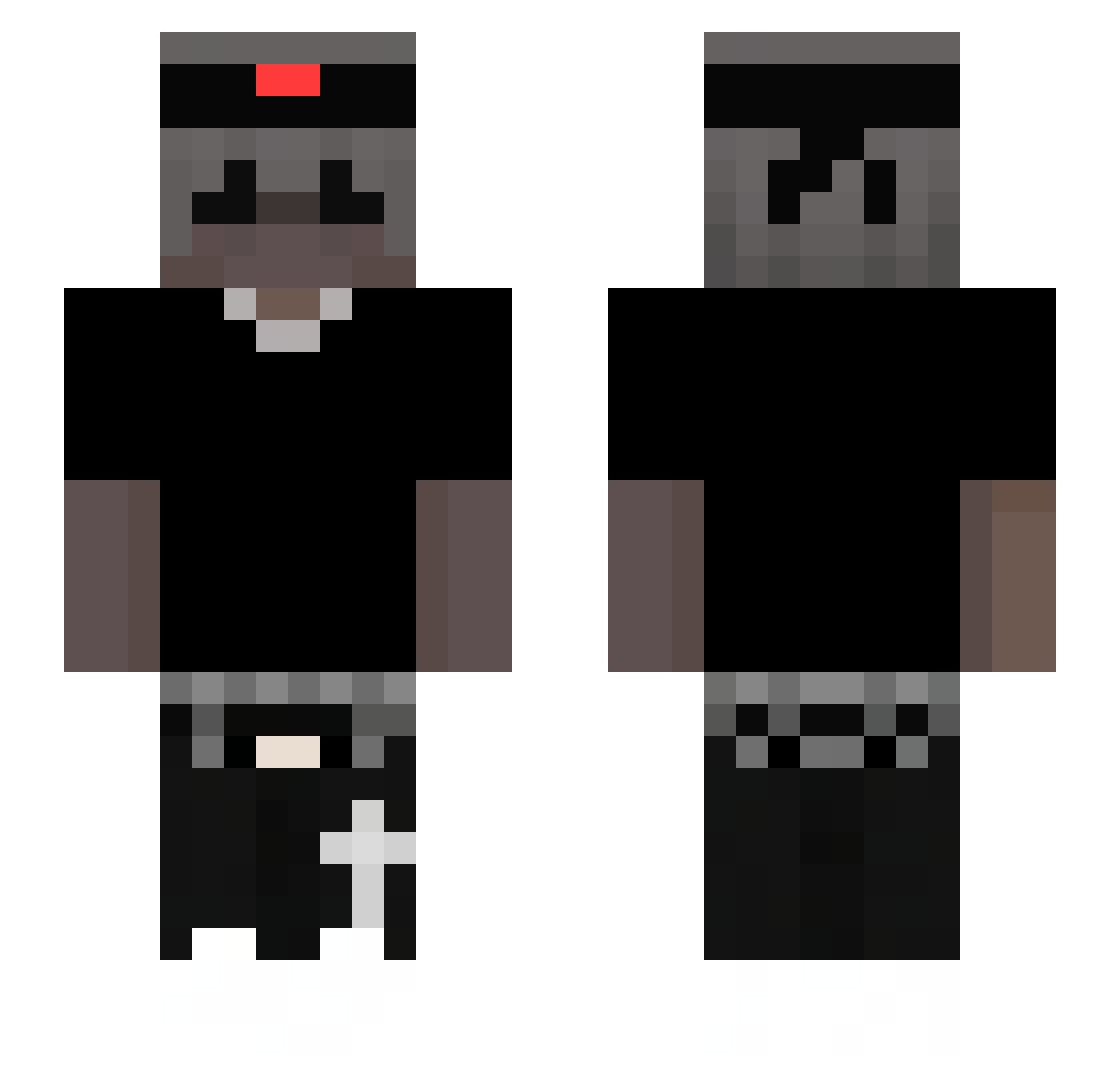
Other players with this skin (44)
alxanek was the 22nd player we have seen with this skin, first spotted on 28.08.2026. The same skin was seen on these players. Open a nickname to see their current skin and skin history.
 ch_n1p zanrfz Ig0rr_
 tobiasfunak FoolishFaz Lolek_YT
 St0rmin _Kereme_Domi szymek_doberek
 ogtommghg
 Mrboss3214
 TomCe120710 _tqw Diamond_Vigetor ItzTime4Me _FlameTrooper_ d3adxby szakulewski lizardking2012 Archxzl vakix13 5hvd0wL1x LiquidSeason7187 TyroneBelga Insure_ _LiN_Prime_ k3Nyxo Juanqui2233 sharpyIV SGaming318 swiatlowod_ stingmc GOAT12345678900 thomasbro1234 KocurrLarp B3lowelo ShadowSimo_ Keelya gauzyuninterrup Thugs_1 _Nexxikk CBin Kilixnn_ KT_332
More Emo Minecraft skins
How to install the alxanek skin
- Press the Download button above to save the skin as a PNG file.
- Minecraft: Bedrock Edition (PE): open the Dressing Room from the main menu (or tap your character → Edit Character), go to Classic Skins → Owned, press the + (new skin) button, choose the downloaded PNG and pick the Slim (Alex) model. Works on PC and mobile; consoles cannot import custom skins.
- Minecraft: Java Edition: open the Minecraft Launcher, go to the Skins tab, click New Skin, load the PNG, pick the Slim (Alex) model and press Save & Use. You can also upload it at minecraft.net → Profile → Change Skin.
The skin does not show up after import - what should I do?
Restart Minecraft and open the Dressing Room again - imported skins sometimes appear only after a restart. Also make sure you selected the imported skin and picked the Slim (Alex) model.
Which model should I choose, Classic or Slim?
This skin is designed for the Slim (Alex) model. If you pick the wrong model, the arms of the skin will look stretched or squeezed.
Is the skin of alxanek free to download?
Yes. Press Download, save the PNG file and use it in Minecraft: Bedrock Edition or Java Edition - no payment or registration needed. The skin also works on multiplayer servers and Realms.
More skins
Looking for more? Go back to all Minecraft skins and check the top skins of the week, month and all time, or find any player's skin by nickname.