
almightylogan - Minecraft Skins & Skin History
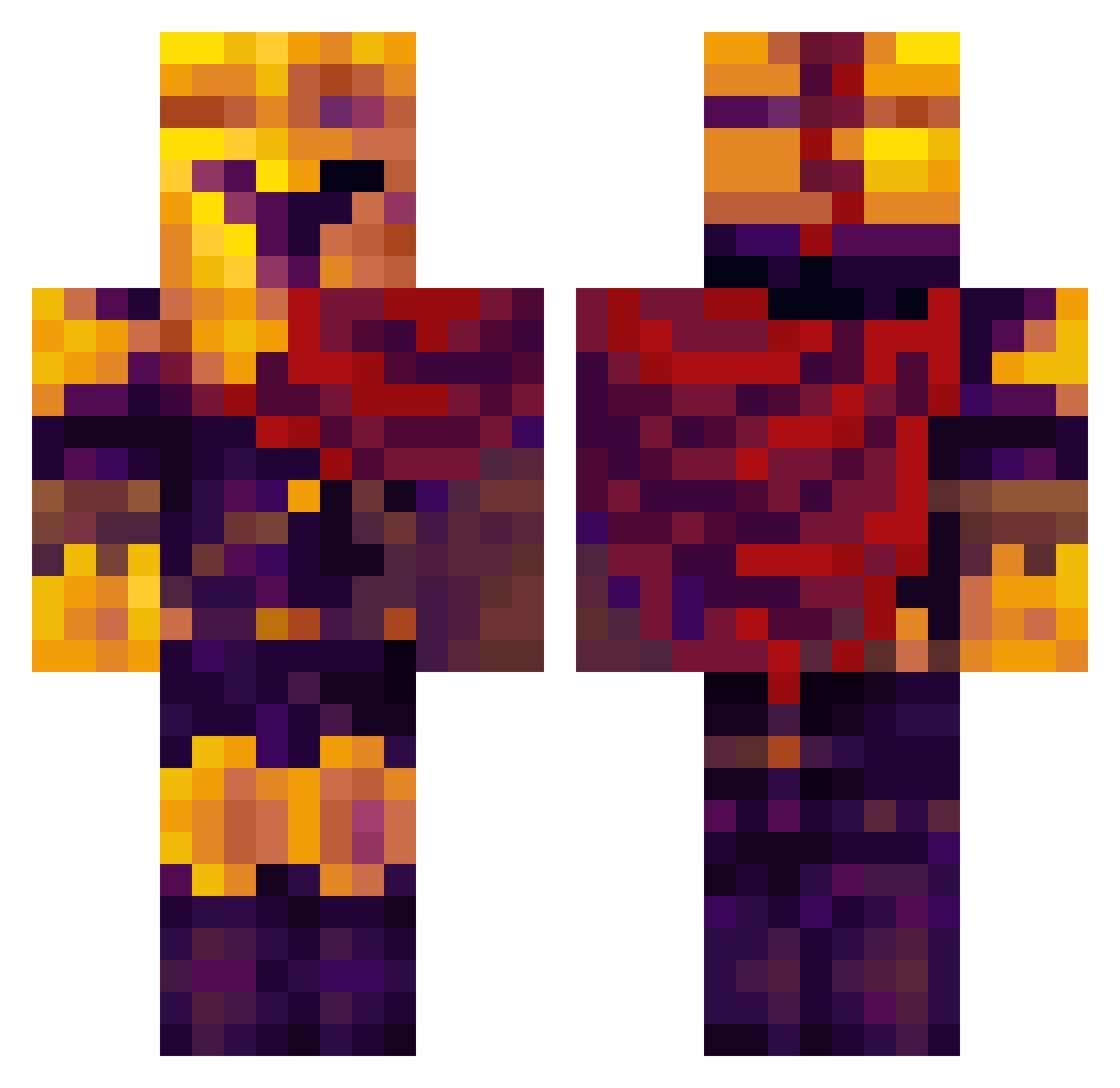
Current Minecraft skin of the player almightylogan, loaded from the official Mojang API. Rotate the 3D model with your mouse or finger, then download the skin as a PNG file and use it in Minecraft: Bedrock Edition or Java Edition for free. When almightylogan changes their skin, this page updates automatically and the old skin stays in the history below.
Other players with this skin (332)
almightylogan was the 105th player we have seen with this skin, first spotted on 24.08.2026. The same skin was seen on these players. Open a nickname to see their current skin and skin history.
 Markonj_29 itz_glaishur Chipperloonied0s Sillymon69 thermometer2000 Magical_Feng bonkixx HayPhobos25 camopanther4ever Marsui Knightmaren Lusion0 Simon52872 dotzips Hale2708 IDKlaine Distilled_cheese StrixRS IchikaBara Sephyr0s GabeJamesGames FRYD_Chiken travulsa Jimothy_87 Cybercat69 Dweihan singalbaby Mawil40 haloman55555555 Test_dummy1 sonsore DummMee kian1111111 xenoe0gs Duncan168 SomethingBad89
 Mcraft1977 SoftSand16 t0astys LongDay85 Bubble1066 yodanaught TJR2729 mlodystek Javasuchus heidlenbergURSS MrDisconnnect superdash123 YOLOGamer2021 toadman44 BadBear38 Fruitylettuce _Yan3 hoostin123 impulz34 HumanChild420
 Pheonix4nax Spokoloko6 Bobby1201 Cegadede
More Spartan Minecraft skins
How to install the almightylogan skin
- Press the Download button above to save the skin as a PNG file.
- Minecraft: Bedrock Edition (PE): open the Dressing Room from the main menu (or tap your character → Edit Character), go to Classic Skins → Owned, press the + (new skin) button, choose the downloaded PNG and pick the Classic (Steve) model. Works on PC and mobile; consoles cannot import custom skins.
- Minecraft: Java Edition: open the Minecraft Launcher, go to the Skins tab, click New Skin, load the PNG, pick the Classic (Steve) model and press Save & Use. You can also upload it at minecraft.net → Profile → Change Skin.
The skin does not show up after import - what should I do?
Restart Minecraft and open the Dressing Room again - imported skins sometimes appear only after a restart. Also make sure you selected the imported skin and picked the Classic (Steve) model.
Which model should I choose, Classic or Slim?
This skin is designed for the Classic (Steve) model. If you pick the wrong model, the arms of the skin will look stretched or squeezed.
Is the skin of almightylogan free to download?
Yes. Press Download, save the PNG file and use it in Minecraft: Bedrock Edition or Java Edition - no payment or registration needed. The skin also works on multiplayer servers and Realms.
More skins
Looking for more? Go back to all Minecraft skins and check the top skins of the week, month and all time, or find any player's skin by nickname.