
aleeekss - Minecraft Skins & Skin History
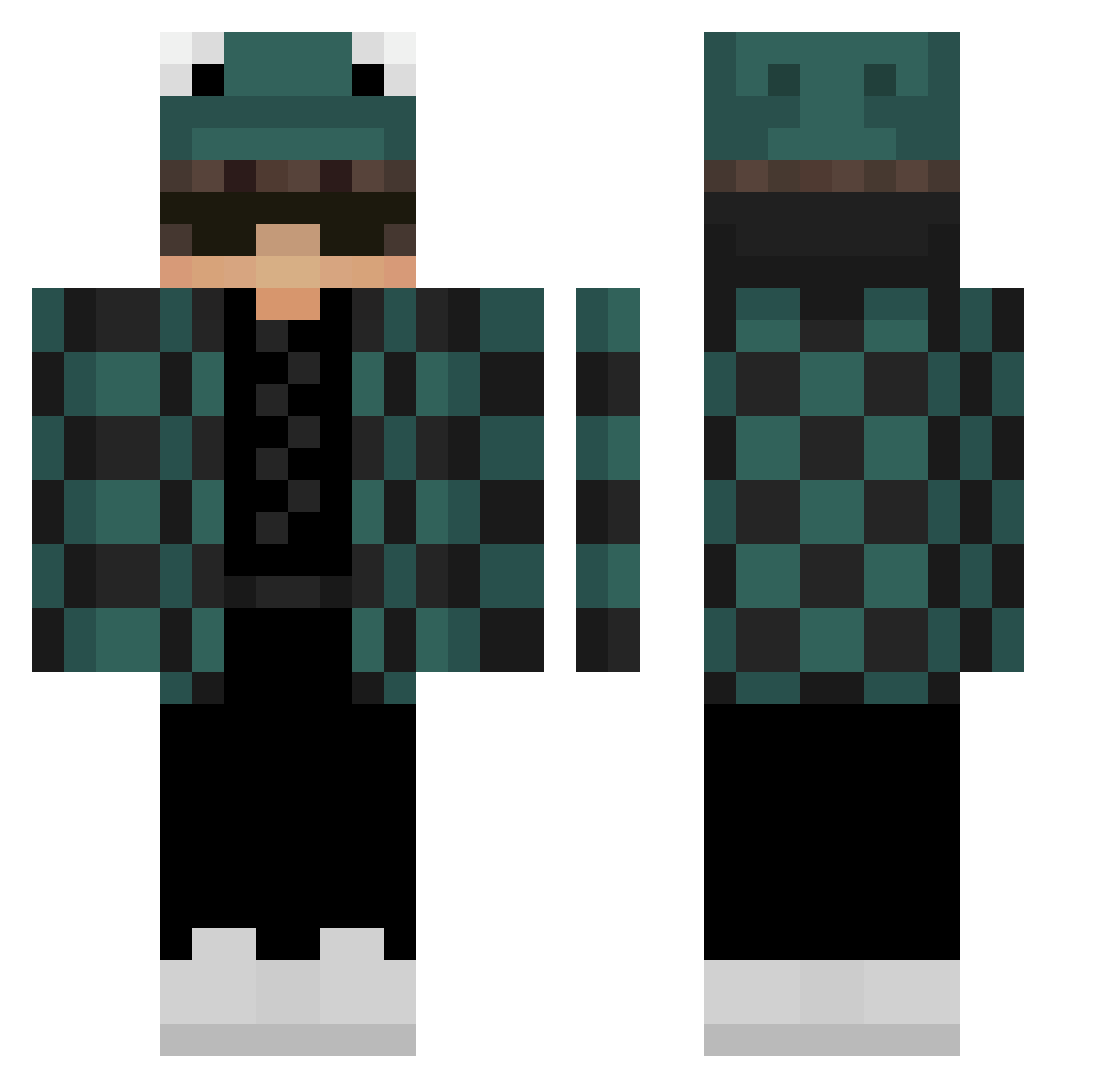
Current Minecraft skin of the player aleeekss, loaded from the official Mojang API. Rotate the 3D model with your mouse or finger, then download the skin as a PNG file and use it in Minecraft: Bedrock Edition or Java Edition for free. When aleeekss changes their skin, this page updates automatically and the old skin stays in the history below.
Other players with this skin (301)
aleeekss was the 106th player we have seen with this skin, first spotted on 01.09.2026. The same skin was seen on these players. Open a nickname to see their current skin and skin history.
 skyblockcheater _Chamii_ samxll Boymarscmello Mavesy Mysteric Danil201303 GrimmieReaper98 ItsMcGod Max_Rdp069 ClassyDead GhostlyTie ZeroXX1 superbosi04 Mysti_piesek Badinnn iwaneek88_ TheMajesticGamer K4TAA Tacoboy7248 xZYROX_06 Tokio15 dogrusso tridan15 TickMine Kyuraken 5414Ivan5414 opana0999 CUEVATOVICH BlueLightXD_ ItzFroggerz HexFlag Dysprax17 Wipuffy Lis3eeeeK MrLing_Epiphany emxnuele 555222111
 ImLexxy BrxkenRi0t largon17 SpeckyCat Julo_kox Chaewons_bf herlullaby libiao7744 JoeyPVR1 GucioGo DispairWasTaken DxBlakes Thefishman344 RyanPurpleNebula PARZIVALIX riccardo100pro Gaga6915 whoisamz rix2011 Rein012 JuiceB0X5 Gesi01
More Frog Hat Minecraft skins
How to install the aleeekss skin
- Press the Download button above to save the skin as a PNG file.
- Minecraft: Bedrock Edition (PE): open the Dressing Room from the main menu (or tap your character → Edit Character), go to Classic Skins → Owned, press the + (new skin) button, choose the downloaded PNG and pick the Classic (Steve) model. Works on PC and mobile; consoles cannot import custom skins.
- Minecraft: Java Edition: open the Minecraft Launcher, go to the Skins tab, click New Skin, load the PNG, pick the Classic (Steve) model and press Save & Use. You can also upload it at minecraft.net → Profile → Change Skin.
The skin does not show up after import - what should I do?
Restart Minecraft and open the Dressing Room again - imported skins sometimes appear only after a restart. Also make sure you selected the imported skin and picked the Classic (Steve) model.
Which model should I choose, Classic or Slim?
This skin is designed for the Classic (Steve) model. If you pick the wrong model, the arms of the skin will look stretched or squeezed.
Is the skin of aleeekss free to download?
Yes. Press Download, save the PNG file and use it in Minecraft: Bedrock Edition or Java Edition - no payment or registration needed. The skin also works on multiplayer servers and Realms.
More skins
Looking for more? Go back to all Minecraft skins and check the top skins of the week, month and all time, or find any player's skin by nickname.