
aktwo - Minecraft Skins & Skin History
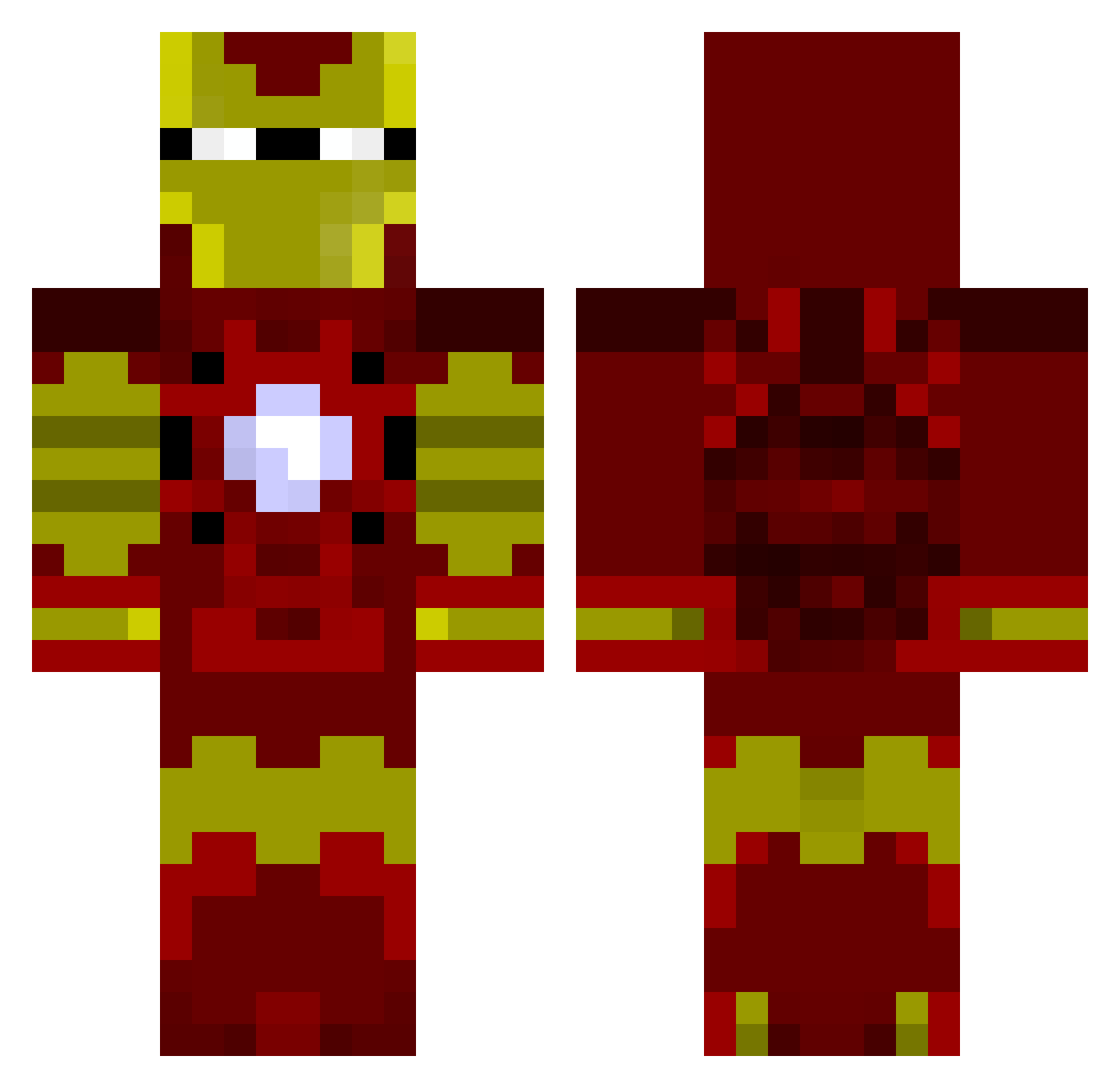
Current Minecraft skin of the player aktwo, loaded from the official Mojang API. Rotate the 3D model with your mouse or finger, then download the skin as a PNG file and use it in Minecraft: Bedrock Edition or Java Edition for free. When aktwo changes their skin, this page updates automatically and the old skin stays in the history below.
Other players with this skin (805)
aktwo was the 443rd player we have seen with this skin, first spotted on 15.09.2026. The same skin was seen on these players. Open a nickname to see their current skin and skin history.
 MarassPL Maxyankees MantisFTW flamingball99 MangGus GameOholicz cadaviris INAKASAMUI craigpass jgollsneid TONIKBRO AleeYT manuelsvs Frakkinn daantimmer Boxyuk Kissu1090 STEEZ_EUGENE absoluda KeptTube speedyhamster7 deceptor deppys DiamondChris25 Ms_Penguin AlmondRU Mars727 GuGuJiao IRONMAN2569 Savage_Player seabubble Lykander flokos9 Aetherius47 JOSHBUSCUS99 train_man8 yoyo0305 ElasticSnail MasonSmurf J_is_Awesome SlotuGA Numnuks Goldskull1335 Itz_EXODUS1 gassyzombie jojeka MANDOO_Husband TheCreeperMan18 Darv dinobot44 Steelers2003 m1k4ere theman28 ghostface415 8elph3gore TerryChi rabbithunter23 LegitGod Tonystark6 KongSJ
More Iron Man Minecraft skins
How to install the aktwo skin
- Press the Download button above to save the skin as a PNG file.
- Minecraft: Bedrock Edition (PE): open the Dressing Room from the main menu (or tap your character → Edit Character), go to Classic Skins → Owned, press the + (new skin) button, choose the downloaded PNG and pick the Classic (Steve) model. Works on PC and mobile; consoles cannot import custom skins.
- Minecraft: Java Edition: open the Minecraft Launcher, go to the Skins tab, click New Skin, load the PNG, pick the Classic (Steve) model and press Save & Use. You can also upload it at minecraft.net → Profile → Change Skin.
The skin does not show up after import - what should I do?
Restart Minecraft and open the Dressing Room again - imported skins sometimes appear only after a restart. Also make sure you selected the imported skin and picked the Classic (Steve) model.
Which model should I choose, Classic or Slim?
This skin is designed for the Classic (Steve) model. If you pick the wrong model, the arms of the skin will look stretched or squeezed.
Is the skin of aktwo free to download?
Yes. Press Download, save the PNG file and use it in Minecraft: Bedrock Edition or Java Edition - no payment or registration needed. The skin also works on multiplayer servers and Realms.
More skins
Looking for more? Go back to all Minecraft skins and check the top skins of the week, month and all time, or find any player's skin by nickname.