
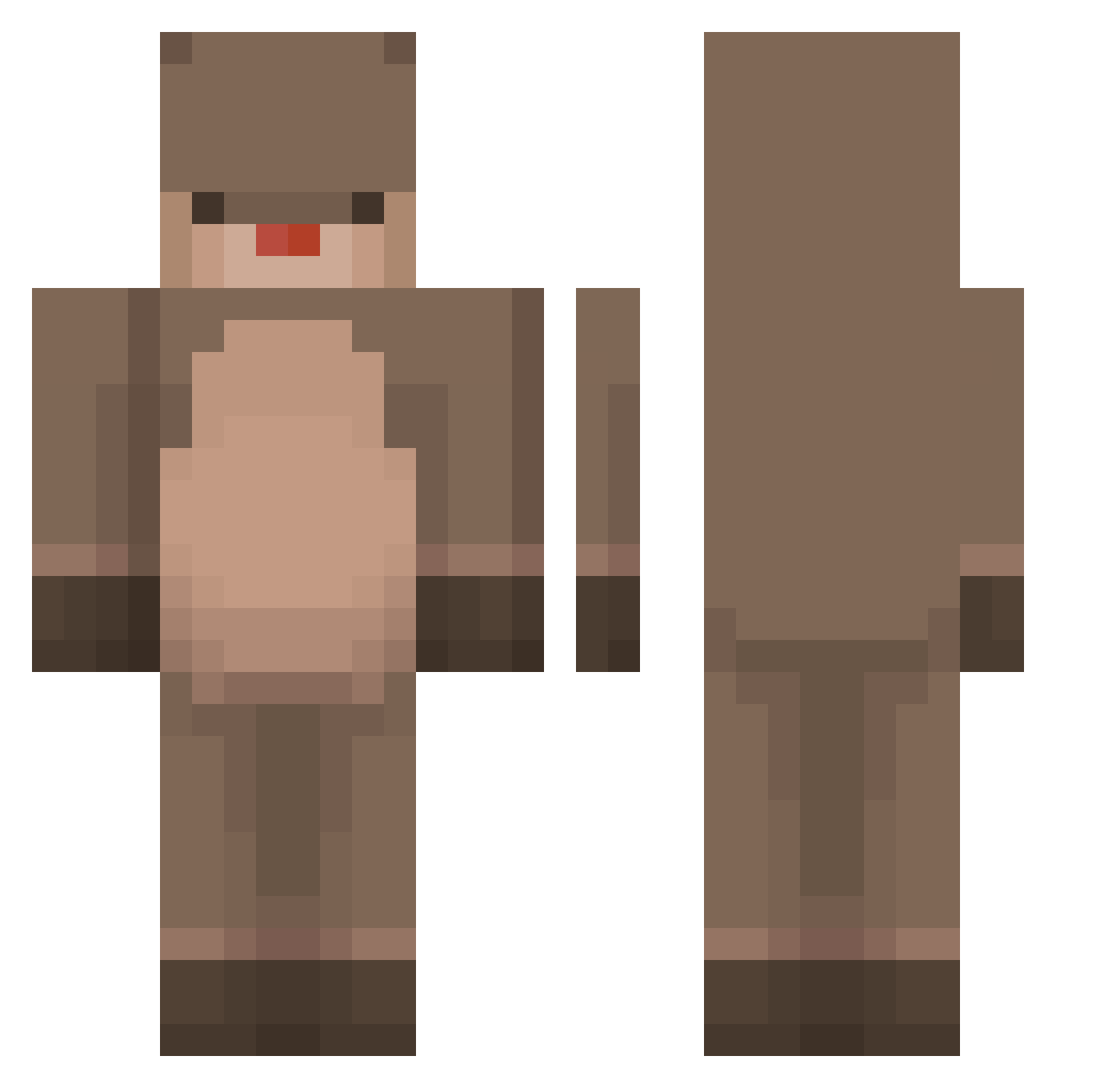
Current Minecraft skin of the player _kim__ssulmae, loaded from the official Mojang API. Rotate the 3D model with your mouse or finger, then download the skin as a PNG file and use it in Minecraft: Bedrock Edition or Java Edition for free. When _kim__ssulmae changes their skin, this page updates automatically and the old skin stays in the history below.
Other players with this skin (163)
_kim__ssulmae was the 70th player we have seen with this skin, first spotted on 03.09.2026. The same skin was seen on these players. Open a nickname to see their current skin and skin history.
 Aitor17 ronyrony IvyLuvsChu Syn_LetkigoKox idostillwrong Thistlelotus bamggom kimsidea cookkimchi_07 Klotzkopf 1l0w0l1 MythestZ t_sud Ralo_Onlineclass jindeuk1 hanchish BONGPANG Hyuchoo oinkinnn Enodh gupey sawachi_ czytaj newbarguy Docosa Hyunsu_ Wermolinka HyunJun0716 TobiMcSwag Kakuk11 miuh5 Jaallaa WorldBear58867 Lilypona Yosswii wowoowow jakjang Agyo Renifer_L SimNingg Mangble_ Kuzjusz MayRedT aufdra blwze Mai_25 Welsteich Swzly1x jugyeong GREENCHAN1021 sophhbee maggiewright Aloha_d RealDeer moomine_ PuPu777_QAQ Heon618 TommSwasthik TacoDog337 Pancake_Daddy
More Otter Minecraft skins
How to install the _kim__ssulmae skin
- Press the Download button above to save the skin as a PNG file.
- Minecraft: Bedrock Edition (PE): open the Dressing Room from the main menu (or tap your character → Edit Character), go to Classic Skins → Owned, press the + (new skin) button, choose the downloaded PNG and pick the Classic (Steve) model. Works on PC and mobile; consoles cannot import custom skins.
- Minecraft: Java Edition: open the Minecraft Launcher, go to the Skins tab, click New Skin, load the PNG, pick the Classic (Steve) model and press Save & Use. You can also upload it at minecraft.net → Profile → Change Skin.
The skin does not show up after import - what should I do?
Restart Minecraft and open the Dressing Room again - imported skins sometimes appear only after a restart. Also make sure you selected the imported skin and picked the Classic (Steve) model.
Which model should I choose, Classic or Slim?
This skin is designed for the Classic (Steve) model. If you pick the wrong model, the arms of the skin will look stretched or squeezed.
Is the skin of _kim__ssulmae free to download?
Yes. Press Download, save the PNG file and use it in Minecraft: Bedrock Edition or Java Edition - no payment or registration needed. The skin also works on multiplayer servers and Realms.
More skins
Looking for more? Go back to all Minecraft skins and check the top skins of the week, month and all time, or find any player's skin by nickname.