
_fabworld - Minecraft Skins & Skin History
Current Minecraft skin of the player _fabworld, loaded from the official Mojang API. Rotate the 3D model with your mouse or finger, then download the skin as a PNG file and use it in Minecraft: Bedrock Edition or Java Edition for free. When _fabworld changes their skin, this page updates automatically and the old skin stays in the history below.
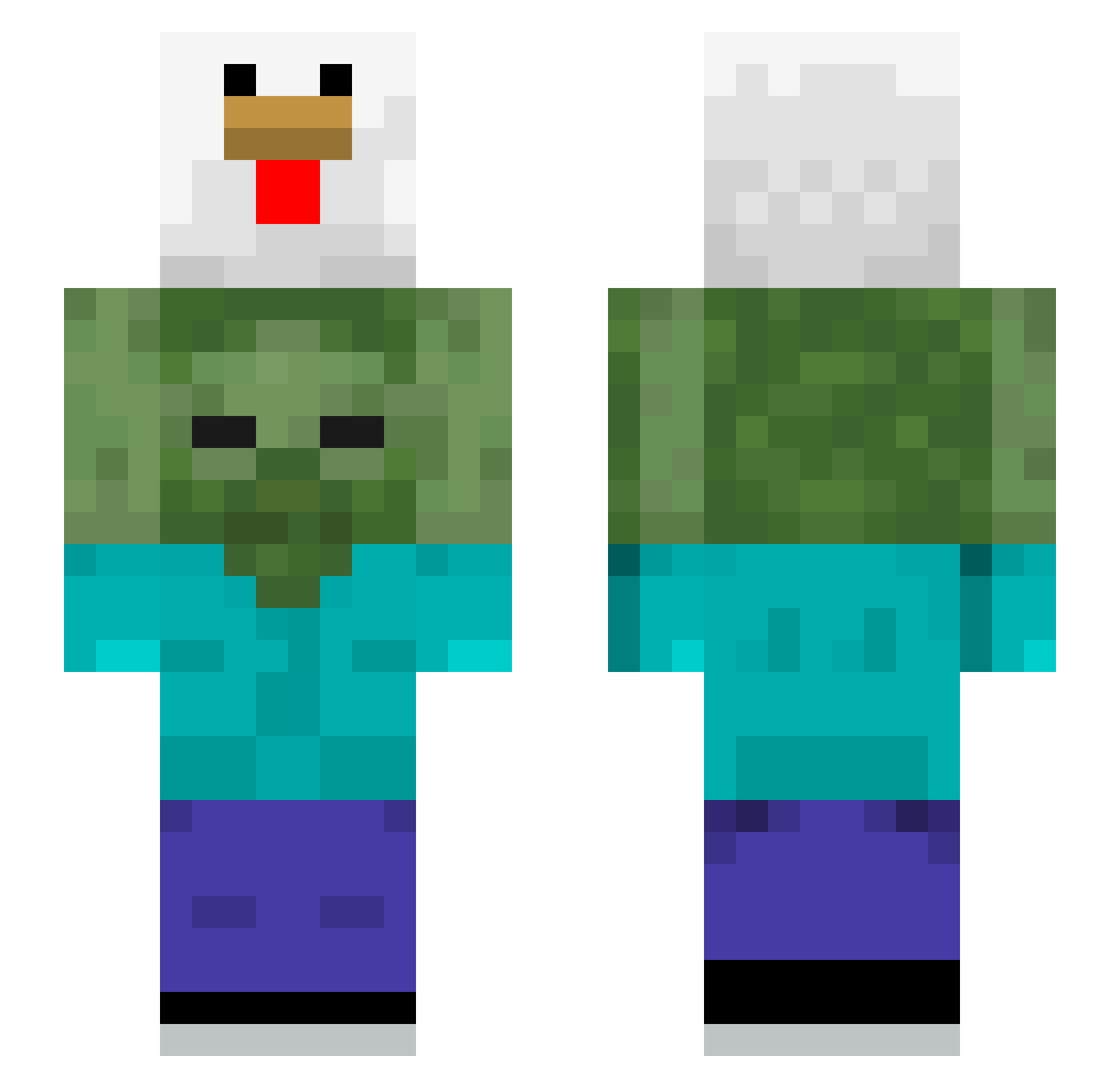
Other players with this skin (510)
_fabworld was the 150th player we have seen with this skin, first spotted on 27.08.2026. The same skin was seen on these players. Open a nickname to see their current skin and skin history.
 Snorlax123991 DerMinzraftJunky thelonewolf_23 Mezqui01 NotAvila
 tyuff IlIlIIIlllIlIl
 whatThepork OglumKalkCayGeti ThePireu Fak3o CuriousGamerrr Funkeeeuuuuuurr ryan_working_out Cebula1337 robsom964 Hades8766 Luqui59750 mateuskina Daniel_Miclos solarihn0 DerpySano gy010 EvolutionMedia daluz2 zapco7 Kermiteee biscked pr0oplayer Doudou_Barbaro LivesOffWelfare WhItE1423 GodzilaGiroflex Khado77 Nat_Jumper69 xIhsoy picklesqq nome_top atonmic sianmasterTV poopoospee nam_xub kobe98 ssibalssanong brazzzy_
 Luis2608 912toro Cj78787 Nothing_Bad WARKNED brittonc hu_niii JoaquinNotFound DeadlyDogg wondonghai ThatFlipFlopGuy Rockyouboy Iamgoodre geony0i purgue
More Chicken Minecraft skins
How to install the _fabworld skin
- Press the Download button above to save the skin as a PNG file.
- Minecraft: Bedrock Edition (PE): open the Dressing Room from the main menu (or tap your character → Edit Character), go to Classic Skins → Owned, press the + (new skin) button, choose the downloaded PNG and pick the Slim (Alex) model. Works on PC and mobile; consoles cannot import custom skins.
- Minecraft: Java Edition: open the Minecraft Launcher, go to the Skins tab, click New Skin, load the PNG, pick the Slim (Alex) model and press Save & Use. You can also upload it at minecraft.net → Profile → Change Skin.
The skin does not show up after import - what should I do?
Restart Minecraft and open the Dressing Room again - imported skins sometimes appear only after a restart. Also make sure you selected the imported skin and picked the Slim (Alex) model.
Which model should I choose, Classic or Slim?
This skin is designed for the Slim (Alex) model. If you pick the wrong model, the arms of the skin will look stretched or squeezed.
Is the skin of _fabworld free to download?
Yes. Press Download, save the PNG file and use it in Minecraft: Bedrock Edition or Java Edition - no payment or registration needed. The skin also works on multiplayer servers and Realms.
More skins
Looking for more? Go back to all Minecraft skins and check the top skins of the week, month and all time, or find any player's skin by nickname.