
__soppy - Minecraft Skins & Skin History
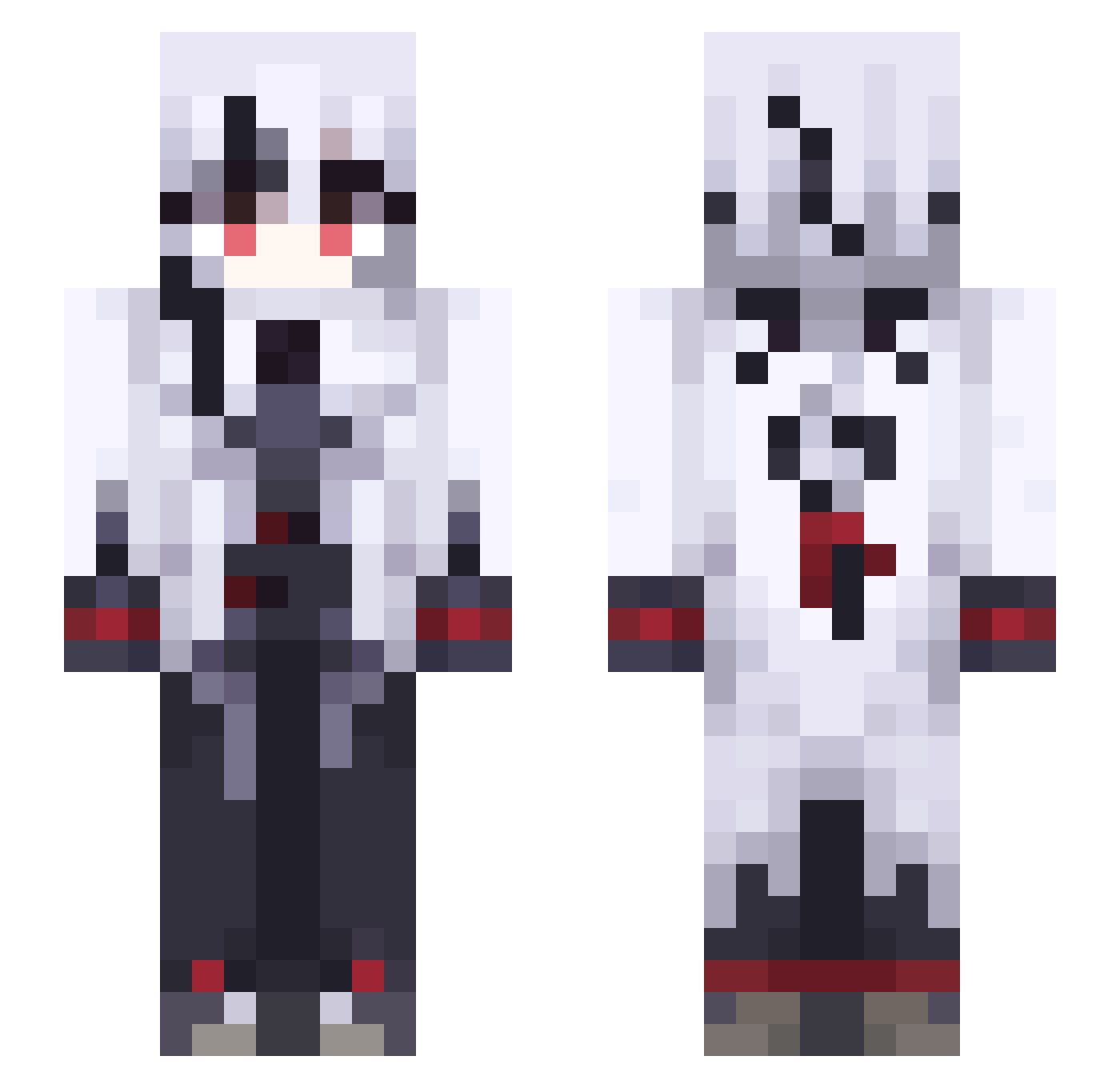
Current Minecraft skin of the player __soppy, loaded from the official Mojang API. Rotate the 3D model with your mouse or finger, then download the skin as a PNG file and use it in Minecraft: Bedrock Edition or Java Edition for free. When __soppy changes their skin, this page updates automatically and the old skin stays in the history below.
Other players with this skin (591)
__soppy was the 519th player we have seen with this skin, first spotted on 06.11.2026. The same skin was seen on these players. Open a nickname to see their current skin and skin history.
 HaruA4 Fyrux Electra_sky PeruereSnezhevna ESC1511 EAM627 eshaitam123 FrostTeck WOLF_N_ Kcat_ Fapas_ linx127 misato3312 Falling_Star Arlecchino0127 Tavuko Aleteeefe vinygamer NAMSANG33 Athanema bronze114514 Kathasia Rego_awa Xielys EhKf320 CHIRIBON Ehm382 shetg kimjh7196 Bakugirly LJuls Vemtonia raitaaaa Kgki822 73_3l Goonshild s1mamura KKLDangel Dad_K1nG PictureYou darkH086624 Senshi83 vgF549 kXc179 viaa__ aqi618 EFKP823 S0ulXD rixini ShukumeiX Bokkyn Halioz GGZZNN aopik301 omparu_01 Papatchow Dw0925 SAcC824 TaejinPark RedGlade
More Goth Minecraft skins
How to install the __soppy skin
- Press the Download button above to save the skin as a PNG file.
- Minecraft: Bedrock Edition (PE): open the Dressing Room from the main menu (or tap your character → Edit Character), go to Classic Skins → Owned, press the + (new skin) button, choose the downloaded PNG and pick the Slim (Alex) model. Works on PC and mobile; consoles cannot import custom skins.
- Minecraft: Java Edition: open the Minecraft Launcher, go to the Skins tab, click New Skin, load the PNG, pick the Slim (Alex) model and press Save & Use. You can also upload it at minecraft.net → Profile → Change Skin.
The skin does not show up after import - what should I do?
Restart Minecraft and open the Dressing Room again - imported skins sometimes appear only after a restart. Also make sure you selected the imported skin and picked the Slim (Alex) model.
Which model should I choose, Classic or Slim?
This skin is designed for the Slim (Alex) model. If you pick the wrong model, the arms of the skin will look stretched or squeezed.
Is the skin of __soppy free to download?
Yes. Press Download, save the PNG file and use it in Minecraft: Bedrock Edition or Java Edition - no payment or registration needed. The skin also works on multiplayer servers and Realms.
More skins
Looking for more? Go back to all Minecraft skins and check the top skins of the week, month and all time, or find any player's skin by nickname.