
___Eren_Jaeger__ - Minecraft Skins & Skin History
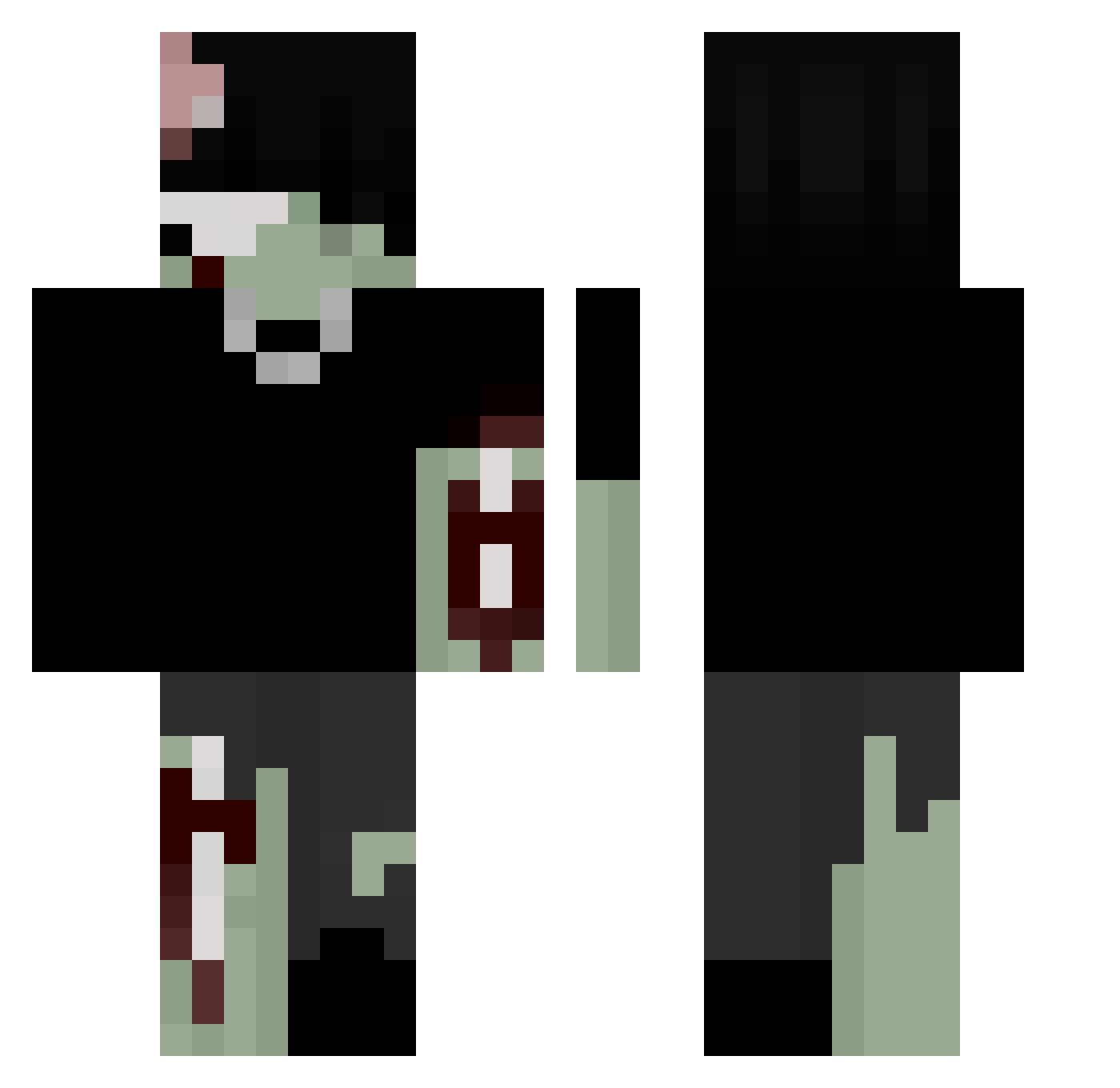
Current Minecraft skin of the player ___Eren_Jaeger__, loaded from the official Mojang API. Rotate the 3D model with your mouse or finger, then download the skin as a PNG file and use it in Minecraft: Bedrock Edition or Java Edition for free. When ___Eren_Jaeger__ changes their skin, this page updates automatically and the old skin stays in the history below.
Other players with this skin (232)
___Eren_Jaeger__ was the 181st player we have seen with this skin, first spotted on 14.10.2026. The same skin was seen on these players. Open a nickname to see their current skin and skin history.
 aiekli swagjamil JavaThread DarknessPrevails Akemikid CRY69 fxtb_ HumanDefect crebwebs m9ic BochmanKox Alex180360 NoobMeiserr im_eroos_x gnvlt 5TIL ColettoBig20 PR4YXR Emoriii DaddyAdore XdRayleigh bammington Noberuu Shoutta SuperFlyMig cipuwu cookiesuchti102 Hav0k_03 Wojakoo MyDogScruff CloUdBeings cravefangs TlAnthony FreeCosine980 T1mmeh2 quotsi Quetzalcoatl52 WybieBride killuaa2 Intradermal superCooking55 levinchillig Butterxham GELOC EPOW73 aveaveave realegodeath nekalah lecsu01 paradoxve dejectedion Manjar_Deluxe _pata vanityth ColtXDD loveratlas anonymosse2 canthehydraone vinnie66 ASATRAsq
More Undead Minecraft skins
How to install the ___Eren_Jaeger__ skin
- Press the Download button above to save the skin as a PNG file.
- Minecraft: Bedrock Edition (PE): open the Dressing Room from the main menu (or tap your character → Edit Character), go to Classic Skins → Owned, press the + (new skin) button, choose the downloaded PNG and pick the Classic (Steve) model. Works on PC and mobile; consoles cannot import custom skins.
- Minecraft: Java Edition: open the Minecraft Launcher, go to the Skins tab, click New Skin, load the PNG, pick the Classic (Steve) model and press Save & Use. You can also upload it at minecraft.net → Profile → Change Skin.
The skin does not show up after import - what should I do?
Restart Minecraft and open the Dressing Room again - imported skins sometimes appear only after a restart. Also make sure you selected the imported skin and picked the Classic (Steve) model.
Which model should I choose, Classic or Slim?
This skin is designed for the Classic (Steve) model. If you pick the wrong model, the arms of the skin will look stretched or squeezed.
Is the skin of ___Eren_Jaeger__ free to download?
Yes. Press Download, save the PNG file and use it in Minecraft: Bedrock Edition or Java Edition - no payment or registration needed. The skin also works on multiplayer servers and Realms.
More skins
Looking for more? Go back to all Minecraft skins and check the top skins of the week, month and all time, or find any player's skin by nickname.