
_Wage_1 - Minecraft Skins & Skin History
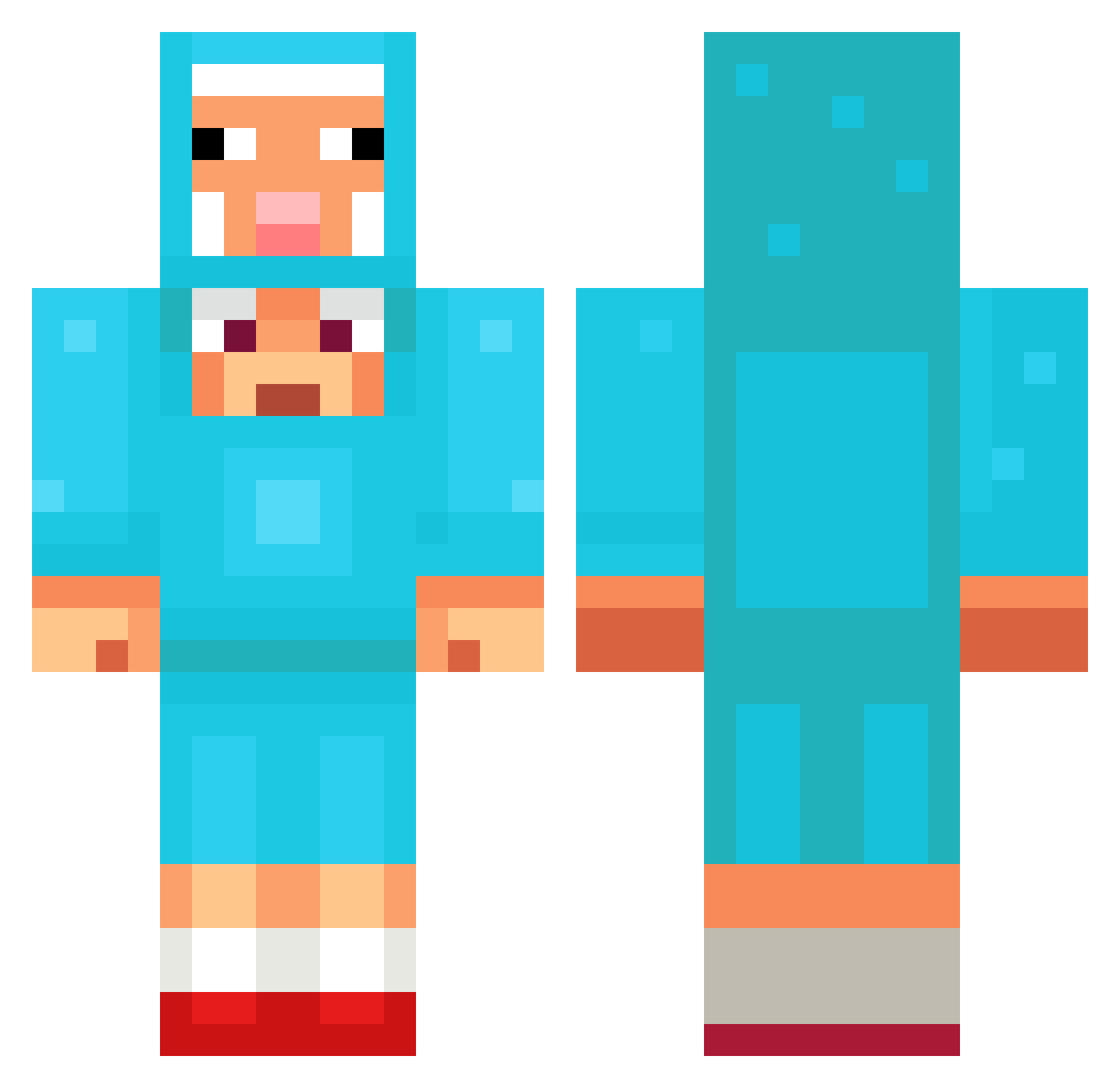
Current Minecraft skin of the player _Wage_1, loaded from the official Mojang API. Rotate the 3D model with your mouse or finger, then download the skin as a PNG file and use it in Minecraft: Bedrock Edition or Java Edition for free. When _Wage_1 changes their skin, this page updates automatically and the old skin stays in the history below.
Other players with this skin (1095)
_Wage_1 was the 1050th player we have seen with this skin, first spotted on 18.10.2026. The same skin was seen on these players. Open a nickname to see their current skin and skin history.
 Fe09082000 Dizzy_PL Timmy_46 Yrunt arda324 igna77787 Codecinder hkjlmln _duckliing rexy1016 Nemosen HS4AN amojim TeddyBear100 KuyaECO roccocashandtank HiepDamSau kathrynz Ice_Amulet TheBeatDownGamin wnstjwnstj Night4Walkers zhoskokrutoi Essahoi raichi1016 LewisCunn _Heygreen2 marius900 mvpmvpmvpmvpmvp GABRIELIN2011 AreJay248 mario23bello spacious_1 Alejandro_elp GingerBread0506 Phycist Jiangyiheng kleon_2000 BilboBaggins1302 Ysto StormLover am2pms Mr_Quacks0 poopyqween Lyrrixxs kablooie3536 shifterpeak Lubrifiants lsunrisel SEANEO32 susgangster wjdgjs1231 PusPiraat 2amnyx CountryChic872 FormalRoman19 Sheepwithamace Swan1567 Puma3286 Fade5720
More Sheep Minecraft skins
How to install the _Wage_1 skin
- Press the Download button above to save the skin as a PNG file.
- Minecraft: Bedrock Edition (PE): open the Dressing Room from the main menu (or tap your character → Edit Character), go to Classic Skins → Owned, press the + (new skin) button, choose the downloaded PNG and pick the Classic (Steve) model. Works on PC and mobile; consoles cannot import custom skins.
- Minecraft: Java Edition: open the Minecraft Launcher, go to the Skins tab, click New Skin, load the PNG, pick the Classic (Steve) model and press Save & Use. You can also upload it at minecraft.net → Profile → Change Skin.
The skin does not show up after import - what should I do?
Restart Minecraft and open the Dressing Room again - imported skins sometimes appear only after a restart. Also make sure you selected the imported skin and picked the Classic (Steve) model.
Which model should I choose, Classic or Slim?
This skin is designed for the Classic (Steve) model. If you pick the wrong model, the arms of the skin will look stretched or squeezed.
Is the skin of _Wage_1 free to download?
Yes. Press Download, save the PNG file and use it in Minecraft: Bedrock Edition or Java Edition - no payment or registration needed. The skin also works on multiplayer servers and Realms.
More skins
Looking for more? Go back to all Minecraft skins and check the top skins of the week, month and all time, or find any player's skin by nickname.