
_UZAY_ - Minecraft Skins & Skin History
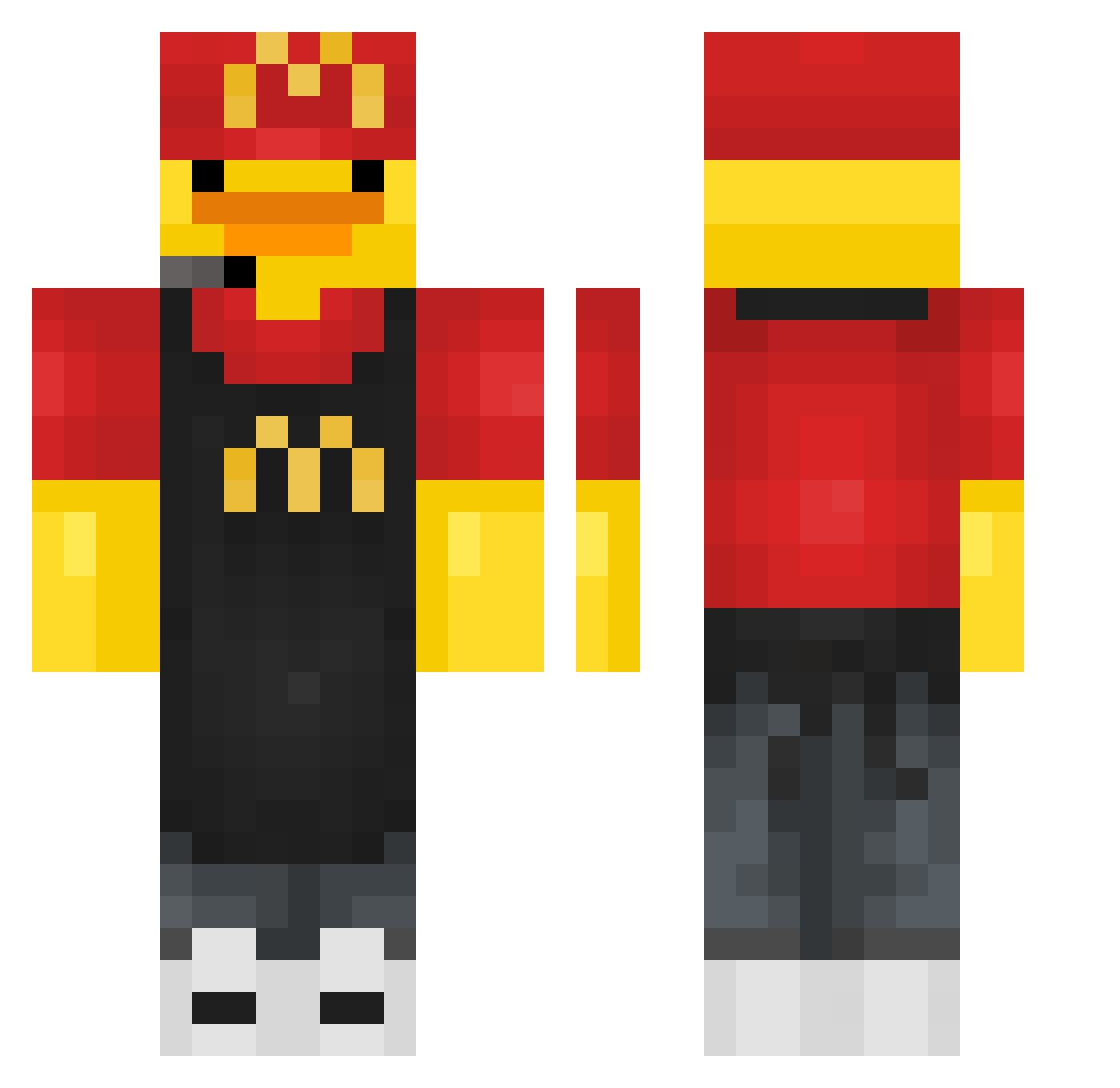
Current Minecraft skin of the player _UZAY_, loaded from the official Mojang API. Rotate the 3D model with your mouse or finger, then download the skin as a PNG file and use it in Minecraft: Bedrock Edition or Java Edition for free. When _UZAY_ changes their skin, this page updates automatically and the old skin stays in the history below.
Other players with this skin (441)
_UZAY_ was the 207th player we have seen with this skin, first spotted on 20.09.2026. The same skin was seen on these players. Open a nickname to see their current skin and skin history.
 KamiFPJ Shmxy FreacChicken cr0p_ jojo_894812 Bouba123456789 Maxwee10 TitanicGMD RangaTempest suyeong1546 pollanegra666 Olipro2431 D0my_ DarkShark04 xlumiixx BB_Cen CAIOBEAN GoosieEmmyyy feariscold HawtRamen labubu301 Jerry14534 NyNyyyy SPG1234 appleeEUN Daym_00 400IQLeon Tomses24 Duck887 dokanevida BMRichard camionoppa RoteEnte no_elle_ gsalihcinar xccws_777 POCHI1925 Dodo7431 icwo Char_n7 BmwKing2 NotJackalEU NONAMEFFF yannay412 SickOfYouTrapz cheza30 Cri88apanda mtop krapzillajr Just4Fun090 pak3rette22 MasterBlack1231 Lenno790 TomBut64 JOPER03 iAsterX Domycek DuckTheConqueror Yacker0 Kardrian05
More Fast Food Worker Minecraft skins
See all 393 Fast Food Worker skins
How to install the _UZAY_ skin
- Press the Download button above to save the skin as a PNG file.
- Minecraft: Bedrock Edition (PE): open the Dressing Room from the main menu (or tap your character → Edit Character), go to Classic Skins → Owned, press the + (new skin) button, choose the downloaded PNG and pick the Classic (Steve) model. Works on PC and mobile; consoles cannot import custom skins.
- Minecraft: Java Edition: open the Minecraft Launcher, go to the Skins tab, click New Skin, load the PNG, pick the Classic (Steve) model and press Save & Use. You can also upload it at minecraft.net → Profile → Change Skin.
The skin does not show up after import - what should I do?
Restart Minecraft and open the Dressing Room again - imported skins sometimes appear only after a restart. Also make sure you selected the imported skin and picked the Classic (Steve) model.
Which model should I choose, Classic or Slim?
This skin is designed for the Classic (Steve) model. If you pick the wrong model, the arms of the skin will look stretched or squeezed.
Is the skin of _UZAY_ free to download?
Yes. Press Download, save the PNG file and use it in Minecraft: Bedrock Edition or Java Edition - no payment or registration needed. The skin also works on multiplayer servers and Realms.
More skins
Looking for more? Go back to all Minecraft skins and check the top skins of the week, month and all time, or find any player's skin by nickname.