
_Perejil_ - Minecraft Skins & Skin History
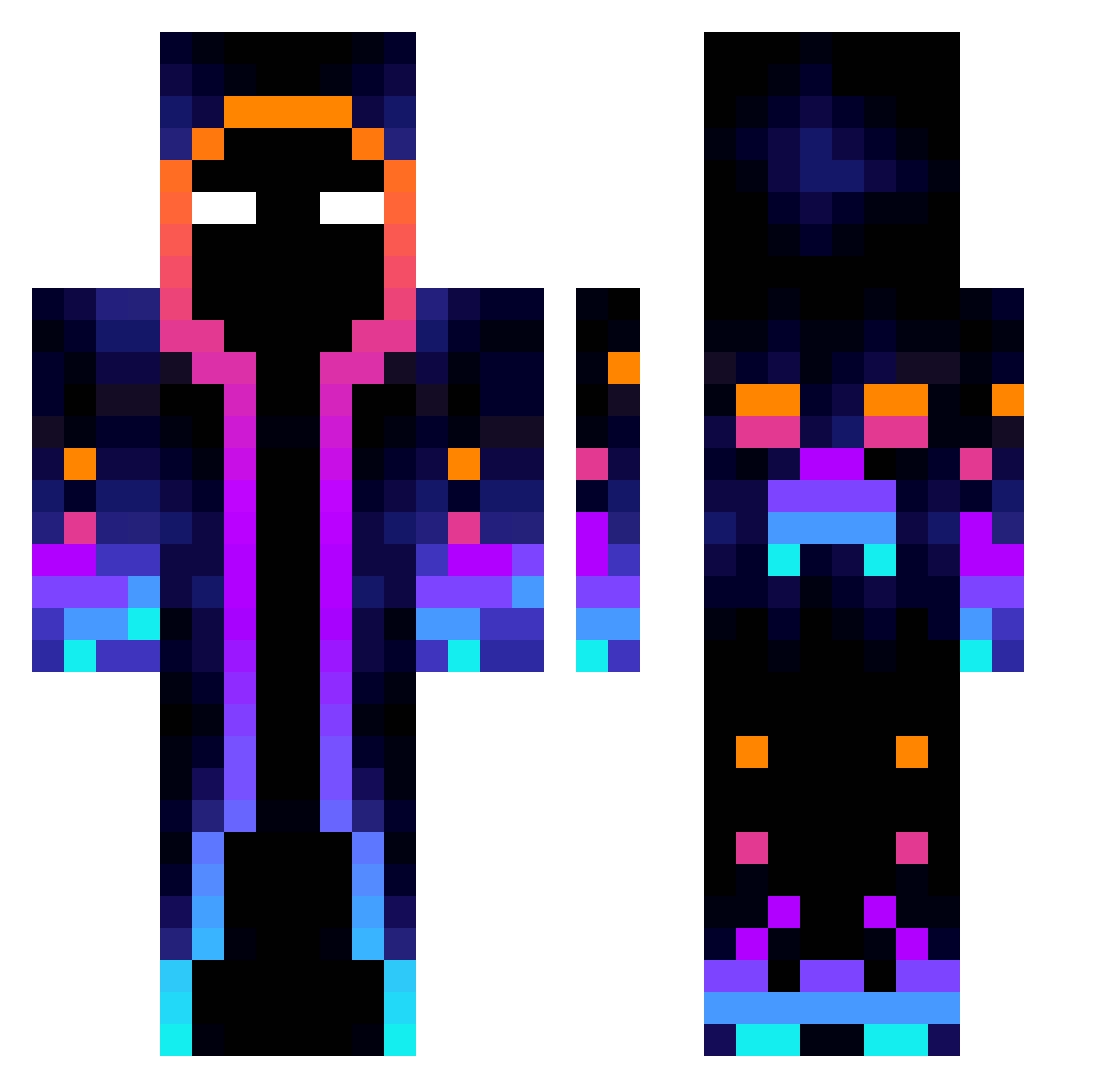
Current Minecraft skin of the player _Perejil_, loaded from the official Mojang API. Rotate the 3D model with your mouse or finger, then download the skin as a PNG file and use it in Minecraft: Bedrock Edition or Java Edition for free. When _Perejil_ changes their skin, this page updates automatically and the old skin stays in the history below.
Other players with this skin (822)
_Perejil_ was the 545th player we have seen with this skin, first spotted on 07.10.2026. The same skin was seen on these players. Open a nickname to see their current skin and skin history.
 cy0301 HeroBryany PlayerCritical halilayaz Matt3XO yizhimao114514 Fire_Soldier 4wuusus KikitoFG KOOLD17 Jann1007 Tornado998 Nerx21 Devi_ Brad1aga E_brano Alachasxd aymanplss mofuO3 7450444 TomLuna2010 1Choom DarvyNNNN_TTV TXOZ1 Kalasbengt FastGT fushiOUO crigraf lao_cheng27 Athibar RicSoares MATI_0 Chuzita30 MW124 Canpro201305 Ishigo_YT Ezael_ Darth_Oleman Krenar1232 Mashed_2 bouguito_gab Nalid95300 arta_N Drackliiv moskardo1 janshi23kkk Zaecan onepicksho0w Chebupelikkk qylf SvelteSpy Nier03 sleepypingpong Lavi72 frank821 ChelouxHd ciaccy Alles1994 Miky2020 dream_colour
More Galaxy Minecraft skins
How to install the _Perejil_ skin
- Press the Download button above to save the skin as a PNG file.
- Minecraft: Bedrock Edition (PE): open the Dressing Room from the main menu (or tap your character → Edit Character), go to Classic Skins → Owned, press the + (new skin) button, choose the downloaded PNG and pick the Classic (Steve) model. Works on PC and mobile; consoles cannot import custom skins.
- Minecraft: Java Edition: open the Minecraft Launcher, go to the Skins tab, click New Skin, load the PNG, pick the Classic (Steve) model and press Save & Use. You can also upload it at minecraft.net → Profile → Change Skin.
The skin does not show up after import - what should I do?
Restart Minecraft and open the Dressing Room again - imported skins sometimes appear only after a restart. Also make sure you selected the imported skin and picked the Classic (Steve) model.
Which model should I choose, Classic or Slim?
This skin is designed for the Classic (Steve) model. If you pick the wrong model, the arms of the skin will look stretched or squeezed.
Is the skin of _Perejil_ free to download?
Yes. Press Download, save the PNG file and use it in Minecraft: Bedrock Edition or Java Edition - no payment or registration needed. The skin also works on multiplayer servers and Realms.
More skins
Looking for more? Go back to all Minecraft skins and check the top skins of the week, month and all time, or find any player's skin by nickname.