
Zynnis13 - Minecraft Skins & Skin History
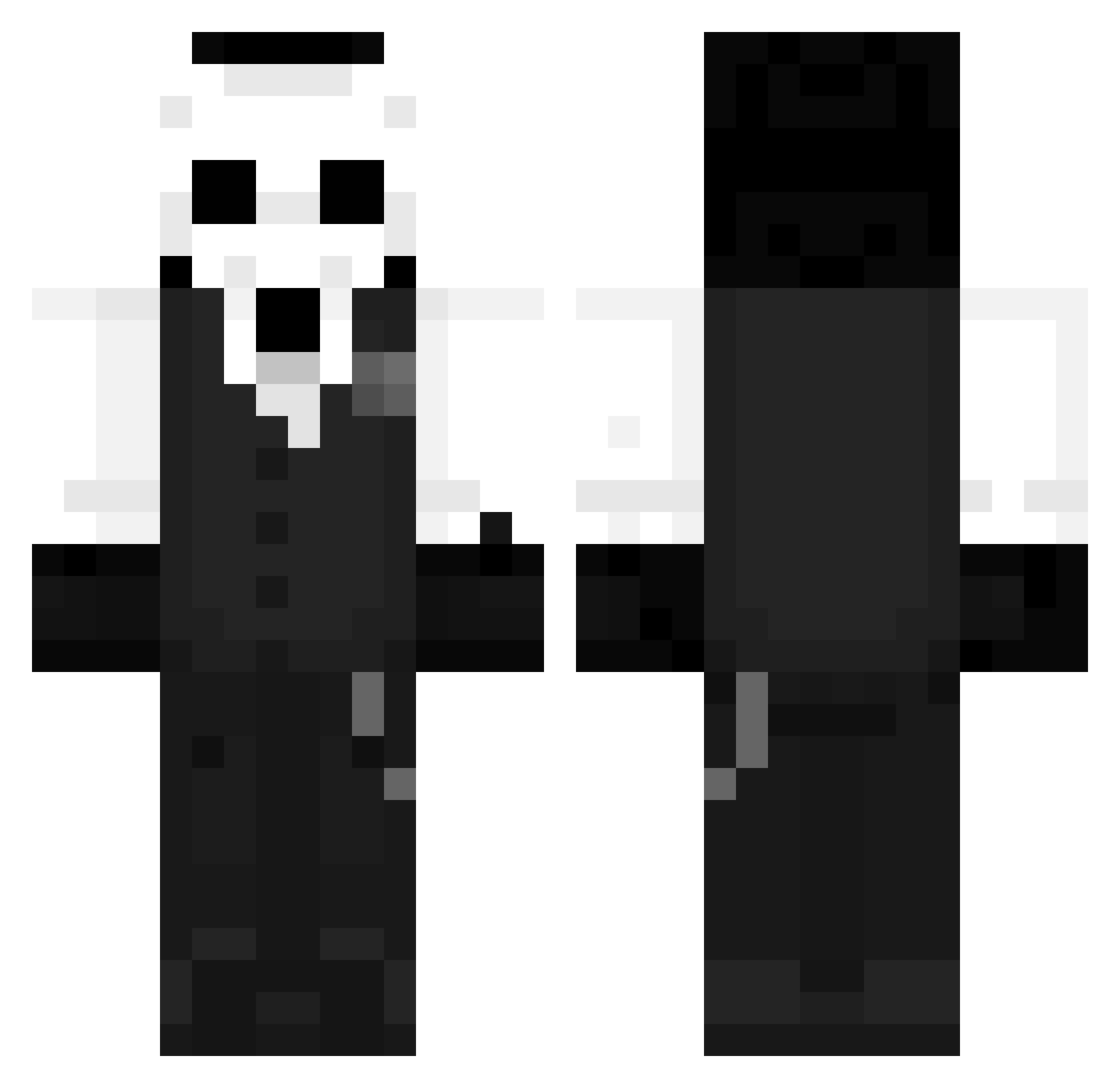
Current Minecraft skin of the player Zynnis13, loaded from the official Mojang API. Rotate the 3D model with your mouse or finger, then download the skin as a PNG file and use it in Minecraft: Bedrock Edition or Java Edition for free. When Zynnis13 changes their skin, this page updates automatically and the old skin stays in the history below.
Other players with this skin (1273)
Zynnis13 was the 19th player we have seen with this skin, first spotted on 24.07.2026. The same skin was seen on these players. Open a nickname to see their current skin and skin history.
 XxDr4k0sxX Majestique1337 PSYCHO_JOKER OCDarkness blindmonge Kaselakiz Nobre__ jbear513 GONTIII Tarsso
 Mol4unie Lingzhi1 Clowd__ tiggz2435 MrMelloJr kino1314 xiaoqin81 Janky_Fish Tapati0 Forskyin AJiM1
 Liwox40 Skull_Forge AzizSpaw chov3696 qeDtra AvyS23 TheLobsterTail stab13 Soulmatesa Ragnaro27 aelsotaku Ge0r9e5 Lotkolben Alfon__1 ZORILLO89 c1379714 asa1to lpConfig Frisky_Time
 YiShengJun0725 SeriousJan2 Hit_eggs Mavuin DovahkiinA7X queonn wwzzzw Zerodous_ Elflakis dfy71yy Keine__Liebe GFIGUEIREDO26 daniel_xd334 best1223 Donay_03 HonestStranger CheeseBurger445 Terterx ild5589 Churrosito
More Sans Minecraft skins
How to install the Zynnis13 skin
- Press the Download button above to save the skin as a PNG file.
- Minecraft: Bedrock Edition (PE): open the Dressing Room from the main menu (or tap your character → Edit Character), go to Classic Skins → Owned, press the + (new skin) button, choose the downloaded PNG and pick the Classic (Steve) model. Works on PC and mobile; consoles cannot import custom skins.
- Minecraft: Java Edition: open the Minecraft Launcher, go to the Skins tab, click New Skin, load the PNG, pick the Classic (Steve) model and press Save & Use. You can also upload it at minecraft.net → Profile → Change Skin.
The skin does not show up after import - what should I do?
Restart Minecraft and open the Dressing Room again - imported skins sometimes appear only after a restart. Also make sure you selected the imported skin and picked the Classic (Steve) model.
Which model should I choose, Classic or Slim?
This skin is designed for the Classic (Steve) model. If you pick the wrong model, the arms of the skin will look stretched or squeezed.
Is the skin of Zynnis13 free to download?
Yes. Press Download, save the PNG file and use it in Minecraft: Bedrock Edition or Java Edition - no payment or registration needed. The skin also works on multiplayer servers and Realms.
More skins
Looking for more? Go back to all Minecraft skins and check the top skins of the week, month and all time, or find any player's skin by nickname.