
ZweeetyBoii - Minecraft Skins & Skin History
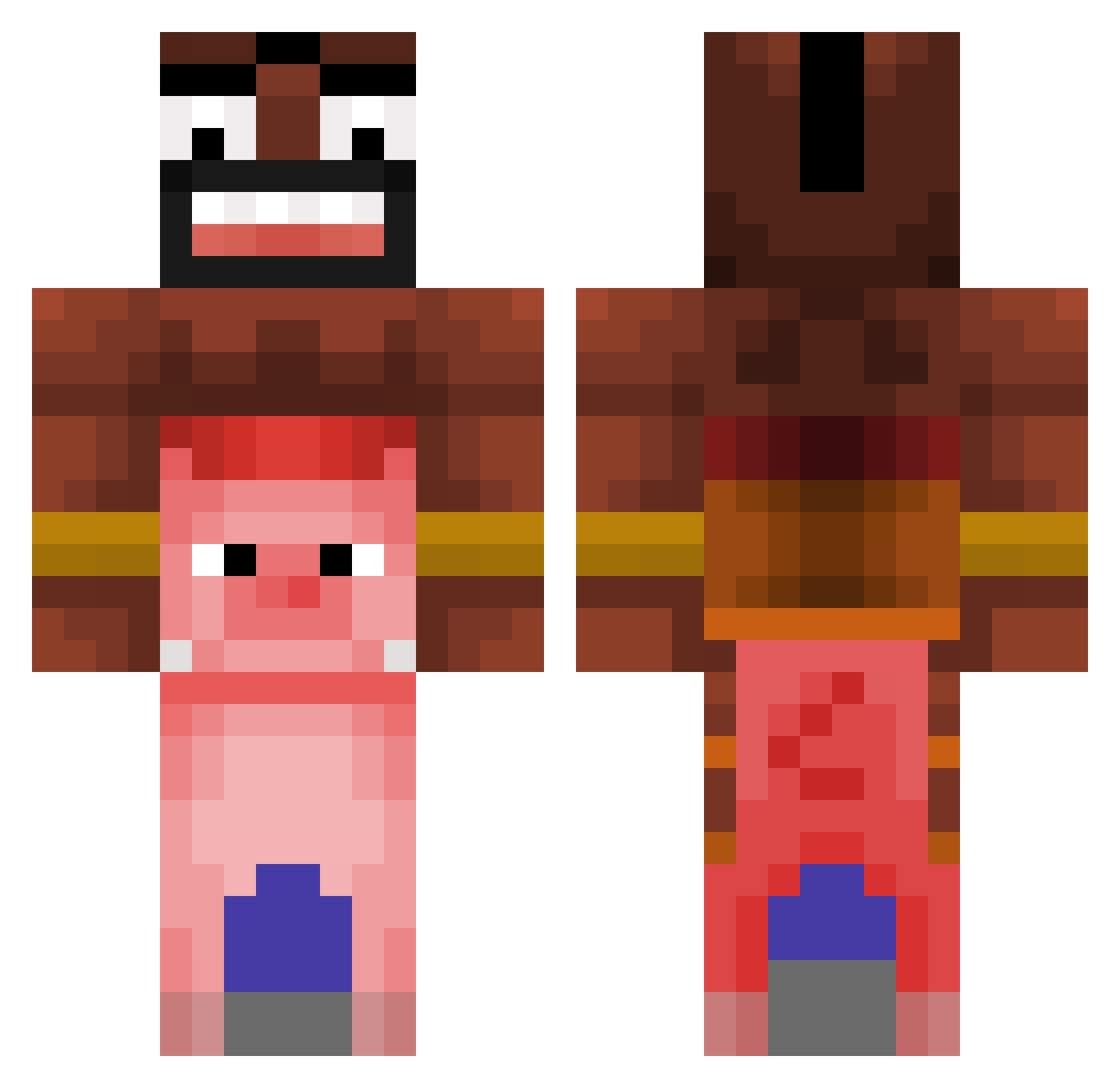
Current Minecraft skin of the player ZweeetyBoii, loaded from the official Mojang API. Rotate the 3D model with your mouse or finger, then download the skin as a PNG file and use it in Minecraft: Bedrock Edition or Java Edition for free. When ZweeetyBoii changes their skin, this page updates automatically and the old skin stays in the history below.
Other players with this skin (476)
ZweeetyBoii was the 201st player we have seen with this skin, first spotted on 13.09.2026. The same skin was seen on these players. Open a nickname to see their current skin and skin history.
 hksx_a RomWare Dadabearrr david35121205 SzymonusGraczyko Klinkass Imadogmeow3682 obidius escravidao LolyMarsh BkBoyGamer _MarekMarucha Beno37 FeuerwehrmannTom HoggRiider shrek0223 schleudern Rodri_Bellako Comerestos Tastingsmile341 muxio zbcbc Shinaule dyligh_ PauleyKebabz balo47 Elminq Heavybangkok NTIQPA Mrclean56 negaficen LexaNNN gordodeunderwear upliftingshoe nemo_stass1 maggiveganer maniego EpicGabu paker97 Pasis Kingnfx kacper975 ILIKOBAX computering101 SuspiciousStew28 YogRider poolman4 ENO030 yisraell Blengar Kozugo KknackK Eichelbrot richblacka Szogzi_YT SickFrick Archdrein Z1ner nikita777super ganearoburro777
More Pig Minecraft skins
How to install the ZweeetyBoii skin
- Press the Download button above to save the skin as a PNG file.
- Minecraft: Bedrock Edition (PE): open the Dressing Room from the main menu (or tap your character → Edit Character), go to Classic Skins → Owned, press the + (new skin) button, choose the downloaded PNG and pick the Classic (Steve) model. Works on PC and mobile; consoles cannot import custom skins.
- Minecraft: Java Edition: open the Minecraft Launcher, go to the Skins tab, click New Skin, load the PNG, pick the Classic (Steve) model and press Save & Use. You can also upload it at minecraft.net → Profile → Change Skin.
The skin does not show up after import - what should I do?
Restart Minecraft and open the Dressing Room again - imported skins sometimes appear only after a restart. Also make sure you selected the imported skin and picked the Classic (Steve) model.
Which model should I choose, Classic or Slim?
This skin is designed for the Classic (Steve) model. If you pick the wrong model, the arms of the skin will look stretched or squeezed.
Is the skin of ZweeetyBoii free to download?
Yes. Press Download, save the PNG file and use it in Minecraft: Bedrock Edition or Java Edition - no payment or registration needed. The skin also works on multiplayer servers and Realms.
More skins
Looking for more? Go back to all Minecraft skins and check the top skins of the week, month and all time, or find any player's skin by nickname.