
ZenRega38 - Minecraft Skins & Skin History
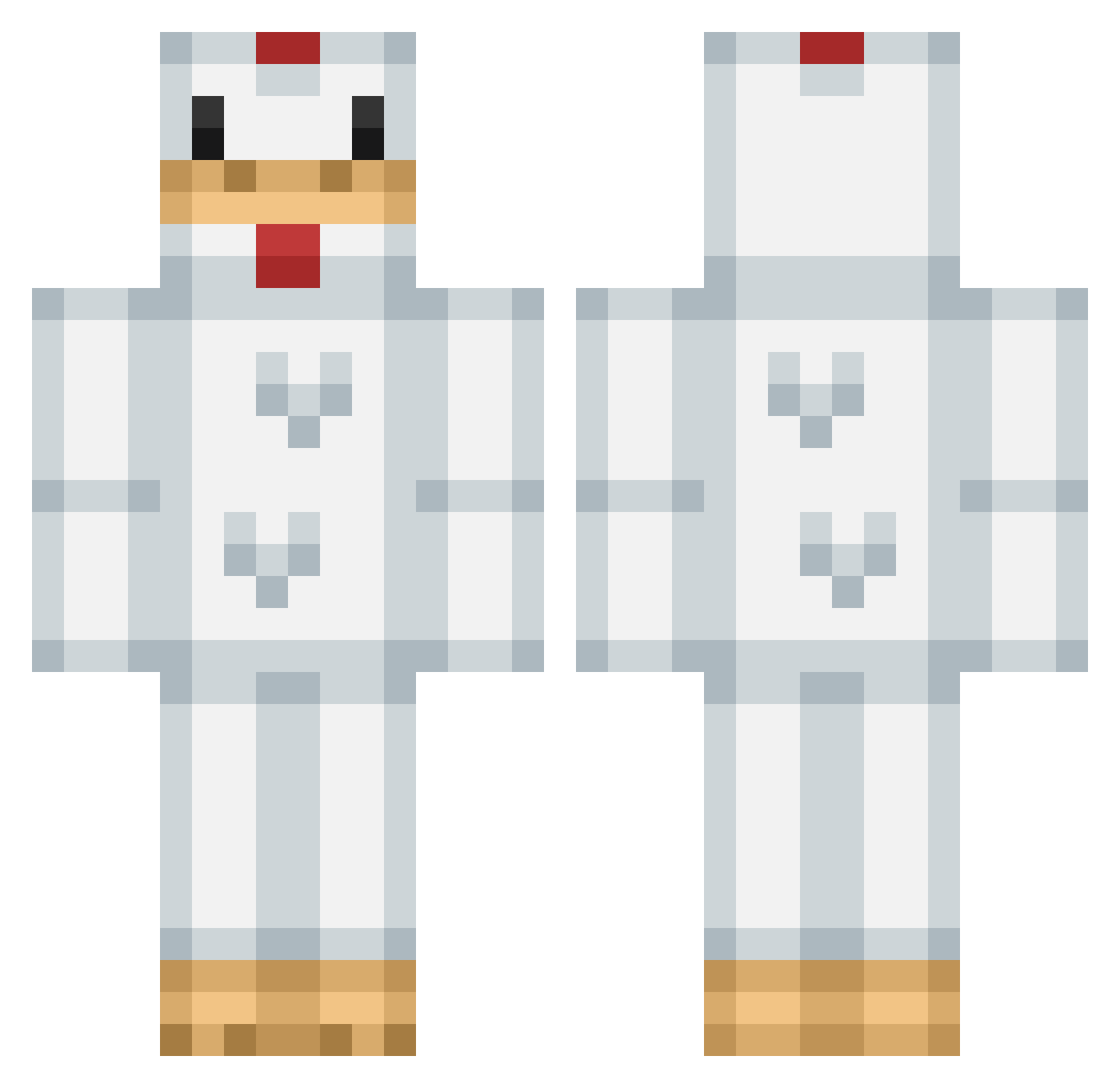
Current Minecraft skin of the player ZenRega38, loaded from the official Mojang API. Rotate the 3D model with your mouse or finger, then download the skin as a PNG file and use it in Minecraft: Bedrock Edition or Java Edition for free. When ZenRega38 changes their skin, this page updates automatically and the old skin stays in the history below.
Other players with this skin (206)
ZenRega38 was the 153rd player we have seen with this skin, first spotted on 21.10.2026. The same skin was seen on these players. Open a nickname to see their current skin and skin history.
 zoe711 zzboii kadenrhys NiHaoshuai35 BudgieBro kanokkon Gizuddy Hulululu0706 EpiChicken1970 Graham_Stl SwaglordMoneybag EthSec05 Lama_In HomeChicken69 CoolColin1443 Chickenkila gxxseie 3chickenonstick ODP35 aleks00 Marfash RIRIRIRIRIRI89 ChickfilaKing moolington123 EmiDaBest oskoer Destructus505 EpicChicken27_ Chupachi1 ToanToken lisiyu0202 Callovesmeston J03D3M0R4 __Yuci__ BotAtMinecraft kntzrx Chilken mk_190 KakeruCat CooperLloyd1234 The__Way mangotarsan KNKtori BigChicken97 ThatChicken_Guy AnthonyJayy slow_m Mrnuggetz13 summer_t13 Wcarwawa SlimySteak Moris2010 YAMADAssS OtterBall Petripotri COMPOSTV Chicken4mepls JiJiKING6 EroticToHeaven JGMV2006
More Chicken Minecraft skins
How to install the ZenRega38 skin
- Press the Download button above to save the skin as a PNG file.
- Minecraft: Bedrock Edition (PE): open the Dressing Room from the main menu (or tap your character → Edit Character), go to Classic Skins → Owned, press the + (new skin) button, choose the downloaded PNG and pick the Classic (Steve) model. Works on PC and mobile; consoles cannot import custom skins.
- Minecraft: Java Edition: open the Minecraft Launcher, go to the Skins tab, click New Skin, load the PNG, pick the Classic (Steve) model and press Save & Use. You can also upload it at minecraft.net → Profile → Change Skin.
The skin does not show up after import - what should I do?
Restart Minecraft and open the Dressing Room again - imported skins sometimes appear only after a restart. Also make sure you selected the imported skin and picked the Classic (Steve) model.
Which model should I choose, Classic or Slim?
This skin is designed for the Classic (Steve) model. If you pick the wrong model, the arms of the skin will look stretched or squeezed.
Is the skin of ZenRega38 free to download?
Yes. Press Download, save the PNG file and use it in Minecraft: Bedrock Edition or Java Edition - no payment or registration needed. The skin also works on multiplayer servers and Realms.
More skins
Looking for more? Go back to all Minecraft skins and check the top skins of the week, month and all time, or find any player's skin by nickname.