
ZeProf2Joint - Minecraft Skins & Skin History
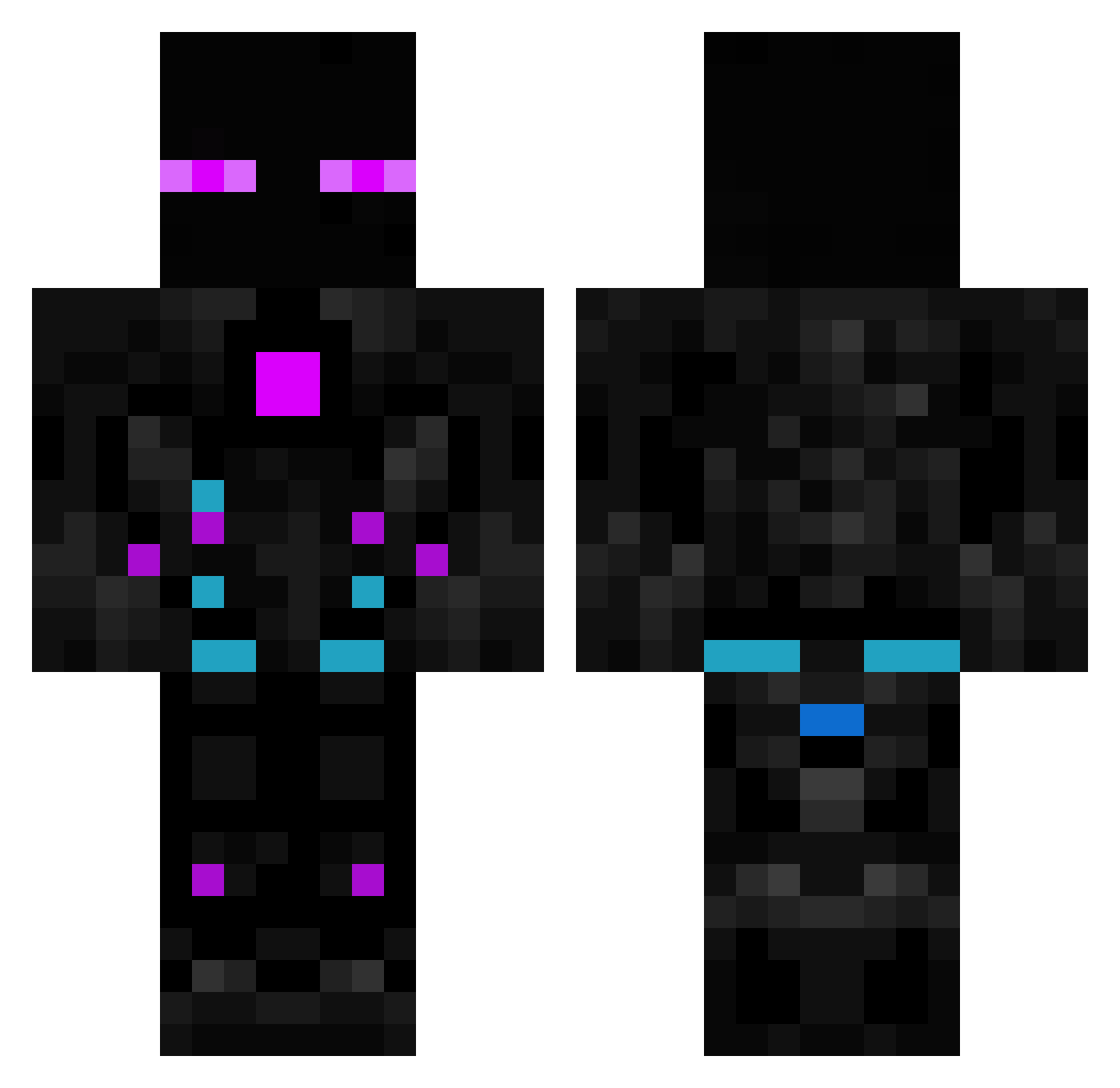
Current Minecraft skin of the player ZeProf2Joint, loaded from the official Mojang API. Rotate the 3D model with your mouse or finger, then download the skin as a PNG file and use it in Minecraft: Bedrock Edition or Java Edition for free. When ZeProf2Joint changes their skin, this page updates automatically and the old skin stays in the history below.
Other players with this skin (75)
ZeProf2Joint was the 42nd player we have seen with this skin, first spotted on 28.09.2026. The same skin was seen on these players. Open a nickname to see their current skin and skin history.
 Pliplou Neoshade30 chidori2000 KiZuHanHunKy Veganoxi Camponess Uncle__Thor Abrammax777 SunnyHUN MadDocteur2 Brakioner Rhofa rodrigobrxxz KillerEloi Tru_sso JordanH476 Leckmestre douggie890 N3r0niX LickItPlz vilmos983 Herbatnik13 Batatao__ TheRealRiderYT VyndEntity pusur2222 Onlinogame das_schnitz3l fs_1227 pedro_foxy Ovirulent Nuk3_11 hellemeld DestroyingSkull JmoPerez goerk3 BrunoSana YTLordEndercraft Lukyn74 DiamondTye DaelBoy ElMatav DerSchmalschwanz Sulfhy RelSpanda217_SMB _RemyTheKing_ Toon9845 Cadist XReactions49 PaulBH Kiram1 spooky2021 Vardanyan titiwawata SrMobis oznerol93 EvanSky2006 arielbo kitten6464 dein_albtraum
More Futuristic Minecraft skins
How to install the ZeProf2Joint skin
- Press the Download button above to save the skin as a PNG file.
- Minecraft: Bedrock Edition (PE): open the Dressing Room from the main menu (or tap your character → Edit Character), go to Classic Skins → Owned, press the + (new skin) button, choose the downloaded PNG and pick the Classic (Steve) model. Works on PC and mobile; consoles cannot import custom skins.
- Minecraft: Java Edition: open the Minecraft Launcher, go to the Skins tab, click New Skin, load the PNG, pick the Classic (Steve) model and press Save & Use. You can also upload it at minecraft.net → Profile → Change Skin.
The skin does not show up after import - what should I do?
Restart Minecraft and open the Dressing Room again - imported skins sometimes appear only after a restart. Also make sure you selected the imported skin and picked the Classic (Steve) model.
Which model should I choose, Classic or Slim?
This skin is designed for the Classic (Steve) model. If you pick the wrong model, the arms of the skin will look stretched or squeezed.
Is the skin of ZeProf2Joint free to download?
Yes. Press Download, save the PNG file and use it in Minecraft: Bedrock Edition or Java Edition - no payment or registration needed. The skin also works on multiplayer servers and Realms.
More skins
Looking for more? Go back to all Minecraft skins and check the top skins of the week, month and all time, or find any player's skin by nickname.