
ZZlauria5 - Minecraft Skins & Skin History
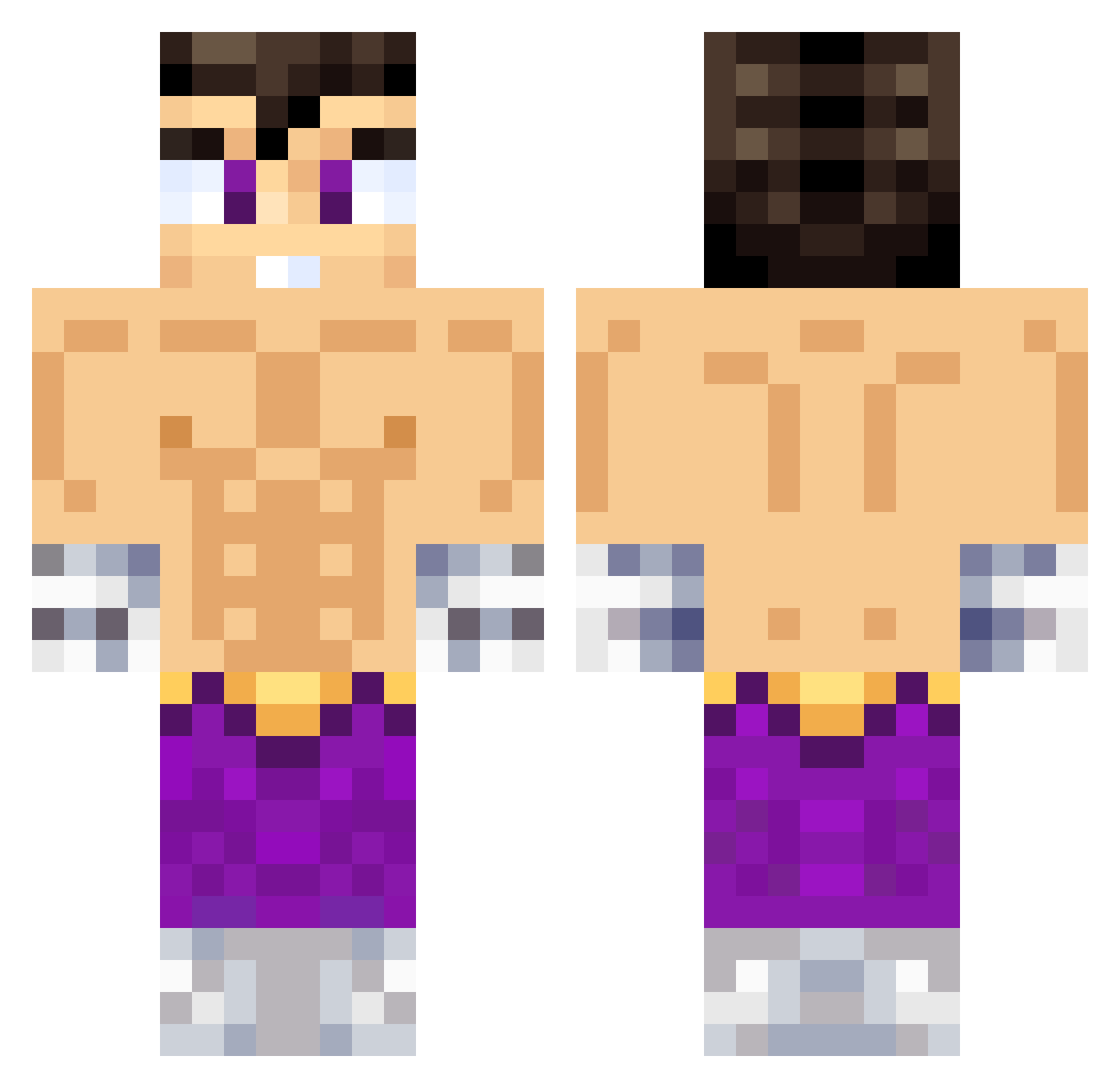
Current Minecraft skin of the player ZZlauria5, loaded from the official Mojang API. Rotate the 3D model with your mouse or finger, then download the skin as a PNG file and use it in Minecraft: Bedrock Edition or Java Edition for free. When ZZlauria5 changes their skin, this page updates automatically and the old skin stays in the history below.
Other players with this skin (638)
ZZlauria5 was the 214th player we have seen with this skin, first spotted on 02.09.2026. The same skin was seen on these players. Open a nickname to see their current skin and skin history.
 CRISTIANXD385 Motro_RG Kryze09 lilgodactive Zhen0989 SrJOHN11 ValenRiso Frankito0 Cejaassj ItsMeCriss MRVAL98 luisito534 Sonvegetta27 SAVICRAFT fabiocuba MarGon_316 TH3BIG23 JuAnChO1753 matiaaaxz Ezz_02 iker0009 Naru_Gamer fulano423 Xx_GhostAlex_xX Unsi767 thiagocabj Eduardo_7310 Darmandossj BrunoBG Gonzalo_GF Cajonsito Anabelg Duri_xd performans AlejoGamer2514 meco3000 Paippasfritas yepppppppppppp Bichotto tupapimanu AiorosXYZ WAJIIRO Juty21 DraigDrag YangDoFal_2 ElFacha1305 Thesubi _JAMER_09 Cr7csv Titahn01 LuQuiTaXx09 bixnan Chupizx ikercea Rcxrsdo stelios06_yt
 ZDRS4 P470 Walls22 Geinshin
More Jin Kazama Minecraft skins
How to install the ZZlauria5 skin
- Press the Download button above to save the skin as a PNG file.
- Minecraft: Bedrock Edition (PE): open the Dressing Room from the main menu (or tap your character → Edit Character), go to Classic Skins → Owned, press the + (new skin) button, choose the downloaded PNG and pick the Classic (Steve) model. Works on PC and mobile; consoles cannot import custom skins.
- Minecraft: Java Edition: open the Minecraft Launcher, go to the Skins tab, click New Skin, load the PNG, pick the Classic (Steve) model and press Save & Use. You can also upload it at minecraft.net → Profile → Change Skin.
The skin does not show up after import - what should I do?
Restart Minecraft and open the Dressing Room again - imported skins sometimes appear only after a restart. Also make sure you selected the imported skin and picked the Classic (Steve) model.
Which model should I choose, Classic or Slim?
This skin is designed for the Classic (Steve) model. If you pick the wrong model, the arms of the skin will look stretched or squeezed.
Is the skin of ZZlauria5 free to download?
Yes. Press Download, save the PNG file and use it in Minecraft: Bedrock Edition or Java Edition - no payment or registration needed. The skin also works on multiplayer servers and Realms.
More skins
Looking for more? Go back to all Minecraft skins and check the top skins of the week, month and all time, or find any player's skin by nickname.