
ZACHBENNETT16 - Minecraft Skins & Skin History
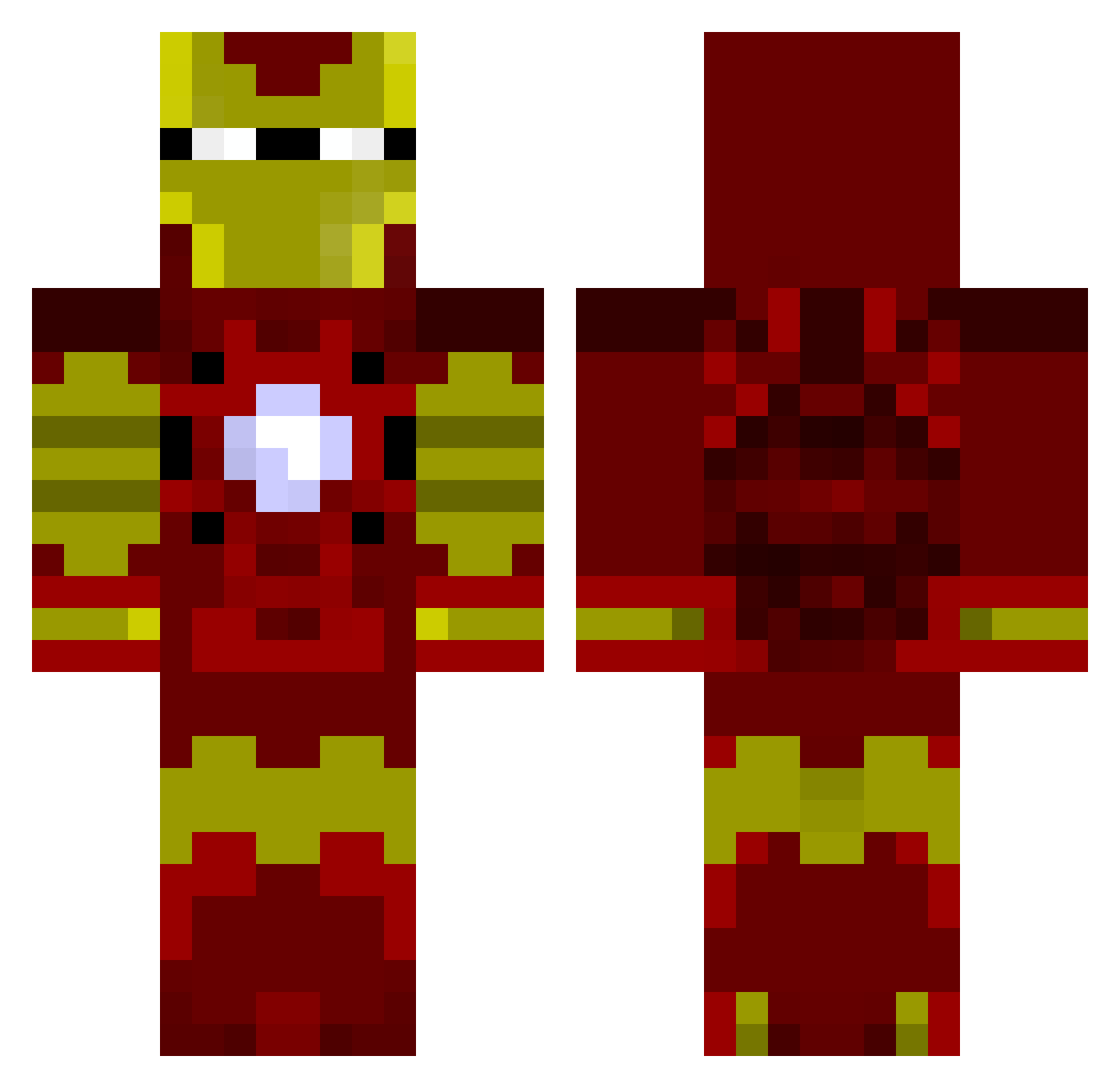
Current Minecraft skin of the player ZACHBENNETT16, loaded from the official Mojang API. Rotate the 3D model with your mouse or finger, then download the skin as a PNG file and use it in Minecraft: Bedrock Edition or Java Edition for free. When ZACHBENNETT16 changes their skin, this page updates automatically and the old skin stays in the history below.
Other players with this skin (805)
ZACHBENNETT16 was the 237th player we have seen with this skin, first spotted on 22.08.2026. The same skin was seen on these players. Open a nickname to see their current skin and skin history.
 NIMABI fiflo05 roc13x EvE_Legacy Jacksobeat mikejayne Fusrodauh KickinzaBabies DANGERBren11 Running_Scared Gian518 dustin120199 Drummerboy30 Iron13 maxineter12 doofah Yankeeman4224 bensgonewild Tomchecker BumBaby3176 epicwarz UltraMegaCow MrProoofY loganlacerda legendtraynor Goldago ohxiete deeis69 thorntonreed Bernardorocks azaino25 fearyzz Mining_Creeper89 Chirese vlopez Magik98 AceSkiller1 FudgeToe7 sierrascout Sypio The1fitzer Anthony117x Skyslittlebro34 sarebare12221 Sweetydeath59 HOCKEYJUNKY29 Cvmou cypernet LoneWolfTony Newman01633 Butternutzz Sheffield23 assasinMVP KamikazeJb Spacks Jackblades2014 DamronFamily Patelliott Kitteh0 _DividedByZero_
More Iron Man Minecraft skins
How to install the ZACHBENNETT16 skin
- Press the Download button above to save the skin as a PNG file.
- Minecraft: Bedrock Edition (PE): open the Dressing Room from the main menu (or tap your character → Edit Character), go to Classic Skins → Owned, press the + (new skin) button, choose the downloaded PNG and pick the Classic (Steve) model. Works on PC and mobile; consoles cannot import custom skins.
- Minecraft: Java Edition: open the Minecraft Launcher, go to the Skins tab, click New Skin, load the PNG, pick the Classic (Steve) model and press Save & Use. You can also upload it at minecraft.net → Profile → Change Skin.
The skin does not show up after import - what should I do?
Restart Minecraft and open the Dressing Room again - imported skins sometimes appear only after a restart. Also make sure you selected the imported skin and picked the Classic (Steve) model.
Which model should I choose, Classic or Slim?
This skin is designed for the Classic (Steve) model. If you pick the wrong model, the arms of the skin will look stretched or squeezed.
Is the skin of ZACHBENNETT16 free to download?
Yes. Press Download, save the PNG file and use it in Minecraft: Bedrock Edition or Java Edition - no payment or registration needed. The skin also works on multiplayer servers and Realms.
More skins
Looking for more? Go back to all Minecraft skins and check the top skins of the week, month and all time, or find any player's skin by nickname.