
YbPj - Minecraft Skins & Skin History
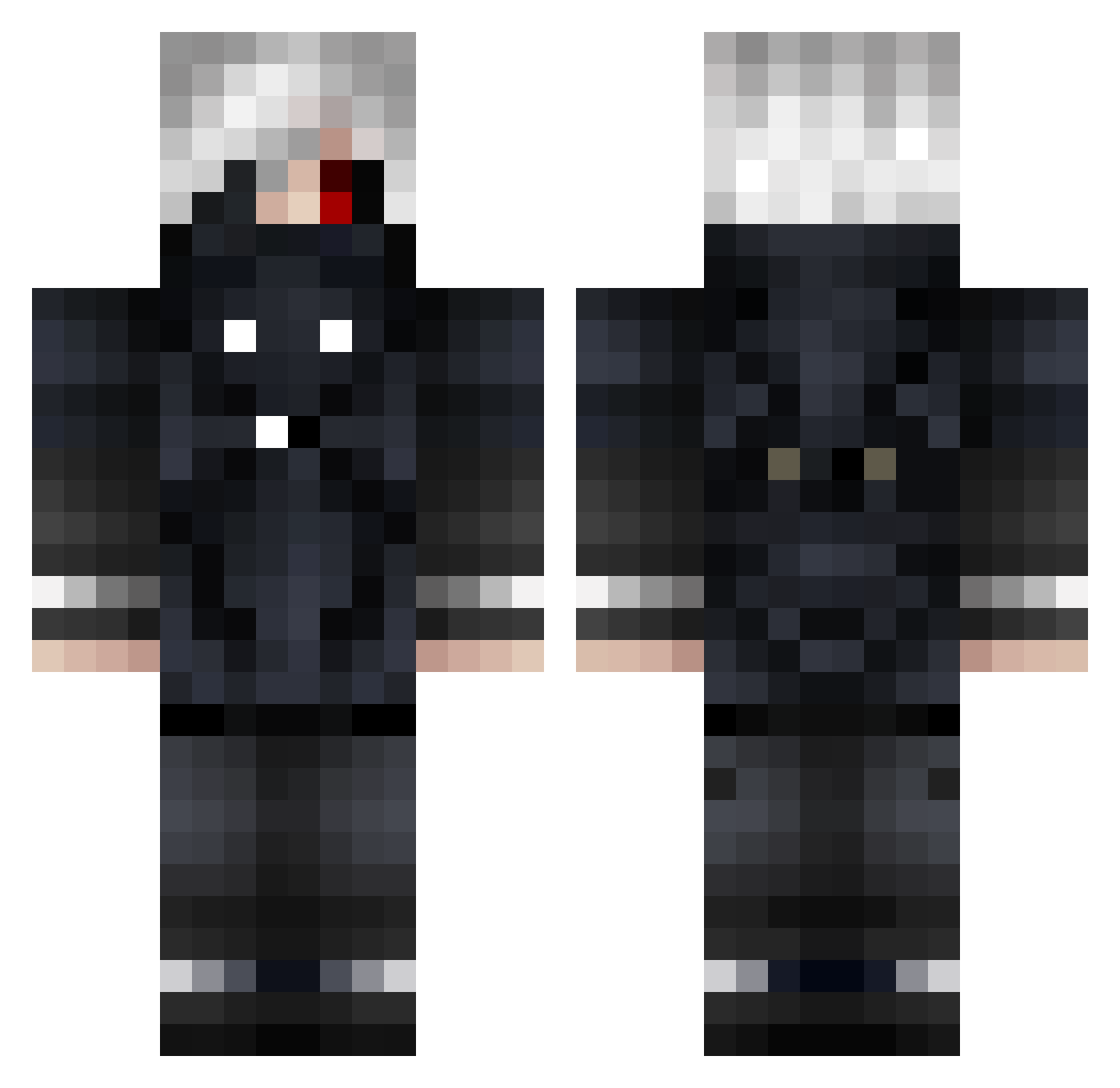
Current Minecraft skin of the player YbPj, loaded from the official Mojang API. Rotate the 3D model with your mouse or finger, then download the skin as a PNG file and use it in Minecraft: Bedrock Edition or Java Edition for free. When YbPj changes their skin, this page updates automatically and the old skin stays in the history below.
Other players with this skin (854)
YbPj was the 771st player we have seen with this skin, first spotted on 31.10.2026. The same skin was seen on these players. Open a nickname to see their current skin and skin history.
 Adam_88v2 Kanekyy_Kun YungXans vlady25690 Agentfluffyunico Logader sorato2357 Kaneki_03 ApolloSun0 Reno_N Souls_77 LqpisLqzuli zxcan1a _____SAL_____ Carson4 enjoy0417 monoglaf Dylosh Kaenki Jstin702 V4nime S3lug Paz_L David270 mitsokoyay Swerv3xKnapp Kanuuuu stepanlu albedo_gui Bangbangtarou Crymix KilianNHM LiTtE_t HeavenF2 mixta11 EmelineBrc businezwoman Brandon12710 beniol_l_jackson sinvy_ UwUKapre OpsNivouille GayQQ Yoyane SFadeAway xKanito bannbann YUKK0408 JMBali Mr_Enderman07 mustafa_scorpion Alaskuyy ZiggyOff demeq69 NOHAXJUSTSCAM Santi10121 GrenGra Purhab El_Joyllu14 Kokeman6
More Mask Minecraft skins
How to install the YbPj skin
- Press the Download button above to save the skin as a PNG file.
- Minecraft: Bedrock Edition (PE): open the Dressing Room from the main menu (or tap your character → Edit Character), go to Classic Skins → Owned, press the + (new skin) button, choose the downloaded PNG and pick the Classic (Steve) model. Works on PC and mobile; consoles cannot import custom skins.
- Minecraft: Java Edition: open the Minecraft Launcher, go to the Skins tab, click New Skin, load the PNG, pick the Classic (Steve) model and press Save & Use. You can also upload it at minecraft.net → Profile → Change Skin.
The skin does not show up after import - what should I do?
Restart Minecraft and open the Dressing Room again - imported skins sometimes appear only after a restart. Also make sure you selected the imported skin and picked the Classic (Steve) model.
Which model should I choose, Classic or Slim?
This skin is designed for the Classic (Steve) model. If you pick the wrong model, the arms of the skin will look stretched or squeezed.
Is the skin of YbPj free to download?
Yes. Press Download, save the PNG file and use it in Minecraft: Bedrock Edition or Java Edition - no payment or registration needed. The skin also works on multiplayer servers and Realms.
More skins
Looking for more? Go back to all Minecraft skins and check the top skins of the week, month and all time, or find any player's skin by nickname.