
YasmineDz - Minecraft Skins & Skin History
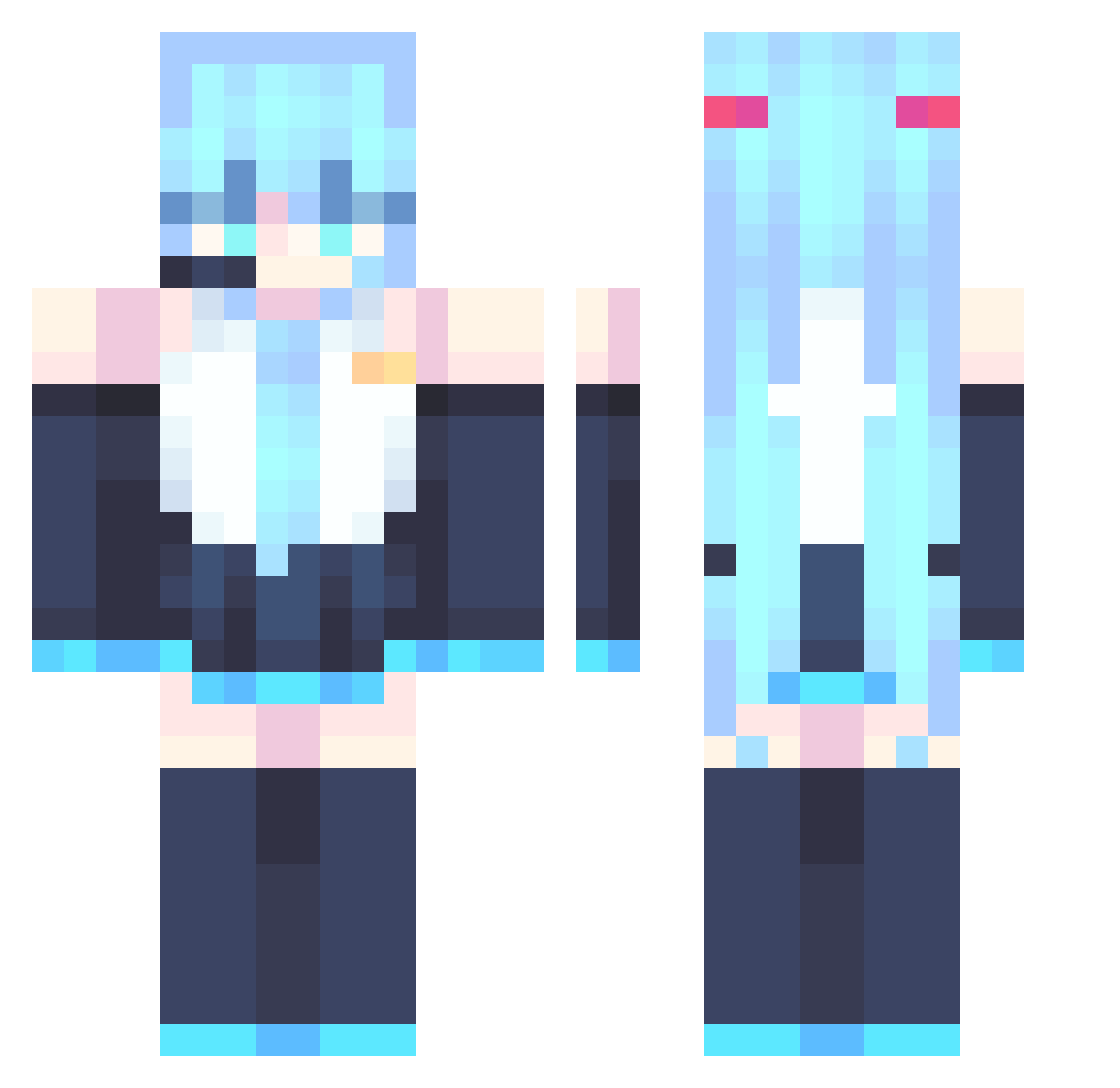
Current Minecraft skin of the player YasmineDz, loaded from the official Mojang API. Rotate the 3D model with your mouse or finger, then download the skin as a PNG file and use it in Minecraft: Bedrock Edition or Java Edition for free. When YasmineDz changes their skin, this page updates automatically and the old skin stays in the history below.
Other players with this skin (867)
YasmineDz was the 58th player we have seen with this skin, first spotted on 31.07.2026. The same skin was seen on these players. Open a nickname to see their current skin and skin history.
 Katsu343 xiaohongmao13 RaeTvT level012 Blaky5 Bubblu111 Sky0zzy outer_spec Gaphazi RedRaccooon Hiibiiki Lookawaii Antilopez_ HatsuneMiiku01 OcelotWhisper bobbybilljr
 Venoxyse qdgzt SparkleXP Ains_Phoenix MakovNew SEAN0w0 patitomanhd Aleks_GTG SecretMewTwo monarchofRAH Archaeopter nyamy3 sockage bryangd
 Jay_The_Moose Pivatto_ CialloQ721 Its_Mace09 Rafaela__san20 Trancoss KAYDENLOLXD
 SrArky EXCIUSIVE5 ZharkLight Ras_rap luckblocksuper SoWhui Spell02 Rakan221
 Lynx_Juice huanxu06 pumpkabookie Locpy ciallo10 ShiHaRuOo Donglinzhu 7anny Zagor16 JRtheMans20
 chucklechiefdave Rynelix votod xfoz2 KozmoKirby
More Hatsune Miku Minecraft skins
See all 894 Hatsune Miku skins
How to install the YasmineDz skin
- Press the Download button above to save the skin as a PNG file.
- Minecraft: Bedrock Edition (PE): open the Dressing Room from the main menu (or tap your character → Edit Character), go to Classic Skins → Owned, press the + (new skin) button, choose the downloaded PNG and pick the Classic (Steve) model. Works on PC and mobile; consoles cannot import custom skins.
- Minecraft: Java Edition: open the Minecraft Launcher, go to the Skins tab, click New Skin, load the PNG, pick the Classic (Steve) model and press Save & Use. You can also upload it at minecraft.net → Profile → Change Skin.
The skin does not show up after import - what should I do?
Restart Minecraft and open the Dressing Room again - imported skins sometimes appear only after a restart. Also make sure you selected the imported skin and picked the Classic (Steve) model.
Which model should I choose, Classic or Slim?
This skin is designed for the Classic (Steve) model. If you pick the wrong model, the arms of the skin will look stretched or squeezed.
Is the skin of YasmineDz free to download?
Yes. Press Download, save the PNG file and use it in Minecraft: Bedrock Edition or Java Edition - no payment or registration needed. The skin also works on multiplayer servers and Realms.
More skins
Looking for more? Go back to all Minecraft skins and check the top skins of the week, month and all time, or find any player's skin by nickname.