
YannickGroteVis - Minecraft Skins & Skin History
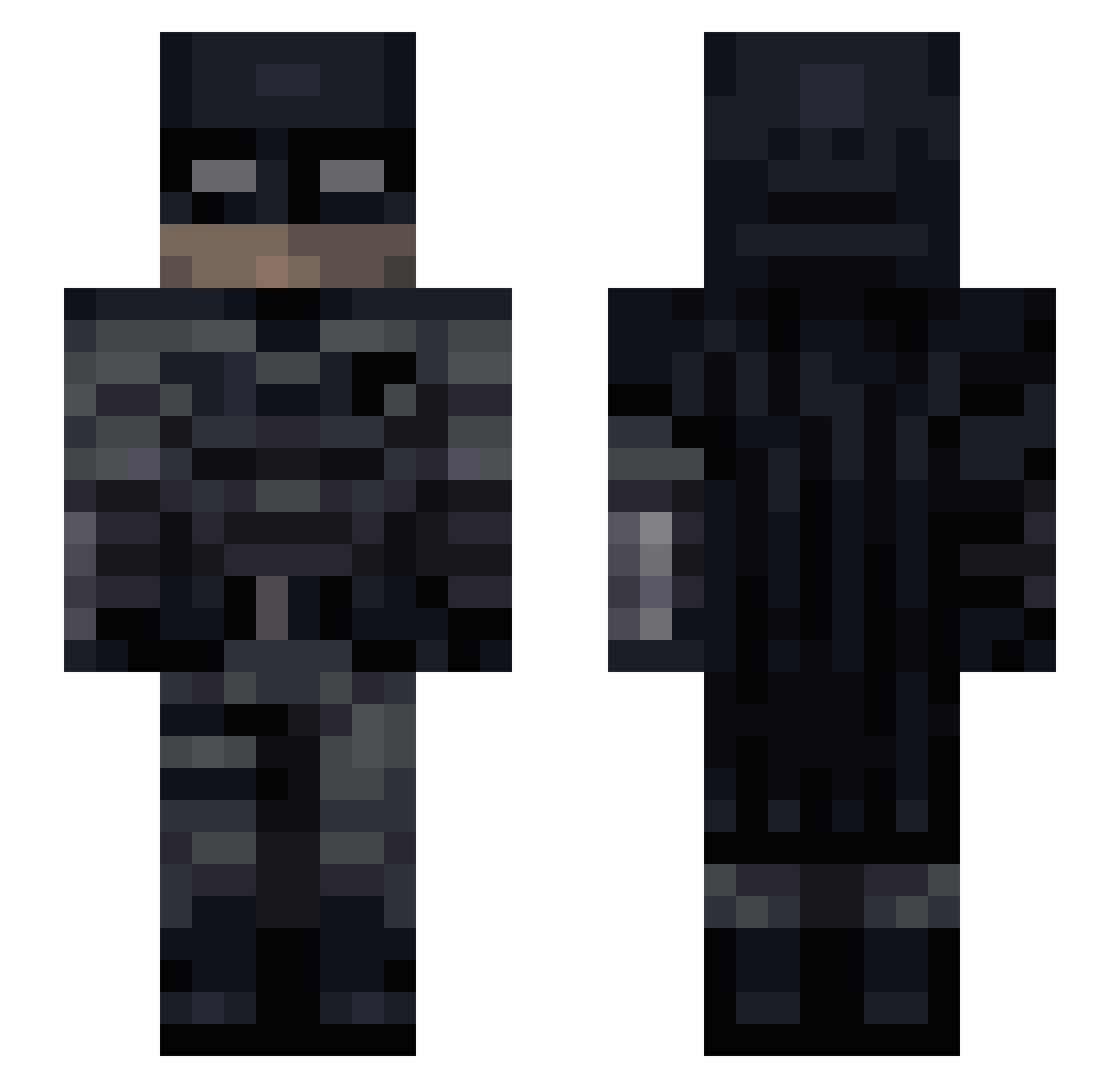
Current Minecraft skin of the player YannickGroteVis, loaded from the official Mojang API. Rotate the 3D model with your mouse or finger, then download the skin as a PNG file and use it in Minecraft: Bedrock Edition or Java Edition for free. When YannickGroteVis changes their skin, this page updates automatically and the old skin stays in the history below.
Other players with this skin (75)
YannickGroteVis was the 28th player we have seen with this skin, first spotted on 04.09.2026. The same skin was seen on these players. Open a nickname to see their current skin and skin history.
 Landyn2208 1Two_Logic MagentaCloud _white_monkey Razzx chum711 kakaowy_darek lam_Vengeance wlylol MGSolid_Snake VolkanoVik SebasRDZ3 piroxTR iz_o gettouched2 Zoigle Grandsta FiveLake Nov0__ Venipi_ SirAidaLot UnickWorkout AdrianLucero IIII47IIII
 Oxidicer GravityBlaze Jellii_ Charb77 lNAIFl Milkyway189 nightmre345434 HyperTequila abhishek1208 Shiftu JokingJem LUKEEEEEEEEEEEEO _c0nfig KevsterKev GiangBoi Plunguin pogromcaswiata Kbur4k_ kean21314 Dipesh056 PixelSlime_ DeclaredSire 3svan dead_rider_2 Ecl3pse JERRY_221218 MrAbFaL Infamouss103 Hooodini_ evilwizzard30 wylinoutglizy Disperato_ Greedo88 Mushi8 Regning benni345117
Previous skins of YannickGroteVis
Skins that YannickGroteVis wore before, newest first. Click a skin to open its page and download it.
More Batman Minecraft skins
How to install the YannickGroteVis skin
- Press the Download button above to save the skin as a PNG file.
- Minecraft: Bedrock Edition (PE): open the Dressing Room from the main menu (or tap your character → Edit Character), go to Classic Skins → Owned, press the + (new skin) button, choose the downloaded PNG and pick the Slim (Alex) model. Works on PC and mobile; consoles cannot import custom skins.
- Minecraft: Java Edition: open the Minecraft Launcher, go to the Skins tab, click New Skin, load the PNG, pick the Slim (Alex) model and press Save & Use. You can also upload it at minecraft.net → Profile → Change Skin.
The skin does not show up after import - what should I do?
Restart Minecraft and open the Dressing Room again - imported skins sometimes appear only after a restart. Also make sure you selected the imported skin and picked the Slim (Alex) model.
Which model should I choose, Classic or Slim?
This skin is designed for the Slim (Alex) model. If you pick the wrong model, the arms of the skin will look stretched or squeezed.
Is the skin of YannickGroteVis free to download?
Yes. Press Download, save the PNG file and use it in Minecraft: Bedrock Edition or Java Edition - no payment or registration needed. The skin also works on multiplayer servers and Realms.
More skins
Looking for more? Go back to all Minecraft skins and check the top skins of the week, month and all time, or find any player's skin by nickname.