
YanBaGeng - Minecraft Skins & Skin History
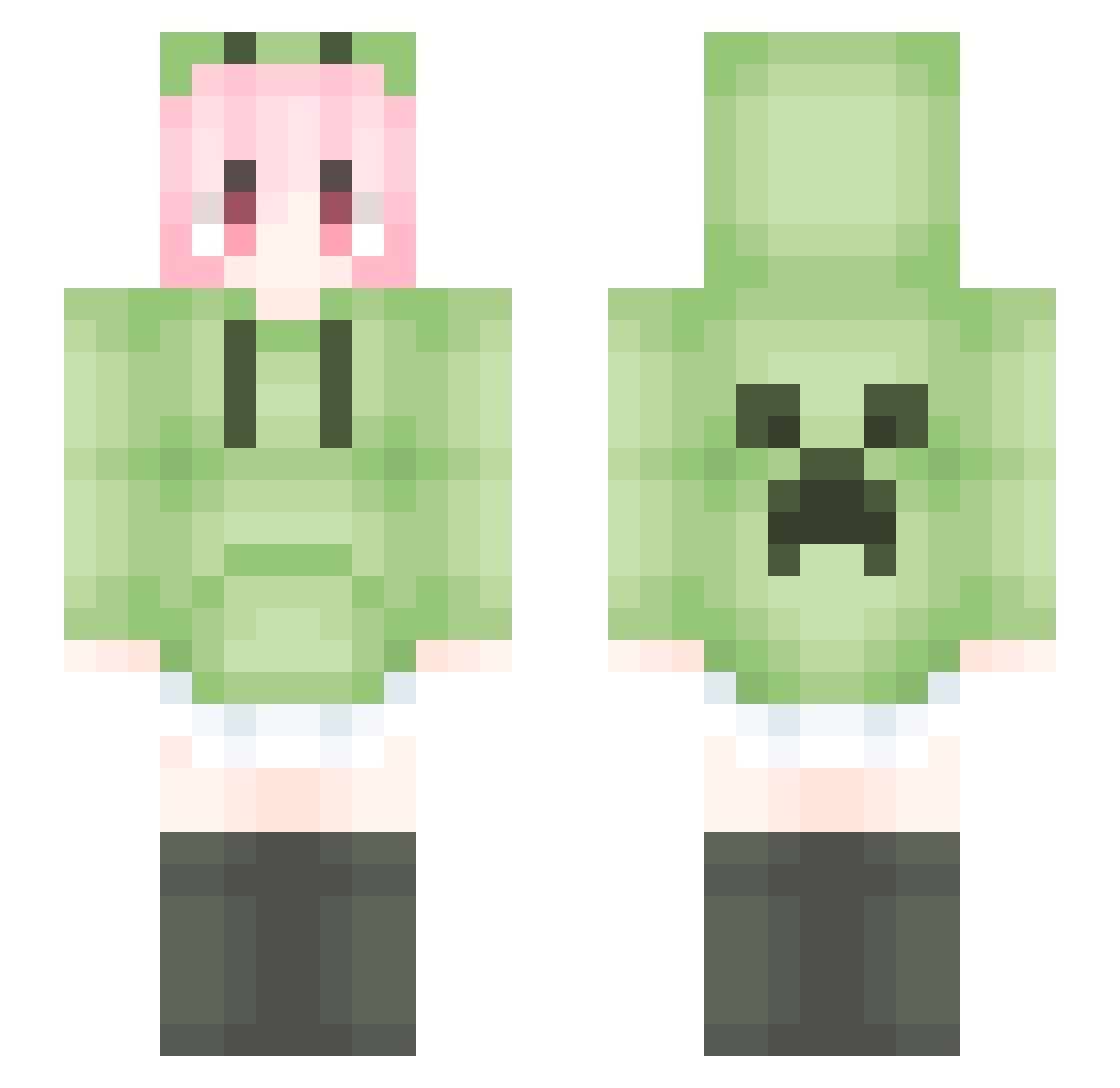
Current Minecraft skin of the player YanBaGeng, loaded from the official Mojang API. Rotate the 3D model with your mouse or finger, then download the skin as a PNG file and use it in Minecraft: Bedrock Edition or Java Edition for free. When YanBaGeng changes their skin, this page updates automatically and the old skin stays in the history below.
Other players with this skin (1757)
YanBaGeng was the 635th player we have seen with this skin, first spotted on 03.09.2026. The same skin was seen on these players. Open a nickname to see their current skin and skin history.
 Salmon_Poi TaiYF rankplz HADFS ACLE_M Ho_Tao XFS39 Ktuyxv The_first_circle Nokelia tmd233 mingchen233 FakeSprint NAKANO0203
 Lyan_Desu JulyFly FXking3 zhangweiheng0813 FiniteLand3 Lkzmxcz DoLeaf ynkgr Labsterx 67imfrt ReAnswer wzk89955 Ailiote AlbertEinstein66
 AE_KIT wujc13
 weiba123 bellnorizu MC_xiaoleya yuhanggg Cdxx123 yxmziTT Ernest_li S13_Nya_haker_4Y Young920 V_ICEY_V wodefumosile LiquidBounceB19 fakecap aihff Bampoem WanE233 xiyiwang XiaoEMo12345 DingZong jjhjhx hyyy26 cejui Arids_1 cxair_x fengzaizai buhnc wyuann Tritiko wlslaa Ouxanzn
More Anime Girl Minecraft skins
See all 13505 Anime Girl skins
How to install the YanBaGeng skin
- Press the Download button above to save the skin as a PNG file.
- Minecraft: Bedrock Edition (PE): open the Dressing Room from the main menu (or tap your character → Edit Character), go to Classic Skins → Owned, press the + (new skin) button, choose the downloaded PNG and pick the Slim (Alex) model. Works on PC and mobile; consoles cannot import custom skins.
- Minecraft: Java Edition: open the Minecraft Launcher, go to the Skins tab, click New Skin, load the PNG, pick the Slim (Alex) model and press Save & Use. You can also upload it at minecraft.net → Profile → Change Skin.
The skin does not show up after import - what should I do?
Restart Minecraft and open the Dressing Room again - imported skins sometimes appear only after a restart. Also make sure you selected the imported skin and picked the Slim (Alex) model.
Which model should I choose, Classic or Slim?
This skin is designed for the Slim (Alex) model. If you pick the wrong model, the arms of the skin will look stretched or squeezed.
Is the skin of YanBaGeng free to download?
Yes. Press Download, save the PNG file and use it in Minecraft: Bedrock Edition or Java Edition - no payment or registration needed. The skin also works on multiplayer servers and Realms.
More skins
Looking for more? Go back to all Minecraft skins and check the top skins of the week, month and all time, or find any player's skin by nickname.