
YYYamin - Minecraft Skins & Skin History
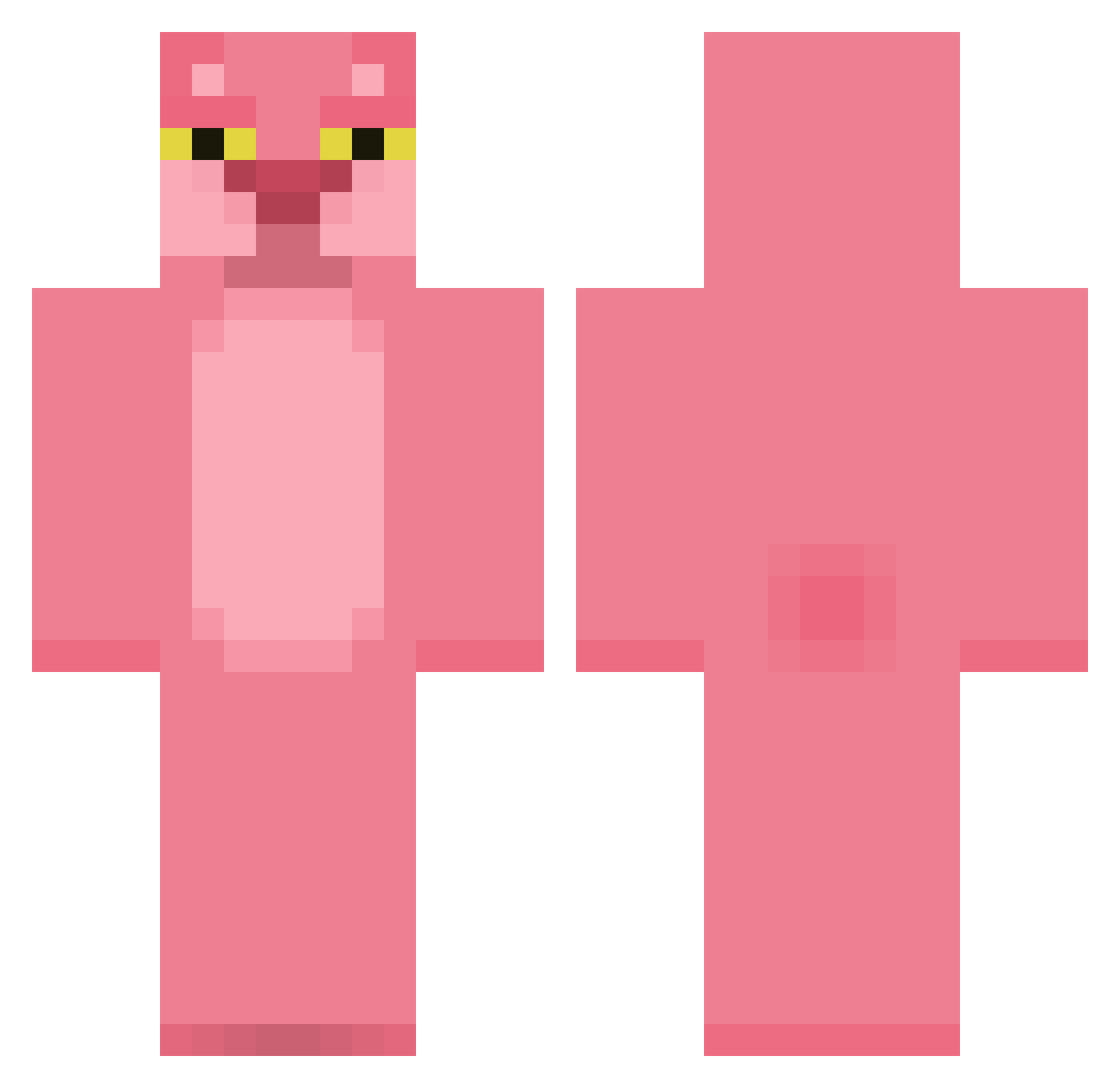
Current Minecraft skin of the player YYYamin, loaded from the official Mojang API. Rotate the 3D model with your mouse or finger, then download the skin as a PNG file and use it in Minecraft: Bedrock Edition or Java Edition for free. When YYYamin changes their skin, this page updates automatically and the old skin stays in the history below.
Other players with this skin (412)
YYYamin was the 223rd player we have seen with this skin, first spotted on 21.09.2026. The same skin was seen on these players. Open a nickname to see their current skin and skin history.
 juanpablo234 Deleween G_______ queencecile Motherhelle JGS2001 Obeso2000 CustomLiar xJEZZx Mewwt CleanUser derox19 WizardLegend D3cimo Tanya026 elvin112 VictorFrees Hirozaku Lotokai IronManPiggy meandthc Spensedog7 Guizmooz57 nickthewalker NUTCASE426 Forego beriko cmoilulu Maxim0910 GnaTManYT seoflow matthewbarg8 Minuslandhehe thepigkiller99 robrob9099 boss_mikoi PappaBo yopipi0829 elusivealts2 cleo456 Picotus Zonnark Jimmy_Builder B33r5y Ventu97 ongjae Robby477 HOLYWOOD11 kytangray ThorsHummingbird YadaX charltonzxc Spleeehhh THS_1138 metalneema seoye0n MCBatts4 Morty_ TheWaterfaller MuDDSL1DE
More The Pink Panther Minecraft skins
See all 148 The Pink Panther skins
How to install the YYYamin skin
- Press the Download button above to save the skin as a PNG file.
- Minecraft: Bedrock Edition (PE): open the Dressing Room from the main menu (or tap your character → Edit Character), go to Classic Skins → Owned, press the + (new skin) button, choose the downloaded PNG and pick the Classic (Steve) model. Works on PC and mobile; consoles cannot import custom skins.
- Minecraft: Java Edition: open the Minecraft Launcher, go to the Skins tab, click New Skin, load the PNG, pick the Classic (Steve) model and press Save & Use. You can also upload it at minecraft.net → Profile → Change Skin.
The skin does not show up after import - what should I do?
Restart Minecraft and open the Dressing Room again - imported skins sometimes appear only after a restart. Also make sure you selected the imported skin and picked the Classic (Steve) model.
Which model should I choose, Classic or Slim?
This skin is designed for the Classic (Steve) model. If you pick the wrong model, the arms of the skin will look stretched or squeezed.
Is the skin of YYYamin free to download?
Yes. Press Download, save the PNG file and use it in Minecraft: Bedrock Edition or Java Edition - no payment or registration needed. The skin also works on multiplayer servers and Realms.
More skins
Looking for more? Go back to all Minecraft skins and check the top skins of the week, month and all time, or find any player's skin by nickname.