
Y04283 - Minecraft Skins & Skin History
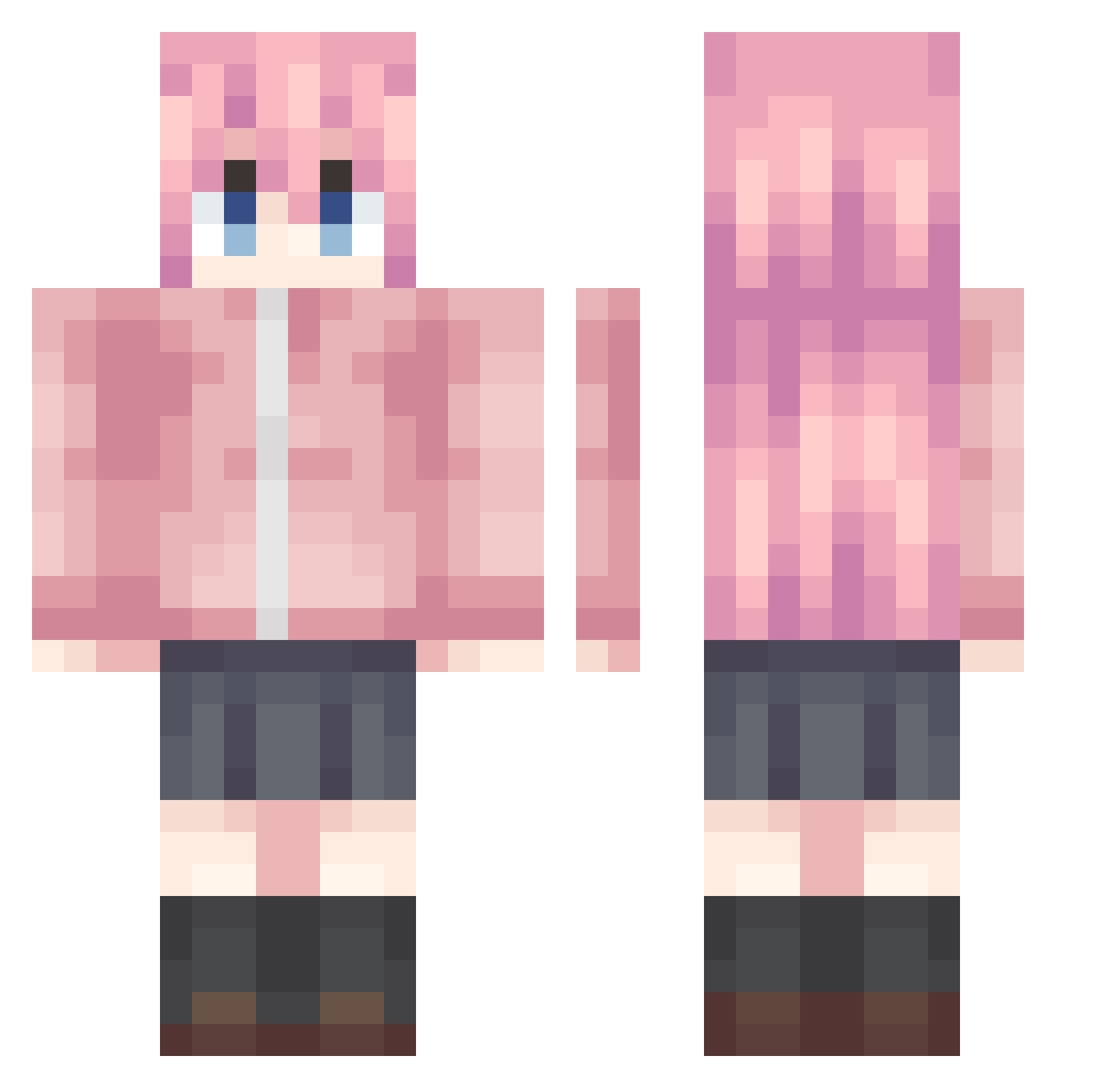
Current Minecraft skin of the player Y04283, loaded from the official Mojang API. Rotate the 3D model with your mouse or finger, then download the skin as a PNG file and use it in Minecraft: Bedrock Edition or Java Edition for free. When Y04283 changes their skin, this page updates automatically and the old skin stays in the history below.
Other players with this skin (990)
Y04283 was the 890th player we have seen with this skin, first spotted on 22.10.2026. The same skin was seen on these players. Open a nickname to see their current skin and skin history.
 Leadertwo Yuuko0621 Zmxr100 CocoBry Kusanagi_nokami ChickenEigh Obeseus123 JYFoo haechoring May_hua buzhisuoyun Sillydogking bmdh173 KKmaster3358 ekoo0925 YNccccc Sylnb Betonme117 macacogamer123 jett364 twocoin nightmare3005 Nyamuchan mjkoo1226 xian_gao MaKuar gndunt3 Kaoo001 gjffod FishFishCat XiaoMucc refrain716 Gwinland Taney_ caryqi hj888 JiuYeyyds Pix1743 Liyangzhong666 KitamuraEri miinevy Ivymannnnn_ jiuo2233 frederip DateDarko begin0628 Xiaoxia_2016 wu1lin Xing_Zhi_Xia Leoyn Cirnonien mika514 ATianlin ssStarY 1078N tenshichii Wsinna_sensei KUwww AHFEN2 AMomo___DLLXA
More Bocchi Minecraft skins
How to install the Y04283 skin
- Press the Download button above to save the skin as a PNG file.
- Minecraft: Bedrock Edition (PE): open the Dressing Room from the main menu (or tap your character → Edit Character), go to Classic Skins → Owned, press the + (new skin) button, choose the downloaded PNG and pick the Classic (Steve) model. Works on PC and mobile; consoles cannot import custom skins.
- Minecraft: Java Edition: open the Minecraft Launcher, go to the Skins tab, click New Skin, load the PNG, pick the Classic (Steve) model and press Save & Use. You can also upload it at minecraft.net → Profile → Change Skin.
The skin does not show up after import - what should I do?
Restart Minecraft and open the Dressing Room again - imported skins sometimes appear only after a restart. Also make sure you selected the imported skin and picked the Classic (Steve) model.
Which model should I choose, Classic or Slim?
This skin is designed for the Classic (Steve) model. If you pick the wrong model, the arms of the skin will look stretched or squeezed.
Is the skin of Y04283 free to download?
Yes. Press Download, save the PNG file and use it in Minecraft: Bedrock Edition or Java Edition - no payment or registration needed. The skin also works on multiplayer servers and Realms.
More skins
Looking for more? Go back to all Minecraft skins and check the top skins of the week, month and all time, or find any player's skin by nickname.