
Xapp_ - Minecraft Skins & Skin History
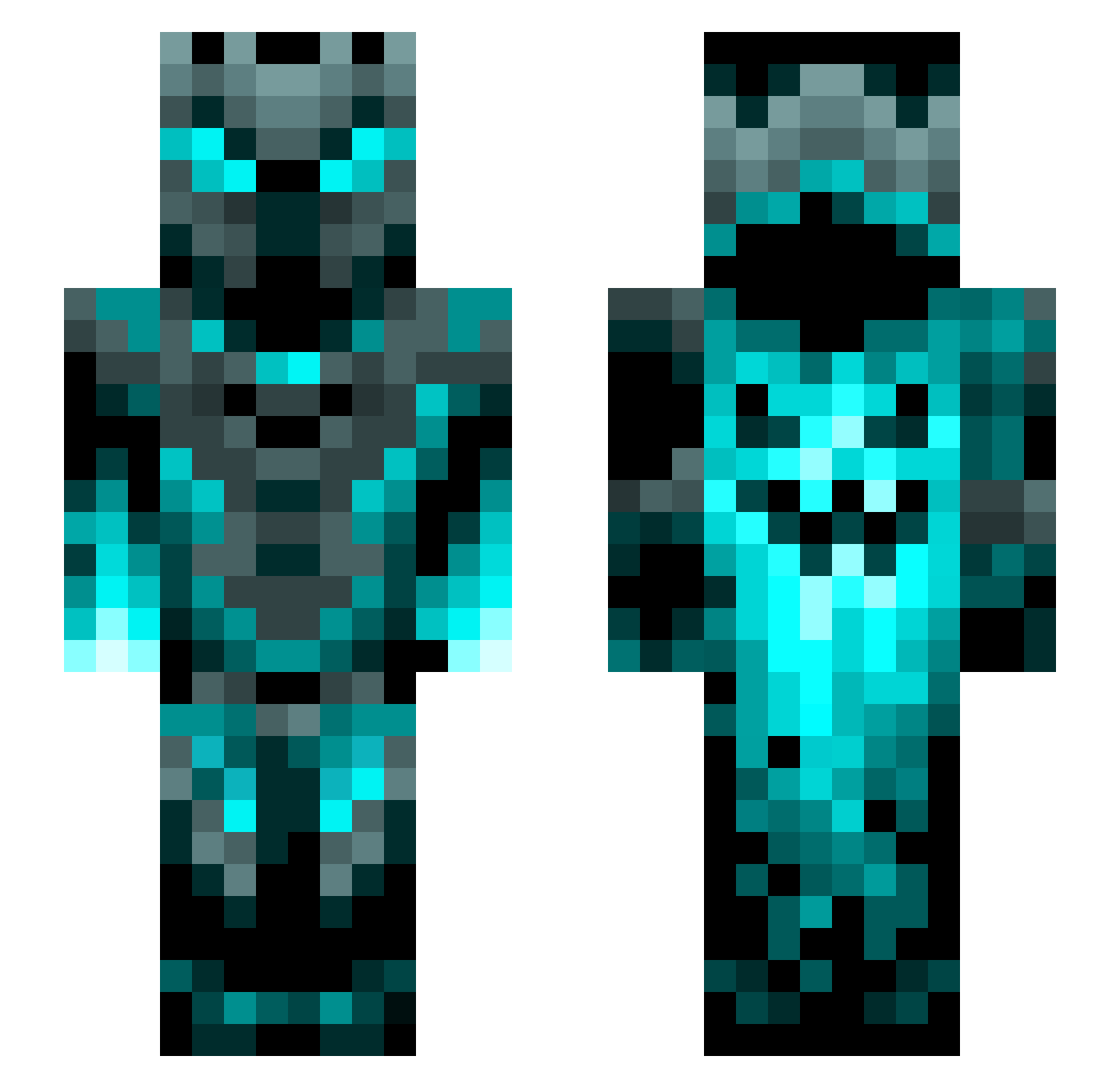
Current Minecraft skin of the player Xapp_, loaded from the official Mojang API. Rotate the 3D model with your mouse or finger, then download the skin as a PNG file and use it in Minecraft: Bedrock Edition or Java Edition for free. When Xapp_ changes their skin, this page updates automatically and the old skin stays in the history below.
Other players with this skin (1205)
Xapp_ was the 595th player we have seen with this skin, first spotted on 16.09.2026. The same skin was seen on these players. Open a nickname to see their current skin and skin history.
 selinamarina XmoathX S4NSLESS NPheoniX99 iustus_vultus KaladinSinclair Reciprocal3 Kriper12502 Chadmaticus15 DimendEater462 Lightning187Bolt freeguy7623 ArGhostyy Az1lo Electrins gingerapgod lavamonster12345 Marvin2028 Gowther134 Szczurek115 FlavAetius IfallAlotz MANUROSA Aitzol92 MACUMBAS Bekoprulli LK_Gaming2006 Faded_Wind2 d3t0ur LetsGoCanada2022 loquillo37 noodleboy000 Wardenboy21 chaney0905 Daddy_SHAXX03 EXxoticC__ WindRiver_17 jgfrags White_Ice181 Elsechior JamisonADC Untheoried Findiculous Aakash492 Trollo2000 OverworldKnight Kami951 SidDademon85 xugusima UnKnownDrian nijafite IvanKalinsky zMrClonez Petey2210 TheNovak91 NinjaHunter2021 lightning4271 DeathRayan Snxw1erOCE Lautarix
More Phantom Minecraft skins
How to install the Xapp_ skin
- Press the Download button above to save the skin as a PNG file.
- Minecraft: Bedrock Edition (PE): open the Dressing Room from the main menu (or tap your character → Edit Character), go to Classic Skins → Owned, press the + (new skin) button, choose the downloaded PNG and pick the Slim (Alex) model. Works on PC and mobile; consoles cannot import custom skins.
- Minecraft: Java Edition: open the Minecraft Launcher, go to the Skins tab, click New Skin, load the PNG, pick the Slim (Alex) model and press Save & Use. You can also upload it at minecraft.net → Profile → Change Skin.
The skin does not show up after import - what should I do?
Restart Minecraft and open the Dressing Room again - imported skins sometimes appear only after a restart. Also make sure you selected the imported skin and picked the Slim (Alex) model.
Which model should I choose, Classic or Slim?
This skin is designed for the Slim (Alex) model. If you pick the wrong model, the arms of the skin will look stretched or squeezed.
Is the skin of Xapp_ free to download?
Yes. Press Download, save the PNG file and use it in Minecraft: Bedrock Edition or Java Edition - no payment or registration needed. The skin also works on multiplayer servers and Realms.
More skins
Looking for more? Go back to all Minecraft skins and check the top skins of the week, month and all time, or find any player's skin by nickname.