
Xampson22 - Minecraft Skins & Skin History
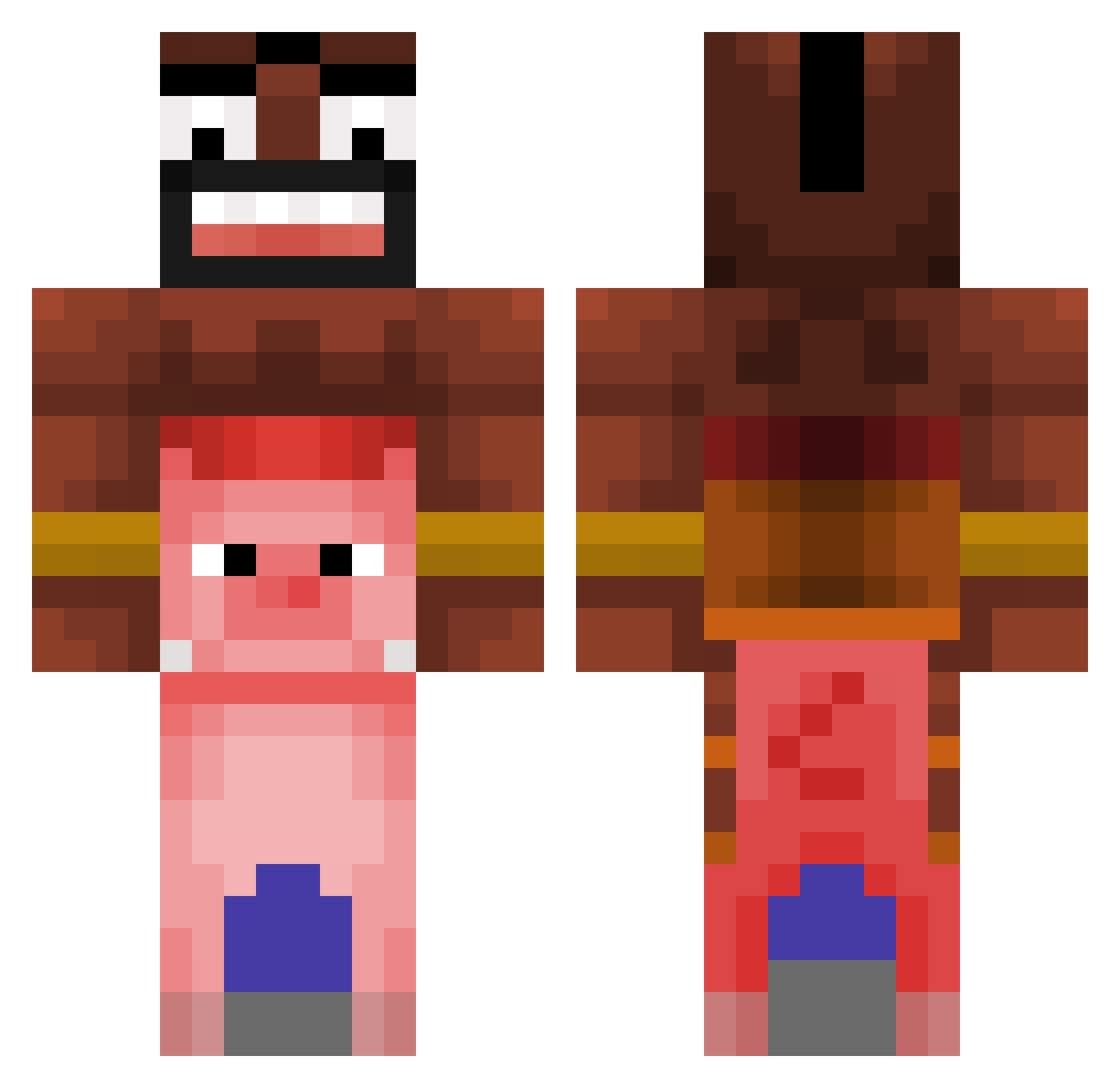
Current Minecraft skin of the player Xampson22, loaded from the official Mojang API. Rotate the 3D model with your mouse or finger, then download the skin as a PNG file and use it in Minecraft: Bedrock Edition or Java Edition for free. When Xampson22 changes their skin, this page updates automatically and the old skin stays in the history below.
Other players with this skin (476)
Xampson22 was the 157th player we have seen with this skin, first spotted on 02.09.2026. The same skin was seen on these players. Open a nickname to see their current skin and skin history.
 FrancoLover r7dl hrupek313x D4ni_BOY sigmahamm HabibiBBC B4neMC lightkk98 KevinRodrigos Rudlord ___VektoR___ Yassigtz skibidiesteban SmellyButtFart Carbon4ra20 orangutan89 TheDexTeriTy Luks605 wicu34029 derpppoo MaralruMC zezzvy stnr_j Neoxui fifyfan12 LainT_ Mrhomles88 FrancoGho H3N0C CosyKedy Sashimis Adolfitoelpro10 SuperFood321 br1n2t JanosLF tiiamm JABL00 pawdra JorZ__ sudanime9 Paulozeub Valle56 KaganRG Titutze Legancki_Gacek AbstracktYT Benbensmh ganearoburro777 Stylix27 Flippers321 SickFrick Hannam0423 usxt richblacka moritz999__ Garabbx yisraell SuspiciousStew28 Rlatjwns123 dylsho123
More Pig Minecraft skins
How to install the Xampson22 skin
- Press the Download button above to save the skin as a PNG file.
- Minecraft: Bedrock Edition (PE): open the Dressing Room from the main menu (or tap your character → Edit Character), go to Classic Skins → Owned, press the + (new skin) button, choose the downloaded PNG and pick the Classic (Steve) model. Works on PC and mobile; consoles cannot import custom skins.
- Minecraft: Java Edition: open the Minecraft Launcher, go to the Skins tab, click New Skin, load the PNG, pick the Classic (Steve) model and press Save & Use. You can also upload it at minecraft.net → Profile → Change Skin.
The skin does not show up after import - what should I do?
Restart Minecraft and open the Dressing Room again - imported skins sometimes appear only after a restart. Also make sure you selected the imported skin and picked the Classic (Steve) model.
Which model should I choose, Classic or Slim?
This skin is designed for the Classic (Steve) model. If you pick the wrong model, the arms of the skin will look stretched or squeezed.
Is the skin of Xampson22 free to download?
Yes. Press Download, save the PNG file and use it in Minecraft: Bedrock Edition or Java Edition - no payment or registration needed. The skin also works on multiplayer servers and Realms.
More skins
Looking for more? Go back to all Minecraft skins and check the top skins of the week, month and all time, or find any player's skin by nickname.