
X_H_S - Minecraft Skins & Skin History
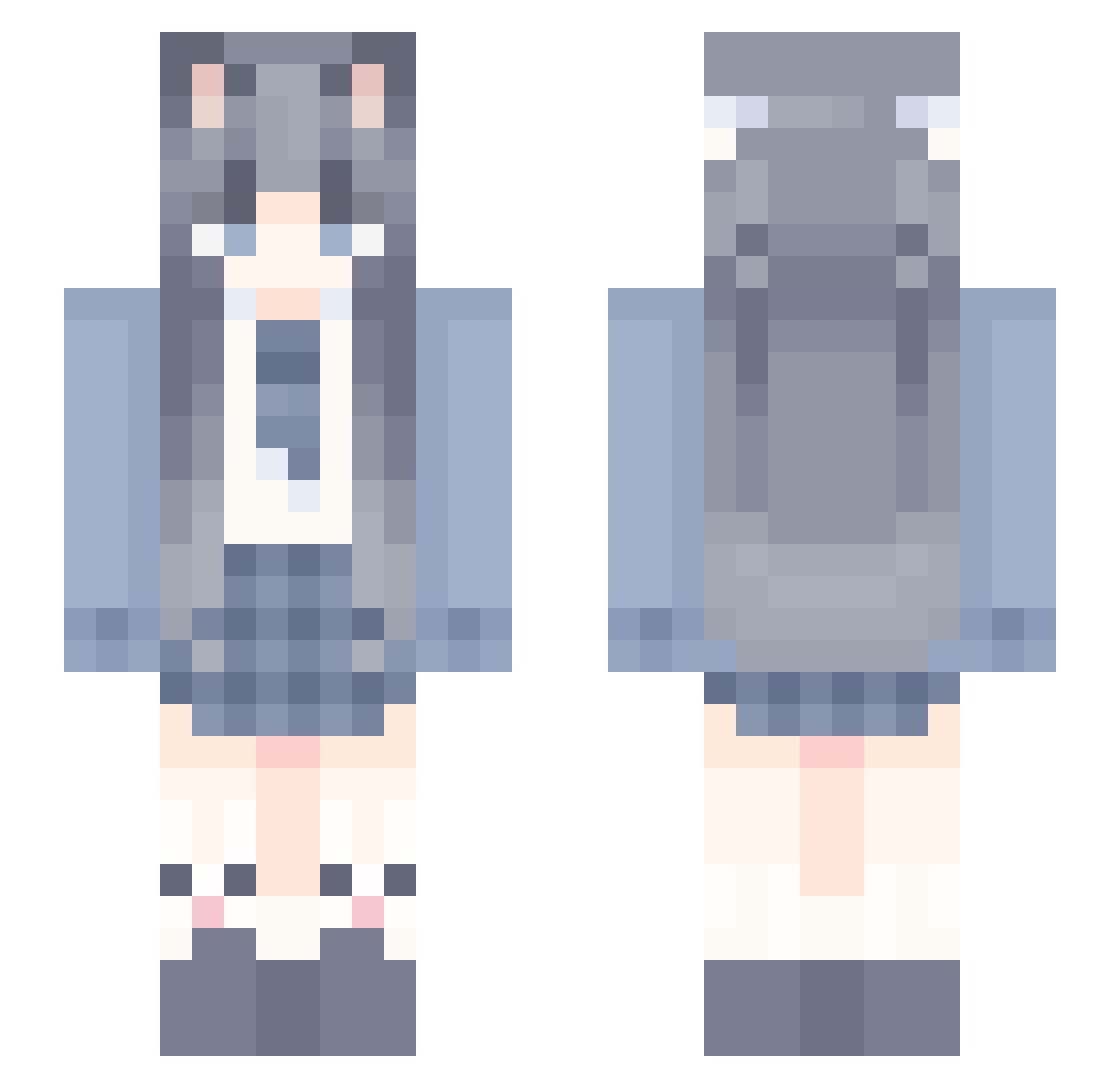
Current Minecraft skin of the player X_H_S, loaded from the official Mojang API. Rotate the 3D model with your mouse or finger, then download the skin as a PNG file and use it in Minecraft: Bedrock Edition or Java Edition for free. When X_H_S changes their skin, this page updates automatically and the old skin stays in the history below.
Other players with this skin (1148)
X_H_S was the 471st player we have seen with this skin, first spotted on 08.09.2026. The same skin was seen on these players. Open a nickname to see their current skin and skin history.
 soullessnoob YeLiu HuntersFury19 aslepy HXHXH7 ngffg Lunar_huh Gamer10086 lakuadebaolong TempTulipss empty_123 aoewings xiaojie3392 harmostar Tasiyali Zoevera WittierLeaf8212 MMDGD WilliamJasper07 XiaoHOvO liuhe1 zy1227 Meowww33 KeiTang1 Jiant_Ks qjlxx SherMendy YaiXing havelucky wang_24 puttao NanZ1 RubyKT lingshuang0721 JG_NB 181Q RedLotuse ViyoNan Flippwcy buxieyigu _You_You_Zi ZWG595 Dec0ss Mecury3023 Z_li LuoSun CubicScarf RuiRui730 Ares7877 Luck006 CountViscoun Chaluo yingtkk yaaaooos mczjy empty_22 StraySumo tetofans cvgg ling116
More School Uniform Minecraft skins
See all 6777 School Uniform skins
How to install the X_H_S skin
- Press the Download button above to save the skin as a PNG file.
- Minecraft: Bedrock Edition (PE): open the Dressing Room from the main menu (or tap your character → Edit Character), go to Classic Skins → Owned, press the + (new skin) button, choose the downloaded PNG and pick the Slim (Alex) model. Works on PC and mobile; consoles cannot import custom skins.
- Minecraft: Java Edition: open the Minecraft Launcher, go to the Skins tab, click New Skin, load the PNG, pick the Slim (Alex) model and press Save & Use. You can also upload it at minecraft.net → Profile → Change Skin.
The skin does not show up after import - what should I do?
Restart Minecraft and open the Dressing Room again - imported skins sometimes appear only after a restart. Also make sure you selected the imported skin and picked the Slim (Alex) model.
Which model should I choose, Classic or Slim?
This skin is designed for the Slim (Alex) model. If you pick the wrong model, the arms of the skin will look stretched or squeezed.
Is the skin of X_H_S free to download?
Yes. Press Download, save the PNG file and use it in Minecraft: Bedrock Edition or Java Edition - no payment or registration needed. The skin also works on multiplayer servers and Realms.
More skins
Looking for more? Go back to all Minecraft skins and check the top skins of the week, month and all time, or find any player's skin by nickname.