
XSG_random - Minecraft Skins & Skin History
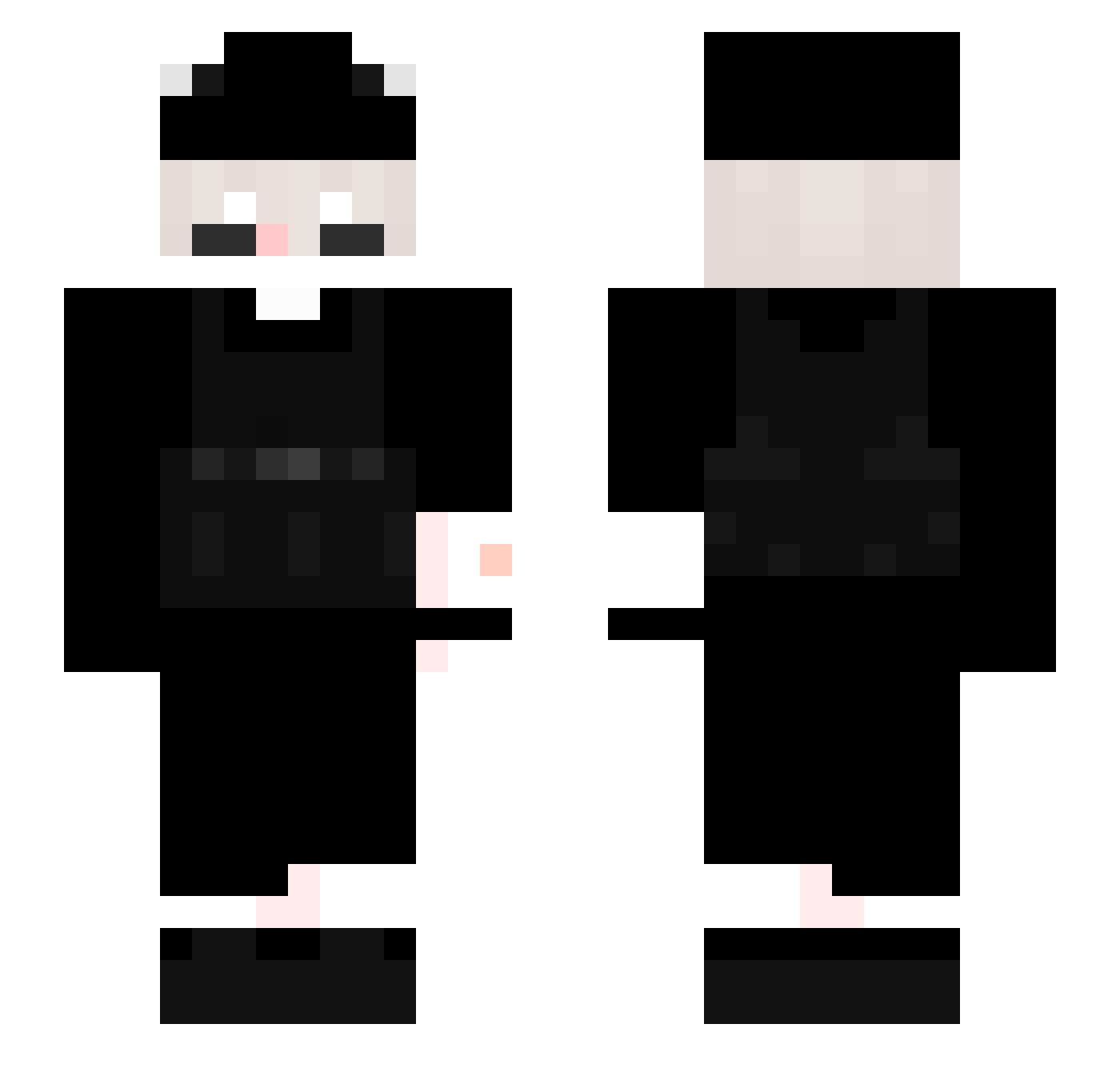
Current Minecraft skin of the player XSG_random, loaded from the official Mojang API. Rotate the 3D model with your mouse or finger, then download the skin as a PNG file and use it in Minecraft: Bedrock Edition or Java Edition for free. When XSG_random changes their skin, this page updates automatically and the old skin stays in the history below.
Other players with this skin (337)
XSG_random was the 63rd player we have seen with this skin, first spotted on 18.08.2026. The same skin was seen on these players. Open a nickname to see their current skin and skin history.
 dioggo02 Stupid_one
 V0Nzzz CoolHotGamer110X Thedouglas16 Zydaviih Nafumi258 zyuuto SolarFlare12237 ilovefayth SprosnaAgata zacthebest_ Masculinity_jj
 xDroKsio Baby_Bird1 Wilku_69 Bedizxc05
 alaflecha X0V3RR Burro_AF KingShqdow LikeAFireYT GotoMotoro iPlew High_yoRHa Mellson Poopsockgang xi2x YoRu1324 strikertw2 NcAny
 DratewkaCbr peud Lets_Keul LAYER030
 Erwadi OE_B1 RNJosh305 IGluen GD_KRIS Kameleon561 Beastofwild123 Qtxak Creeper_613 zerotwo_hk Nahuuu21 yrie2212 vqnicc Tankks fluroek AxerTwo Zeelf_kkj Whit3Mint Siz0 zedrox65 Pr1m000000 nowahW SaideraTT Exclips3 Vasar05
How to install the XSG_random skin
- Press the Download button above to save the skin as a PNG file.
- Minecraft: Bedrock Edition (PE): open the Dressing Room from the main menu (or tap your character → Edit Character), go to Classic Skins → Owned, press the + (new skin) button, choose the downloaded PNG and pick the Slim (Alex) model. Works on PC and mobile; consoles cannot import custom skins.
- Minecraft: Java Edition: open the Minecraft Launcher, go to the Skins tab, click New Skin, load the PNG, pick the Slim (Alex) model and press Save & Use. You can also upload it at minecraft.net → Profile → Change Skin.
The skin does not show up after import - what should I do?
Restart Minecraft and open the Dressing Room again - imported skins sometimes appear only after a restart. Also make sure you selected the imported skin and picked the Slim (Alex) model.
Which model should I choose, Classic or Slim?
This skin is designed for the Slim (Alex) model. If you pick the wrong model, the arms of the skin will look stretched or squeezed.
Is the skin of XSG_random free to download?
Yes. Press Download, save the PNG file and use it in Minecraft: Bedrock Edition or Java Edition - no payment or registration needed. The skin also works on multiplayer servers and Realms.
More skins
Looking for more? Go back to all Minecraft skins and check the top skins of the week, month and all time, or find any player's skin by nickname.