
WtWhuU666 - Minecraft Skins & Skin History
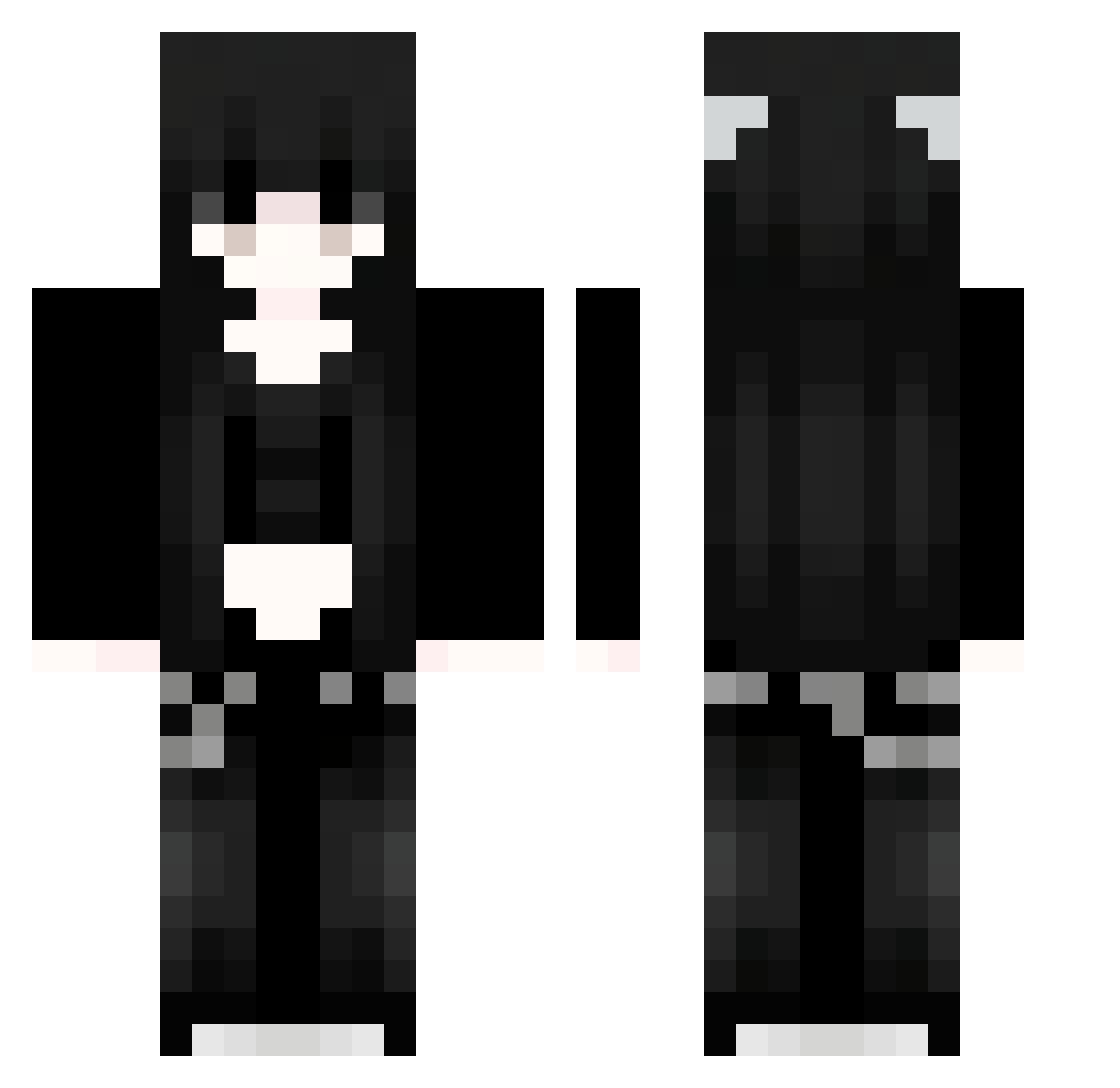
Current Minecraft skin of the player WtWhuU666, loaded from the official Mojang API. Rotate the 3D model with your mouse or finger, then download the skin as a PNG file and use it in Minecraft: Bedrock Edition or Java Edition for free. When WtWhuU666 changes their skin, this page updates automatically and the old skin stays in the history below.
Other players with this skin (1126)
WtWhuU666 was the 405th player we have seen with this skin, first spotted on 06.09.2026. The same skin was seen on these players. Open a nickname to see their current skin and skin history.
 Dzf772 Qxa127 DKj399 bRs628 Sakura_qILNvx112 Sakura_SarIIi273 WOKfBrtyKLxJx110 SaKuraXGP_JYN883 efIOJrKnpgFTu940 XTf660 iJl320 WxKJsTUFnmkfL942 Sakura_hOnjiN830 Hfn586 Udp628 OmV887 nHy95 ZIn925 Jvav_SDqmZXLU939 Sakura_RxvYWR445 MkP977 zKx690 Sakura_PKbRFs450 OGM11 EHe442 JhD484 aCaty aDq457 UFP247 dqk950 lJzlzgrdVgcdb759 wyV357 PmL915 Qor941 REo339 Grh229 yaB861 jty356 Sakura_unpUDL545
 Ookamifr wWQHNvqzFjlqq538 91_uoyVKNBiVb245 epD812 BcG677 ysC754 all743 IEN23 JZH360 spj188 NPz829 mDG538 uFZ390 pEz322 zSm190 Sakura_TKnIVa252 fbS759 91_DRhSGCGtGG332 Sakura_WovhdM674 PTp300 ANM888
More Emo Minecraft skins
How to install the WtWhuU666 skin
- Press the Download button above to save the skin as a PNG file.
- Minecraft: Bedrock Edition (PE): open the Dressing Room from the main menu (or tap your character → Edit Character), go to Classic Skins → Owned, press the + (new skin) button, choose the downloaded PNG and pick the Classic (Steve) model. Works on PC and mobile; consoles cannot import custom skins.
- Minecraft: Java Edition: open the Minecraft Launcher, go to the Skins tab, click New Skin, load the PNG, pick the Classic (Steve) model and press Save & Use. You can also upload it at minecraft.net → Profile → Change Skin.
The skin does not show up after import - what should I do?
Restart Minecraft and open the Dressing Room again - imported skins sometimes appear only after a restart. Also make sure you selected the imported skin and picked the Classic (Steve) model.
Which model should I choose, Classic or Slim?
This skin is designed for the Classic (Steve) model. If you pick the wrong model, the arms of the skin will look stretched or squeezed.
Is the skin of WtWhuU666 free to download?
Yes. Press Download, save the PNG file and use it in Minecraft: Bedrock Edition or Java Edition - no payment or registration needed. The skin also works on multiplayer servers and Realms.
More skins
Looking for more? Go back to all Minecraft skins and check the top skins of the week, month and all time, or find any player's skin by nickname.