
Wisenchild - Minecraft Skins & Skin History
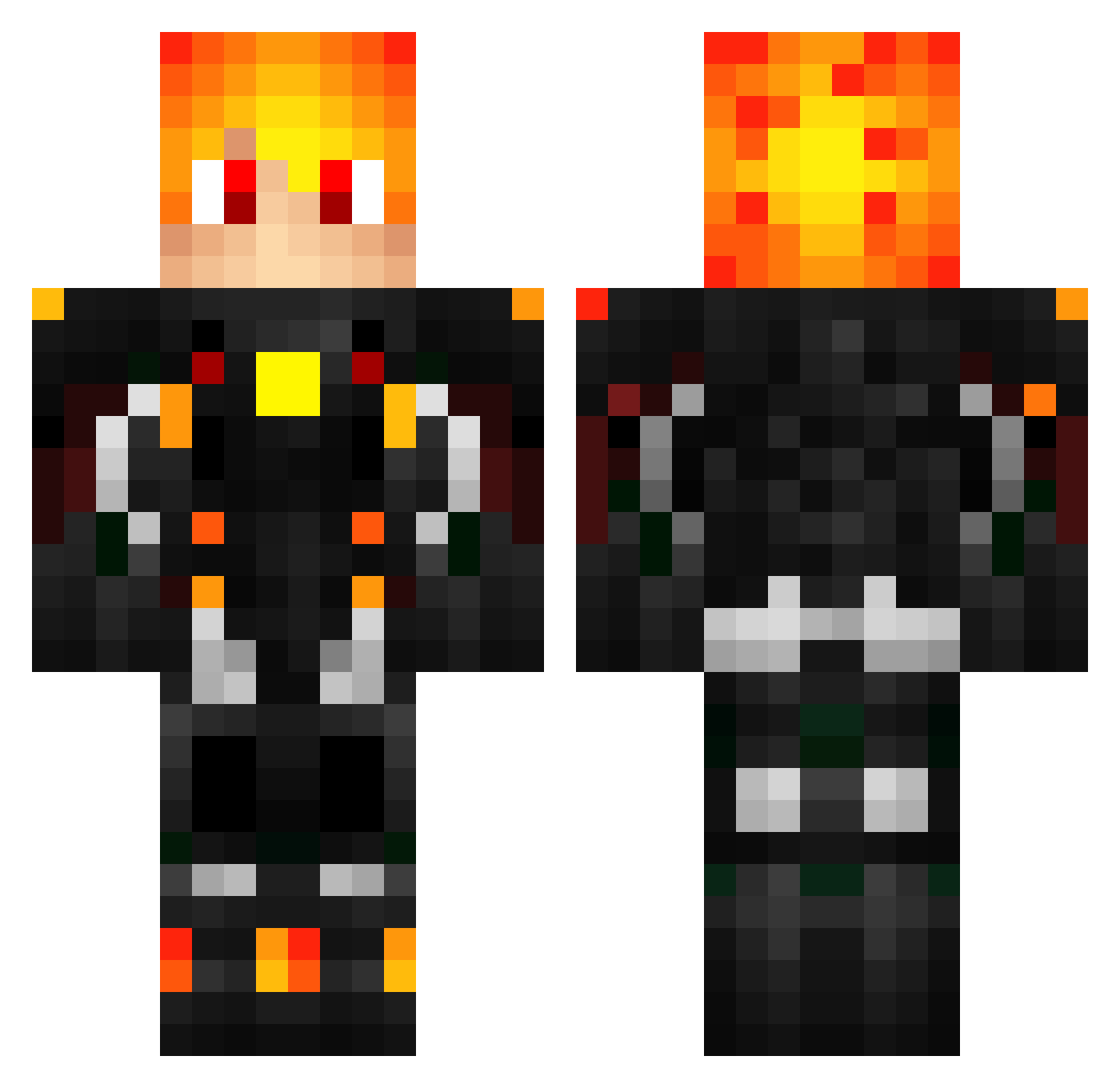
Current Minecraft skin of the player Wisenchild, loaded from the official Mojang API. Rotate the 3D model with your mouse or finger, then download the skin as a PNG file and use it in Minecraft: Bedrock Edition or Java Edition for free. When Wisenchild changes their skin, this page updates automatically and the old skin stays in the history below.
Other players with this skin (246)
Wisenchild was the 19th player we have seen with this skin, first spotted on 29.07.2026. The same skin was seen on these players. Open a nickname to see their current skin and skin history.
 DrCharwars MysticDrift jason10937 BeanIsCool StoneyMctoke santoalfons Titanius007 Devastator3 PHANTOMkill123 Patch1004 iXtrosEar Coopsalty8 game_boy_DODO Dustyjerk 111w Gabriel_7 ppBlockBuster IuliannsPvP LordKostrak DarkHerumor TheStarkPvP firecubeHD Flo4001 Obignon168 TTV_XNT_Haze validlies davdadog GraytheDemon Blackdevil021 hetsoldaatje ZacPower03 yonatanb123 Pplane tomsun Raspeur Ayionic Radzyminek _MATXD_ Jon1963 CalledSebastian yaoitsundereuwu fireburner16 Djtrolex MazettCraft ProdigyxSlayer jetson1234 Ftrevis i_killed_u_13 JonesMcBones Gladiatr Lucas_St Alex_gamer_081 GenGamers0206 Deadmuskrat Koru_Moru felipe100100 jasgud magulokoBR AKPlays Goll_
More Cyberpunk Soldier Minecraft skins
See all 1321 Cyberpunk Soldier skins
How to install the Wisenchild skin
- Press the Download button above to save the skin as a PNG file.
- Minecraft: Bedrock Edition (PE): open the Dressing Room from the main menu (or tap your character → Edit Character), go to Classic Skins → Owned, press the + (new skin) button, choose the downloaded PNG and pick the Classic (Steve) model. Works on PC and mobile; consoles cannot import custom skins.
- Minecraft: Java Edition: open the Minecraft Launcher, go to the Skins tab, click New Skin, load the PNG, pick the Classic (Steve) model and press Save & Use. You can also upload it at minecraft.net → Profile → Change Skin.
The skin does not show up after import - what should I do?
Restart Minecraft and open the Dressing Room again - imported skins sometimes appear only after a restart. Also make sure you selected the imported skin and picked the Classic (Steve) model.
Which model should I choose, Classic or Slim?
This skin is designed for the Classic (Steve) model. If you pick the wrong model, the arms of the skin will look stretched or squeezed.
Is the skin of Wisenchild free to download?
Yes. Press Download, save the PNG file and use it in Minecraft: Bedrock Edition or Java Edition - no payment or registration needed. The skin also works on multiplayer servers and Realms.
More skins
Looking for more? Go back to all Minecraft skins and check the top skins of the week, month and all time, or find any player's skin by nickname.