
 V1ruSs96 Lionfire_13 Deminox darkried SirFla Nikich_13 JABlack Loann2218 tom19_pvp AmethystPrime ANDSZE HellFlameZz ArMaGiZoN TheLegend101 DaBarbarian stia_luca Colin1123 FaZeFabry MinecraftBob10 VlNE HIT_Breitwienix de3musketeers difano1 Kimeries Siroskar99 i_killed_u_1ALT4 Gaertnerr SoundHound JP3214 LoToRTv KixHD vic_the_negr0 IronRazer AJFury JumpingTomato Star_maple_tw Detreuy KINGSLICER980 Neonstar21 xrisx Kajtozol jurasek2002 Geronimer Raymanam Jack2324 Pantentbike quint01 redivygames99 Cha0s51 ArkMagic CrafterBlaster1 cipza03a kotaro8823 LiquidNX liyaxv TimLion DroneItUp sgtkeys SultanDaKing FlensJan
Minecraft skin of CalledSebastian. Rotate the 3D model with your mouse or finger to view the skin from every angle, then download it as a PNG file and use it in Minecraft: Bedrock Edition or Java Edition for free. Rate the skin with stars to help other players find the best skins in our collection.
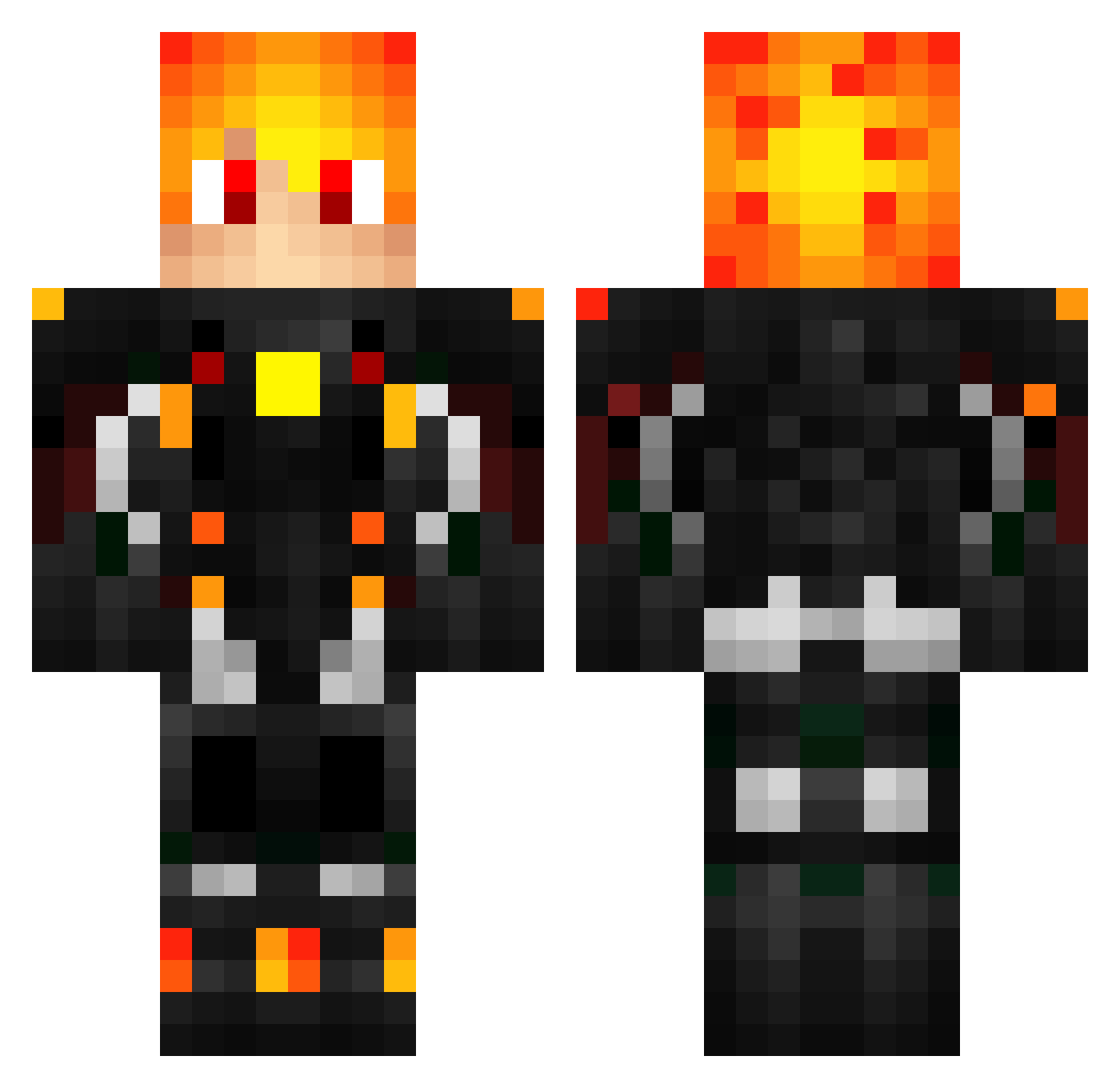
How to install the CalledSebastian skin
- Press the Download button above to save the skin as a PNG file.
- Minecraft: Bedrock Edition (PE): open the Dressing Room from the main menu (or tap your character → Edit Character), go to Classic Skins → Owned, press the + (new skin) button, choose the downloaded PNG and pick the Classic (Steve) model. Works on PC and mobile; consoles cannot import custom skins.
- Minecraft: Java Edition: open the Minecraft Launcher, go to the Skins tab, click New Skin, load the PNG, pick the Classic (Steve) model and press Save & Use. You can also upload it at minecraft.net → Profile → Change Skin.
The skin does not show up after import - what should I do?
Restart Minecraft and open the Dressing Room again - imported skins sometimes appear only after a restart. Also make sure you selected the imported skin and picked the Classic (Steve) model.
Which model should I choose, Classic or Slim?
This skin is designed for the Classic (Steve) model. If you pick the wrong model, the arms of the skin will look stretched or squeezed.
Is this skin free to use?
Yes. Press Download, save the PNG file and use it in Minecraft: Bedrock Edition or Java Edition - no payment or registration needed. The skin also works on multiplayer servers and Realms.
More Cyberpunk Soldier Minecraft skins
See all 1321 Cyberpunk Soldier skins
More skins
Looking for more? Go back to all Minecraft skins and check the top skins of the week, month and all time, or find any player's skin by nickname.