
WildMine_NET - Minecraft Skins & Skin History
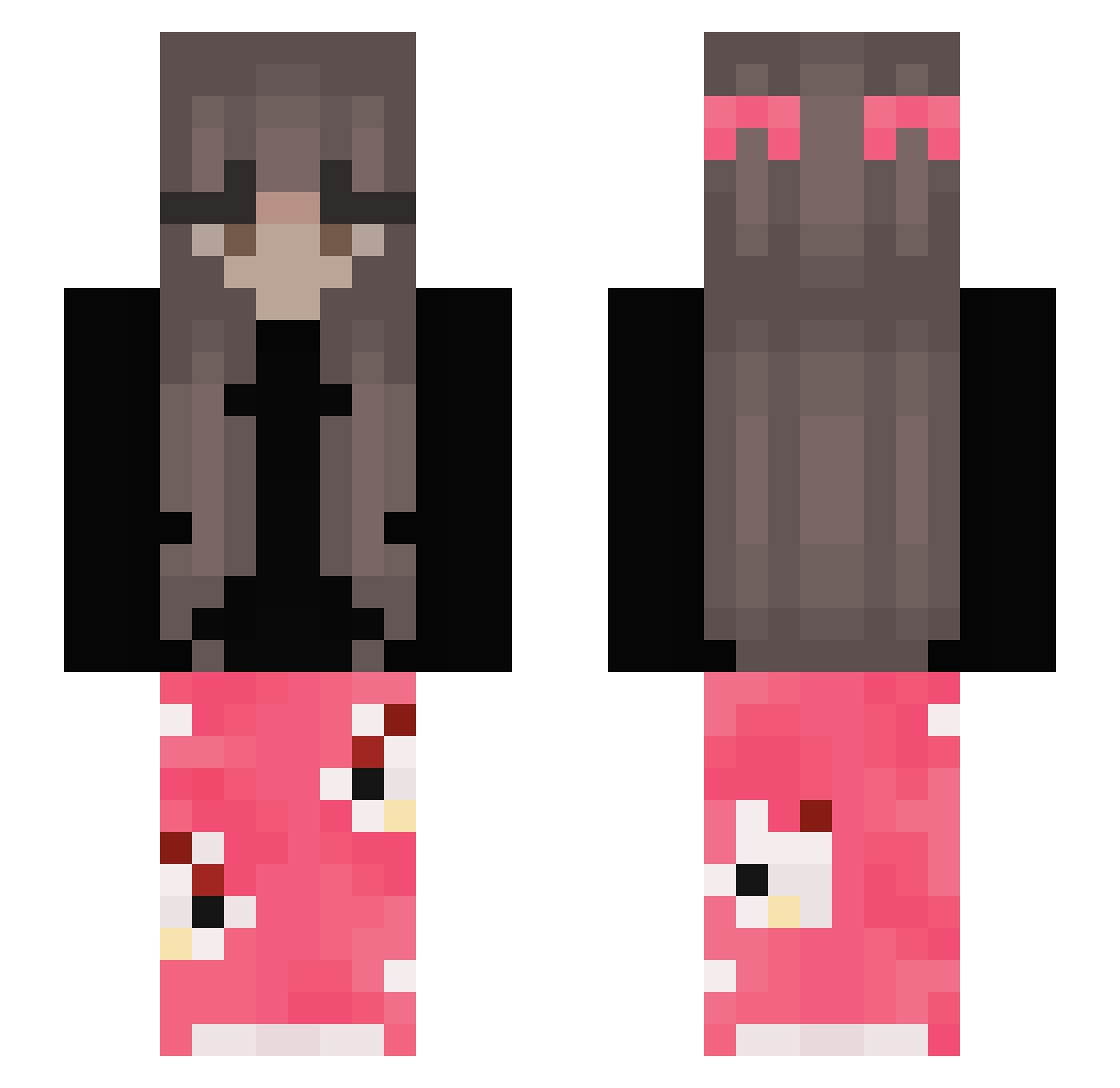
Current Minecraft skin of the player WildMine_NET, loaded from the official Mojang API. Rotate the 3D model with your mouse or finger, then download the skin as a PNG file and use it in Minecraft: Bedrock Edition or Java Edition for free. When WildMine_NET changes their skin, this page updates automatically and the old skin stays in the history below.
Other players with this skin (393)
WildMine_NET was the 178th player we have seen with this skin, first spotted on 14.09.2026. The same skin was seen on these players. Open a nickname to see their current skin and skin history.
 Majaaa14 Fangz8811 nandinhaff jorma_hub emsimky Sveva_S maaryieas gamerjuice2 panghuya Klariiikaa Blondinax pani_kotka moubai42 Kornelitta91 Fs6et imdef MayB3ssa_ SunrisePath rafinhassz Ko1bob Annmary34 dzasta1 28ole oliwcia2254 Josy02 PATRIX_PT Zorria_ tamagojaz zachyWacky_h bersche73 dudalex SLOWW00 ViihMuffin prwincess meatzer SweetGirll1 AssMaster67 Darkor98 FeelinPeachie sisiix3 Mie_eeL raveenx WafflesFaffles Linklin13 kamoni BabyZsj christelleeeeee Dummbb lexaa94 Cajan02 der1e Pepusiowa SvataKrava 1potato1tomato Ahriqwq ZOSIGA LyxGHG Dusi4a senorian zde4045
More Pyjamas Minecraft skins
How to install the WildMine_NET skin
- Press the Download button above to save the skin as a PNG file.
- Minecraft: Bedrock Edition (PE): open the Dressing Room from the main menu (or tap your character → Edit Character), go to Classic Skins → Owned, press the + (new skin) button, choose the downloaded PNG and pick the Slim (Alex) model. Works on PC and mobile; consoles cannot import custom skins.
- Minecraft: Java Edition: open the Minecraft Launcher, go to the Skins tab, click New Skin, load the PNG, pick the Slim (Alex) model and press Save & Use. You can also upload it at minecraft.net → Profile → Change Skin.
The skin does not show up after import - what should I do?
Restart Minecraft and open the Dressing Room again - imported skins sometimes appear only after a restart. Also make sure you selected the imported skin and picked the Slim (Alex) model.
Which model should I choose, Classic or Slim?
This skin is designed for the Slim (Alex) model. If you pick the wrong model, the arms of the skin will look stretched or squeezed.
Is the skin of WildMine_NET free to download?
Yes. Press Download, save the PNG file and use it in Minecraft: Bedrock Edition or Java Edition - no payment or registration needed. The skin also works on multiplayer servers and Realms.
More skins
Looking for more? Go back to all Minecraft skins and check the top skins of the week, month and all time, or find any player's skin by nickname.