
Wicky020 - Minecraft Skins & Skin History
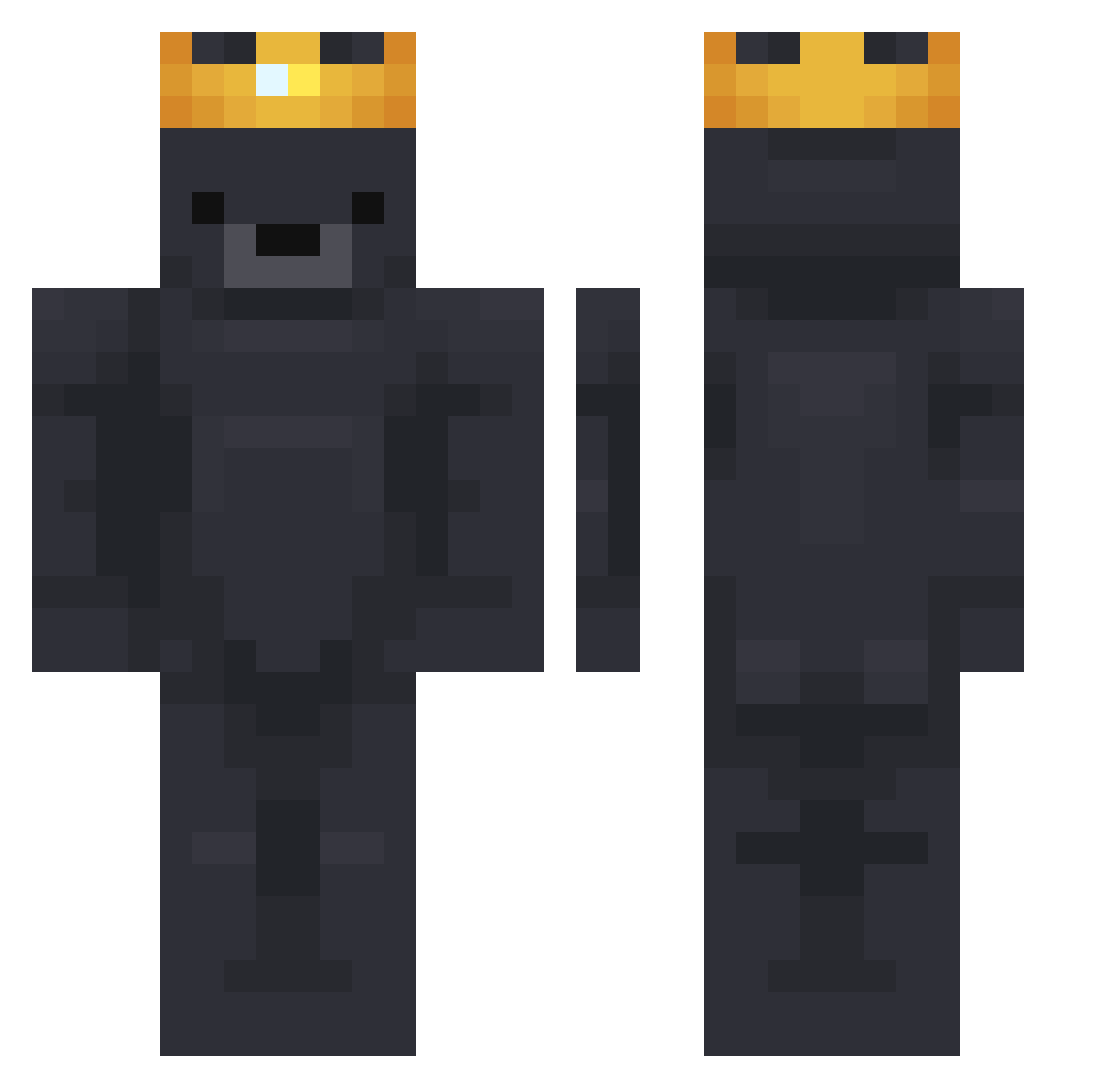
Current Minecraft skin of the player Wicky020, loaded from the official Mojang API. Rotate the 3D model with your mouse or finger, then download the skin as a PNG file and use it in Minecraft: Bedrock Edition or Java Edition for free. When Wicky020 changes their skin, this page updates automatically and the old skin stays in the history below.
Other players with this skin (784)
Wicky020 was the 535th player we have seen with this skin, first spotted on 07.10.2026. The same skin was seen on these players. Open a nickname to see their current skin and skin history.
 dreanm 3mk_KSA Yarichka Xenos04 Thesusbtw otishsl HarleyHuntley Tsukishimii TheGrossxD halllo2 Albitca VSXK7 dbdrll PullRin titlexx Richard234 awesometnt6666 ______JUN______ nickbangs KolzyyYT BigDadyYamrajj quaney3000 WiseBreeze Xwazor possumiscool21 knuGG00 _Tyson44_ Adi0s04x Machopunk99 plzzzzzzzzzz Ashstxx 350Zz Max0501 420BigB EzDover12345 NateL4444 Loopsiefluff0 AuxerreOctavian TurePyrex Tide_Pod HappyTubbie acead34 Cinnt SebOlesen MWCVC Iam_Daze Kano15409 flower032987 Snoopa9 _Mano Luke_Chae Ferdii7 Lemon7726 Raidogwilson99 Faffakim Nautix__ MINI__i martinxjam XUAN12349 Risinqq
More Crown Minecraft skins
How to install the Wicky020 skin
- Press the Download button above to save the skin as a PNG file.
- Minecraft: Bedrock Edition (PE): open the Dressing Room from the main menu (or tap your character → Edit Character), go to Classic Skins → Owned, press the + (new skin) button, choose the downloaded PNG and pick the Classic (Steve) model. Works on PC and mobile; consoles cannot import custom skins.
- Minecraft: Java Edition: open the Minecraft Launcher, go to the Skins tab, click New Skin, load the PNG, pick the Classic (Steve) model and press Save & Use. You can also upload it at minecraft.net → Profile → Change Skin.
The skin does not show up after import - what should I do?
Restart Minecraft and open the Dressing Room again - imported skins sometimes appear only after a restart. Also make sure you selected the imported skin and picked the Classic (Steve) model.
Which model should I choose, Classic or Slim?
This skin is designed for the Classic (Steve) model. If you pick the wrong model, the arms of the skin will look stretched or squeezed.
Is the skin of Wicky020 free to download?
Yes. Press Download, save the PNG file and use it in Minecraft: Bedrock Edition or Java Edition - no payment or registration needed. The skin also works on multiplayer servers and Realms.
More skins
Looking for more? Go back to all Minecraft skins and check the top skins of the week, month and all time, or find any player's skin by nickname.