
WeedSeeker - Minecraft Skins & Skin History
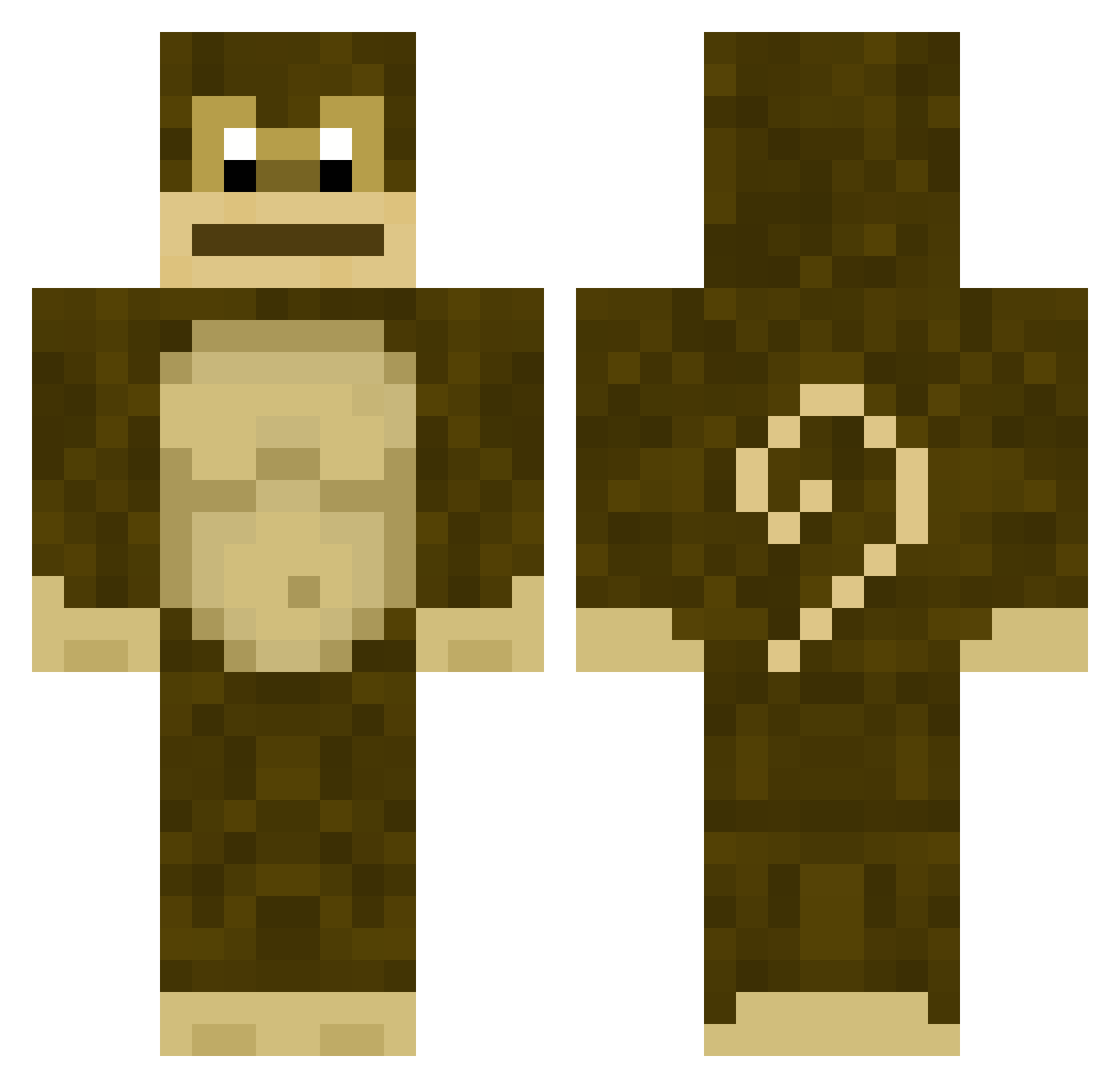
Current Minecraft skin of the player WeedSeeker, loaded from the official Mojang API. Rotate the 3D model with your mouse or finger, then download the skin as a PNG file and use it in Minecraft: Bedrock Edition or Java Edition for free. When WeedSeeker changes their skin, this page updates automatically and the old skin stays in the history below.
Other players with this skin (251)
WeedSeeker was the 182nd player we have seen with this skin, first spotted on 12.10.2026. The same skin was seen on these players. Open a nickname to see their current skin and skin history.
 vikandy729 Dudu_Monkey JoshSins iEdog Bing19 HouseofMorris davimv_22 Asassin_155 Jrich191 moto_moto2 tylerw_001 xFidgetWinner69x MonKeMaN200 adner001 Bri_Tva PikaJewAnyJew Site7 begizzy JupiterJellyfish mikeysfuneral oyr WillyH Yamagami_ G00SES Barthhhh imanoob12345666 Saxsquatched bmxviktor Spaghetti_Gabe RyanSquared Vap0r_ BrogliCloud ramchamp mokeycool kirbyisgoat Zyrakia AdmiralSJC Leshen98 yakupcmert trouble1313 skibiddy AmoebaSoup Jakenlikesbacon Snemil LoggedIn13 WhippyPickle LickMyNip thelizzle02 Nugget1570 Ramyoink Char4047 eemllix TooSquishie fartbuttlol ElementalStar25 reekid2453 HAMISHKEMP Zodwar FizZ502 ZerooTsu
More Gorilla Minecraft skins
How to install the WeedSeeker skin
- Press the Download button above to save the skin as a PNG file.
- Minecraft: Bedrock Edition (PE): open the Dressing Room from the main menu (or tap your character → Edit Character), go to Classic Skins → Owned, press the + (new skin) button, choose the downloaded PNG and pick the Classic (Steve) model. Works on PC and mobile; consoles cannot import custom skins.
- Minecraft: Java Edition: open the Minecraft Launcher, go to the Skins tab, click New Skin, load the PNG, pick the Classic (Steve) model and press Save & Use. You can also upload it at minecraft.net → Profile → Change Skin.
The skin does not show up after import - what should I do?
Restart Minecraft and open the Dressing Room again - imported skins sometimes appear only after a restart. Also make sure you selected the imported skin and picked the Classic (Steve) model.
Which model should I choose, Classic or Slim?
This skin is designed for the Classic (Steve) model. If you pick the wrong model, the arms of the skin will look stretched or squeezed.
Is the skin of WeedSeeker free to download?
Yes. Press Download, save the PNG file and use it in Minecraft: Bedrock Edition or Java Edition - no payment or registration needed. The skin also works on multiplayer servers and Realms.
More skins
Looking for more? Go back to all Minecraft skins and check the top skins of the week, month and all time, or find any player's skin by nickname.