
Wavee_y - Minecraft Skins & Skin History
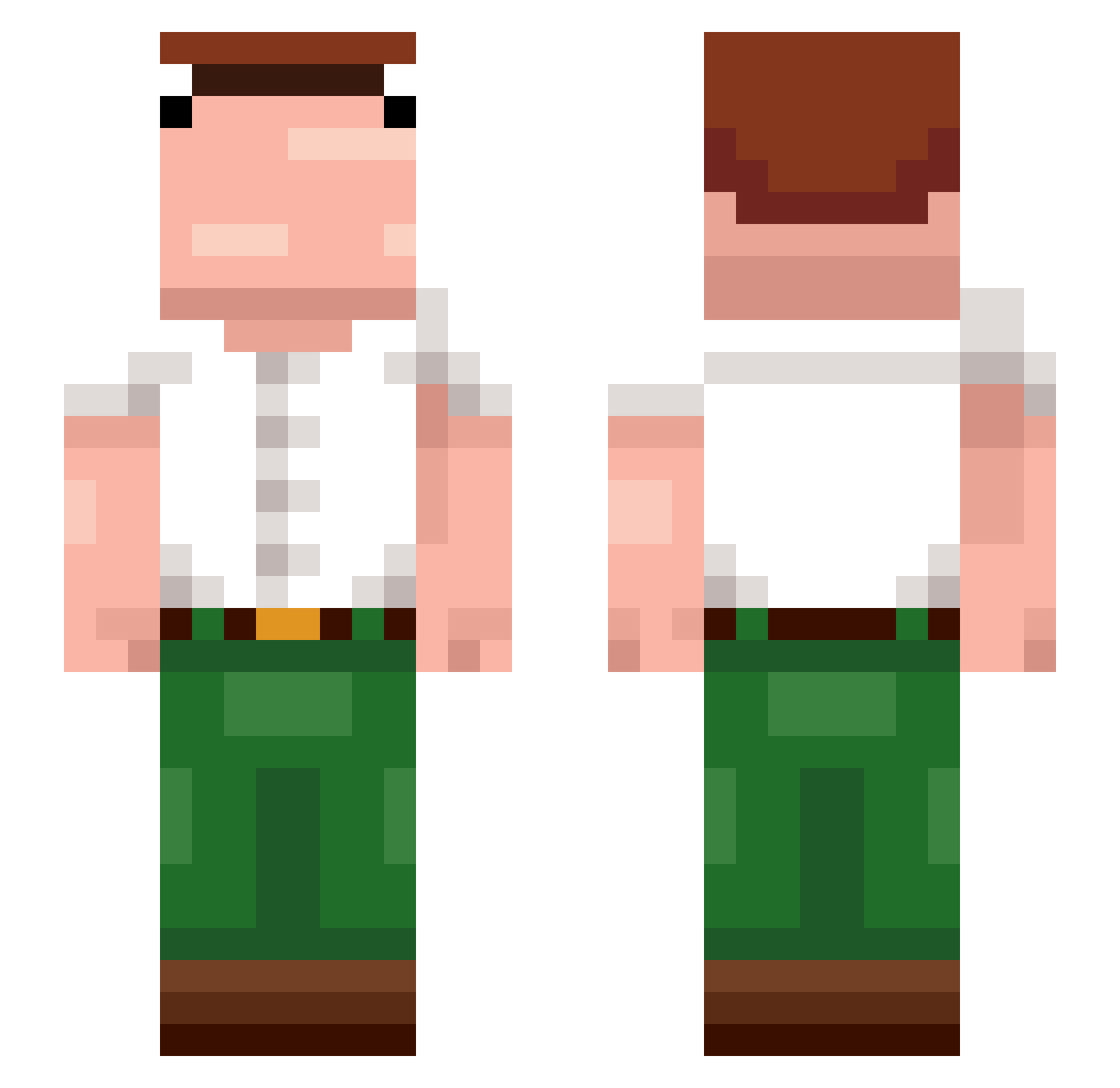
Current Minecraft skin of the player Wavee_y, loaded from the official Mojang API. Rotate the 3D model with your mouse or finger, then download the skin as a PNG file and use it in Minecraft: Bedrock Edition or Java Edition for free. When Wavee_y changes their skin, this page updates automatically and the old skin stays in the history below.
Other players with this skin (374)
Wavee_y was the 65th player we have seen with this skin, first spotted on 09.08.2026. The same skin was seen on these players. Open a nickname to see their current skin and skin history.
 averagesniperlol Masons4455 BulgyWulgyWoo the_merks Rolo709
 unsapopepe irisgreen19 VaGinPin eXpiredMonster TG_Lari_ Guixyz Janinho94 inlifetroll Aizzis14 AlbertoGatica Zloy_evrey9 Kamiloss1233
 Insaneftt Mqmmy2 Exl0rd MrCrow002 leco8 Dedeszx T4os CanineButton928
 Matsuo_kazuha hekje230 Scrambles721 Zivadinovic18
 TheGrillMaster08 kvmil28
 Pooki23 GrannyStompa InfernalAnatomy StretchPeter DMwtf blasphunny Christian688 Gooep1 Afghani22 ZERO_LLL CJ141 Nyowo Tyfoxone Donito96 PeterGriefer Darckasz KfcChickenBucket Danijel_purcel RakeFast Albedoo_ Boni_09 The_Dankzstaffel hashaki010 nithbann thebegbog Tadeazek sadboy1337 aamplified ProneFrog681212
More Peter Griffin Minecraft skins
See all 227 Peter Griffin skins
How to install the Wavee_y skin
- Press the Download button above to save the skin as a PNG file.
- Minecraft: Bedrock Edition (PE): open the Dressing Room from the main menu (or tap your character → Edit Character), go to Classic Skins → Owned, press the + (new skin) button, choose the downloaded PNG and pick the Slim (Alex) model. Works on PC and mobile; consoles cannot import custom skins.
- Minecraft: Java Edition: open the Minecraft Launcher, go to the Skins tab, click New Skin, load the PNG, pick the Slim (Alex) model and press Save & Use. You can also upload it at minecraft.net → Profile → Change Skin.
The skin does not show up after import - what should I do?
Restart Minecraft and open the Dressing Room again - imported skins sometimes appear only after a restart. Also make sure you selected the imported skin and picked the Slim (Alex) model.
Which model should I choose, Classic or Slim?
This skin is designed for the Slim (Alex) model. If you pick the wrong model, the arms of the skin will look stretched or squeezed.
Is the skin of Wavee_y free to download?
Yes. Press Download, save the PNG file and use it in Minecraft: Bedrock Edition or Java Edition - no payment or registration needed. The skin also works on multiplayer servers and Realms.
More skins
Looking for more? Go back to all Minecraft skins and check the top skins of the week, month and all time, or find any player's skin by nickname.