
Wacky_Wigglers - Minecraft Skins & Skin History
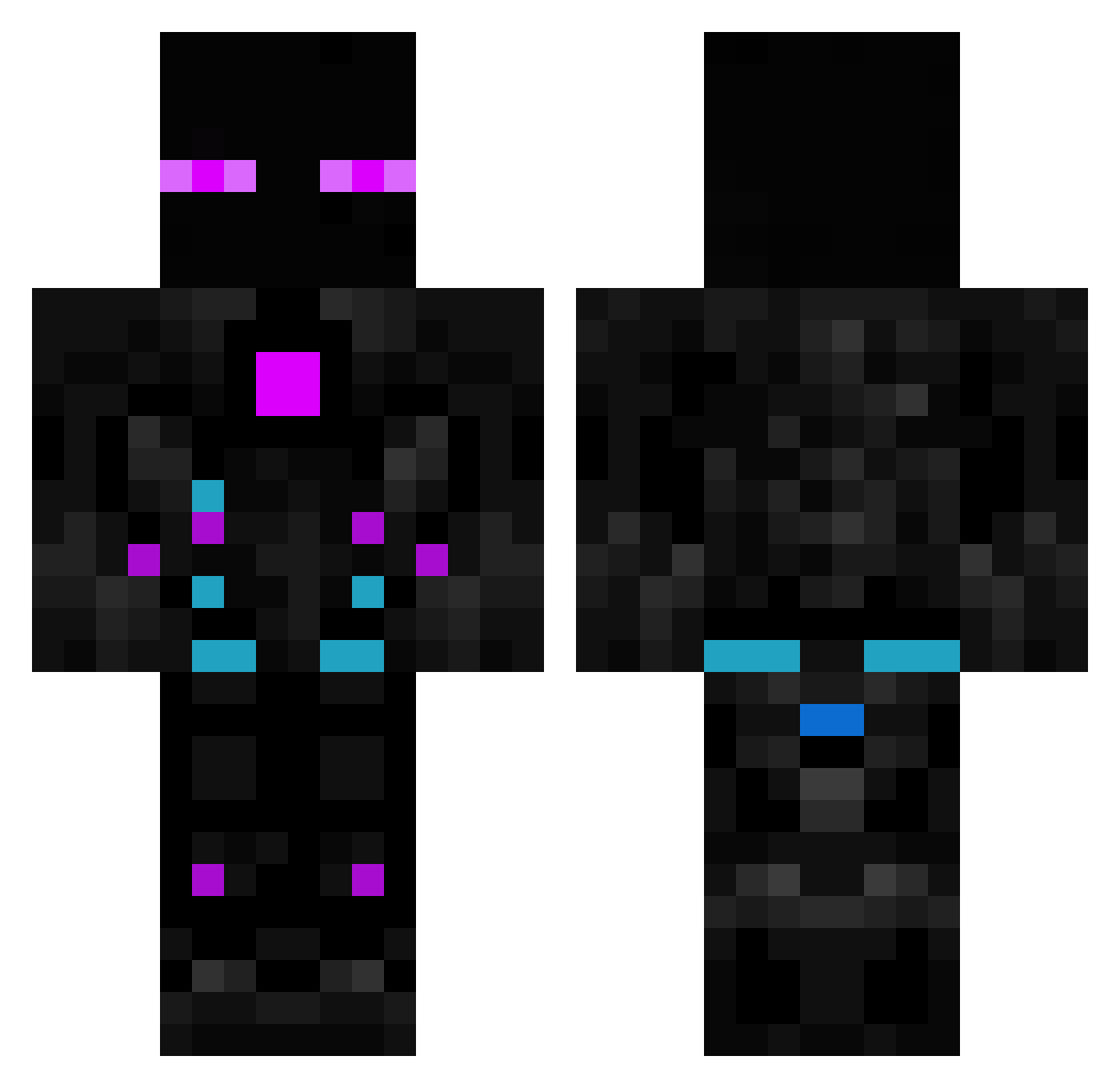
Current Minecraft skin of the player Wacky_Wigglers, loaded from the official Mojang API. Rotate the 3D model with your mouse or finger, then download the skin as a PNG file and use it in Minecraft: Bedrock Edition or Java Edition for free. When Wacky_Wigglers changes their skin, this page updates automatically and the old skin stays in the history below.
Other players with this skin (615)
Wacky_Wigglers was the 358th player we have seen with this skin, first spotted on 02.10.2026. The same skin was seen on these players. Open a nickname to see their current skin and skin history.
 BaumeisterBenji JO_dile xH3lioz Gamerjeff123031 ER7K23 Matamaru69 Ownstylee YUU0117 Alexia0001 dani2809 captainendz AlexEnder19 ContrivedTuba14 XJul1X peanutbuttercup bnvfs Wazowski01 Molcarcraft AechCortex tomas30018 __DontBeSalty__ Hoooii4x ItNugeta BlackCrow80 Phennexx Sant9029 hieuge Pr0tzZ NoobRis7712 Dodicer F3lapaBR Dubdogz Linkera_ CubicOliver Myczka enzocal Cheddabob_ ditto812 kokos011 fliflaflu123 Rustiesh19 SamuXp44 LeParasite DammDaniel El3ctricSh4d0w Lopinhoo motoV2 MagnataPR Hione Ar3s_123 yigithankol6178 Rikodelacalle proze68 darknesskw Kyuuuso GustaHZ leviticus2004 Lord2game Ian970212 demirsser
More Cyborg Minecraft skins
How to install the Wacky_Wigglers skin
- Press the Download button above to save the skin as a PNG file.
- Minecraft: Bedrock Edition (PE): open the Dressing Room from the main menu (or tap your character → Edit Character), go to Classic Skins → Owned, press the + (new skin) button, choose the downloaded PNG and pick the Classic (Steve) model. Works on PC and mobile; consoles cannot import custom skins.
- Minecraft: Java Edition: open the Minecraft Launcher, go to the Skins tab, click New Skin, load the PNG, pick the Classic (Steve) model and press Save & Use. You can also upload it at minecraft.net → Profile → Change Skin.
The skin does not show up after import - what should I do?
Restart Minecraft and open the Dressing Room again - imported skins sometimes appear only after a restart. Also make sure you selected the imported skin and picked the Classic (Steve) model.
Which model should I choose, Classic or Slim?
This skin is designed for the Classic (Steve) model. If you pick the wrong model, the arms of the skin will look stretched or squeezed.
Is the skin of Wacky_Wigglers free to download?
Yes. Press Download, save the PNG file and use it in Minecraft: Bedrock Edition or Java Edition - no payment or registration needed. The skin also works on multiplayer servers and Realms.
More skins
Looking for more? Go back to all Minecraft skins and check the top skins of the week, month and all time, or find any player's skin by nickname.