
WUMB0W - Minecraft Skins & Skin History
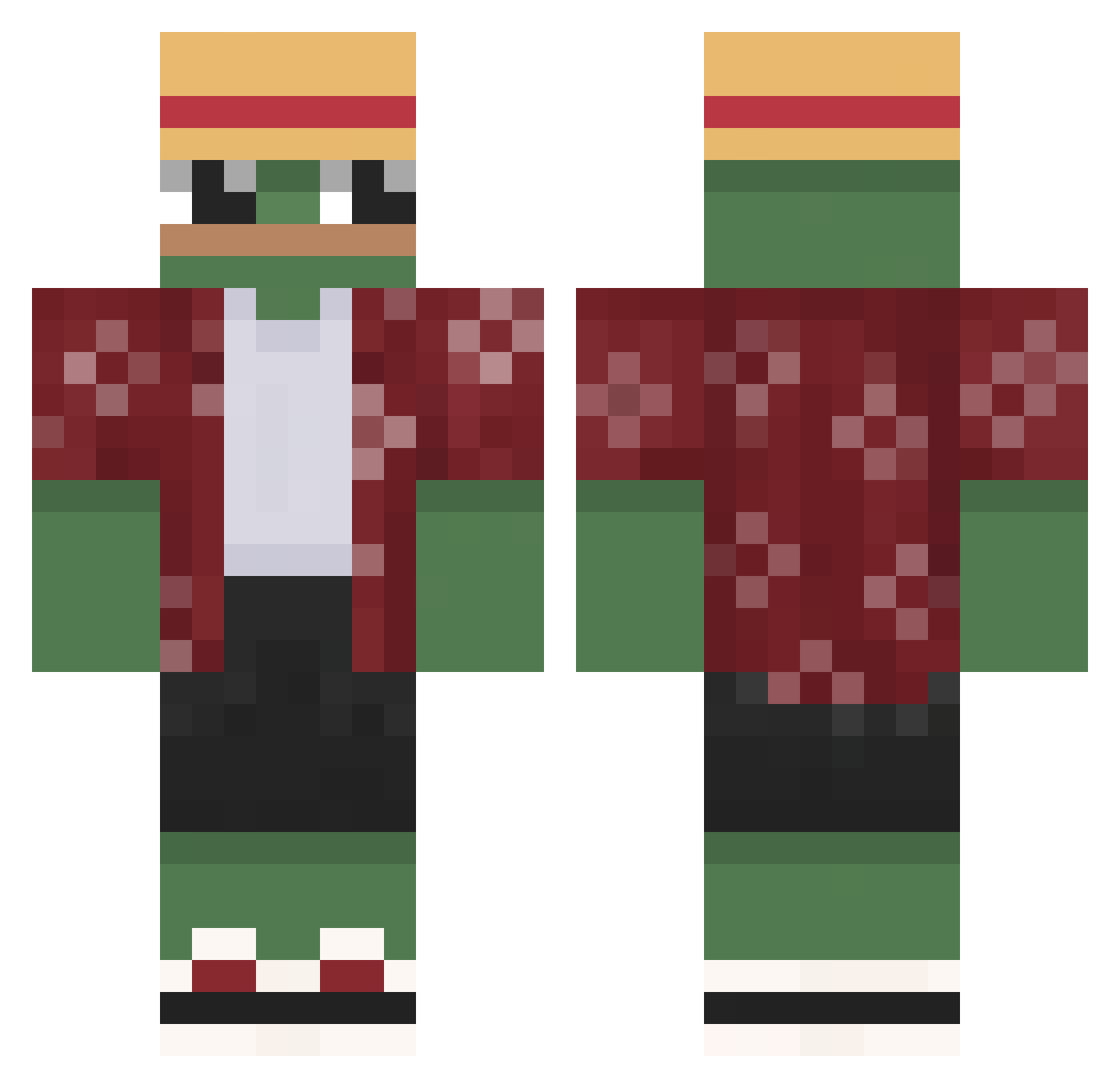
Current Minecraft skin of the player WUMB0W, loaded from the official Mojang API. Rotate the 3D model with your mouse or finger, then download the skin as a PNG file and use it in Minecraft: Bedrock Edition or Java Edition for free. When WUMB0W changes their skin, this page updates automatically and the old skin stays in the history below.
Other players with this skin (557)
WUMB0W was the 532nd player we have seen with this skin, first spotted on 16.10.2026. The same skin was seen on these players. Open a nickname to see their current skin and skin history.
 Bausa_Kartoffel IchHasseTomaten_ MoParnassus ItsAzTc Patuk123 mangddong azertim_ Grillardino ElBrondon_ Alfa_EgO tayfunbulanik07 neckl R2KTHUNDER Debeli73 PomPom_1337 Turtle_09 ScriptGofman ardonsale KGminDio Varmkorven12345 tinytony1781 PengUbud BigPats NinoLombard ET_Egg DonWueaXD NomadBlaster Malus_Juice bignutterbuster Furickt Gogutzz xascmn 6_Aim Lewyyyyyx furkanxrv pope1228 Gert_21 AbdullahGvn CrispyWYD Bennimations Tickler116 Kirieshkin_s GGunes 0Broken JEMM97 Merumond King_of_frogs1 baasploa Altrejo hubs0n420 mrNiceLips KOPLINI22 koala03JP nikroda mxrin71 juli232 _Bart3k_ Chow_Khalil NandaY0 Marsstuff1
More Monkey D Luffy Minecraft skins
See all 857 Monkey D Luffy skins
How to install the WUMB0W skin
- Press the Download button above to save the skin as a PNG file.
- Minecraft: Bedrock Edition (PE): open the Dressing Room from the main menu (or tap your character → Edit Character), go to Classic Skins → Owned, press the + (new skin) button, choose the downloaded PNG and pick the Classic (Steve) model. Works on PC and mobile; consoles cannot import custom skins.
- Minecraft: Java Edition: open the Minecraft Launcher, go to the Skins tab, click New Skin, load the PNG, pick the Classic (Steve) model and press Save & Use. You can also upload it at minecraft.net → Profile → Change Skin.
The skin does not show up after import - what should I do?
Restart Minecraft and open the Dressing Room again - imported skins sometimes appear only after a restart. Also make sure you selected the imported skin and picked the Classic (Steve) model.
Which model should I choose, Classic or Slim?
This skin is designed for the Classic (Steve) model. If you pick the wrong model, the arms of the skin will look stretched or squeezed.
Is the skin of WUMB0W free to download?
Yes. Press Download, save the PNG file and use it in Minecraft: Bedrock Edition or Java Edition - no payment or registration needed. The skin also works on multiplayer servers and Realms.
More skins
Looking for more? Go back to all Minecraft skins and check the top skins of the week, month and all time, or find any player's skin by nickname.