
WOshishuaige1234 - Minecraft Skins & Skin History
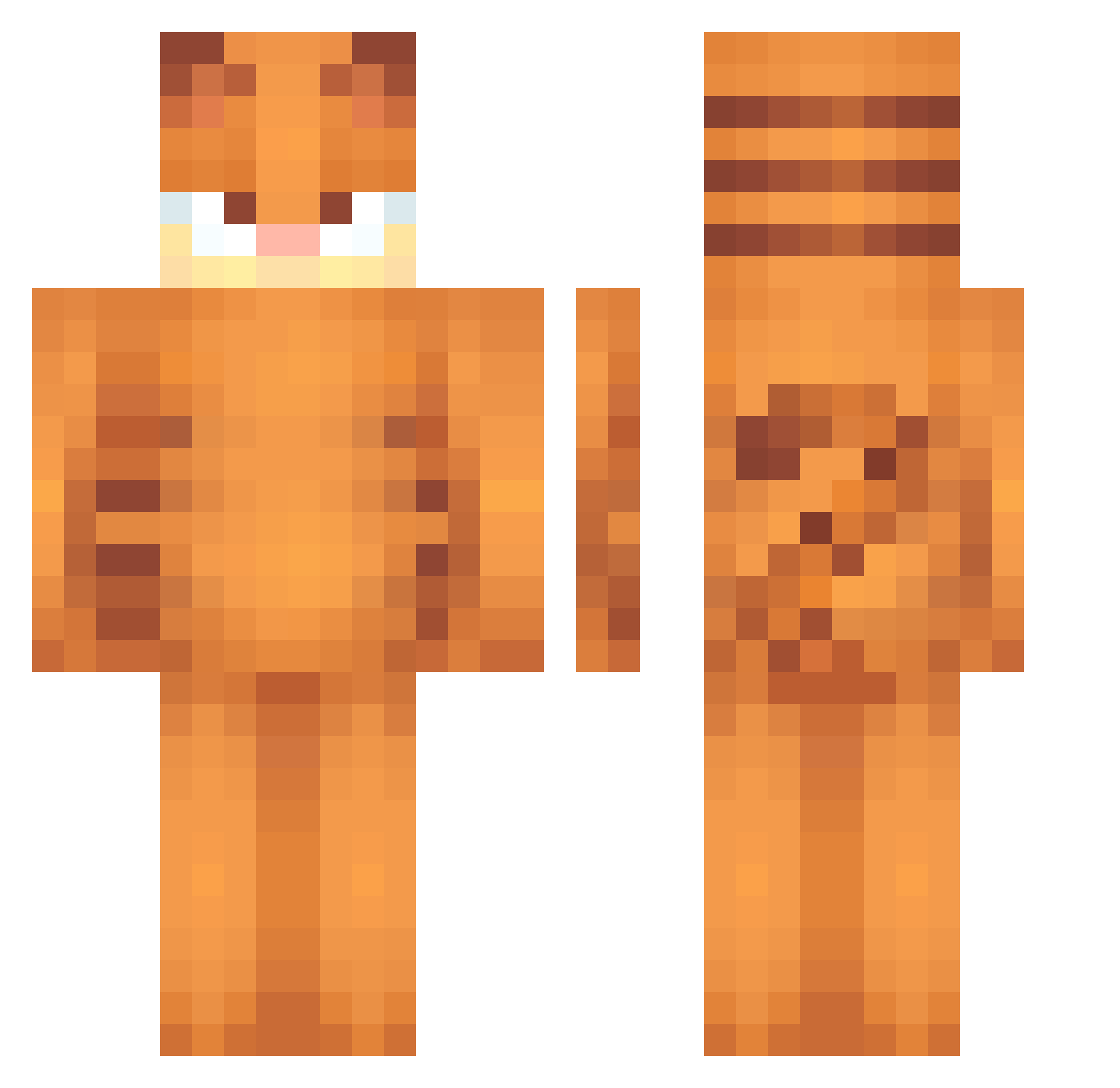
Current Minecraft skin of the player WOshishuaige1234, loaded from the official Mojang API. Rotate the 3D model with your mouse or finger, then download the skin as a PNG file and use it in Minecraft: Bedrock Edition or Java Edition for free. When WOshishuaige1234 changes their skin, this page updates automatically and the old skin stays in the history below.
Other players with this skin (551)
WOshishuaige1234 was the 494th player we have seen with this skin, first spotted on 24.10.2026. The same skin was seen on these players. Open a nickname to see their current skin and skin history.
 CalamarEnSalsa uvlaiki emoemils alex_052519 Dueto_Xx MarkyMarkyMarky Sopel_13 paunchers WithTheFeds GoofiestGooner bread_md Charlife1 Big_F0ot_ YamFacts Teletino Kauboi_ MrLuigi27 Fiblettt KathyMisaki General_Cat__ drew99x eth3real1ty ZZARC Hiszpanka_Ezzz rgumballwaters0n zvmbiez Yakyyyy chefsnoopy bugcubed vmpyric Zukie07 ByDylzie BuryMePls Winshot Kopaczof nyahdaapapaya garfeldandrews lemos446 soloice21 UVF_BobbyShmurda emtgrc barbiiqq madstaff666 FortniteFallGuys maevey0 Ronvein11 soapyle lisashaw Pihuating Prosperouss homtx AdrenalAlapaca87 caio____ A7Tyz CrbDGlow Born2BeLazy Styralka BeatrixLaLeya xxar_cyxx Treyway1212
More Garfield Minecraft skins
How to install the WOshishuaige1234 skin
- Press the Download button above to save the skin as a PNG file.
- Minecraft: Bedrock Edition (PE): open the Dressing Room from the main menu (or tap your character → Edit Character), go to Classic Skins → Owned, press the + (new skin) button, choose the downloaded PNG and pick the Classic (Steve) model. Works on PC and mobile; consoles cannot import custom skins.
- Minecraft: Java Edition: open the Minecraft Launcher, go to the Skins tab, click New Skin, load the PNG, pick the Classic (Steve) model and press Save & Use. You can also upload it at minecraft.net → Profile → Change Skin.
The skin does not show up after import - what should I do?
Restart Minecraft and open the Dressing Room again - imported skins sometimes appear only after a restart. Also make sure you selected the imported skin and picked the Classic (Steve) model.
Which model should I choose, Classic or Slim?
This skin is designed for the Classic (Steve) model. If you pick the wrong model, the arms of the skin will look stretched or squeezed.
Is the skin of WOshishuaige1234 free to download?
Yes. Press Download, save the PNG file and use it in Minecraft: Bedrock Edition or Java Edition - no payment or registration needed. The skin also works on multiplayer servers and Realms.
More skins
Looking for more? Go back to all Minecraft skins and check the top skins of the week, month and all time, or find any player's skin by nickname.