
WOOPANGS - Minecraft Skins & Skin History
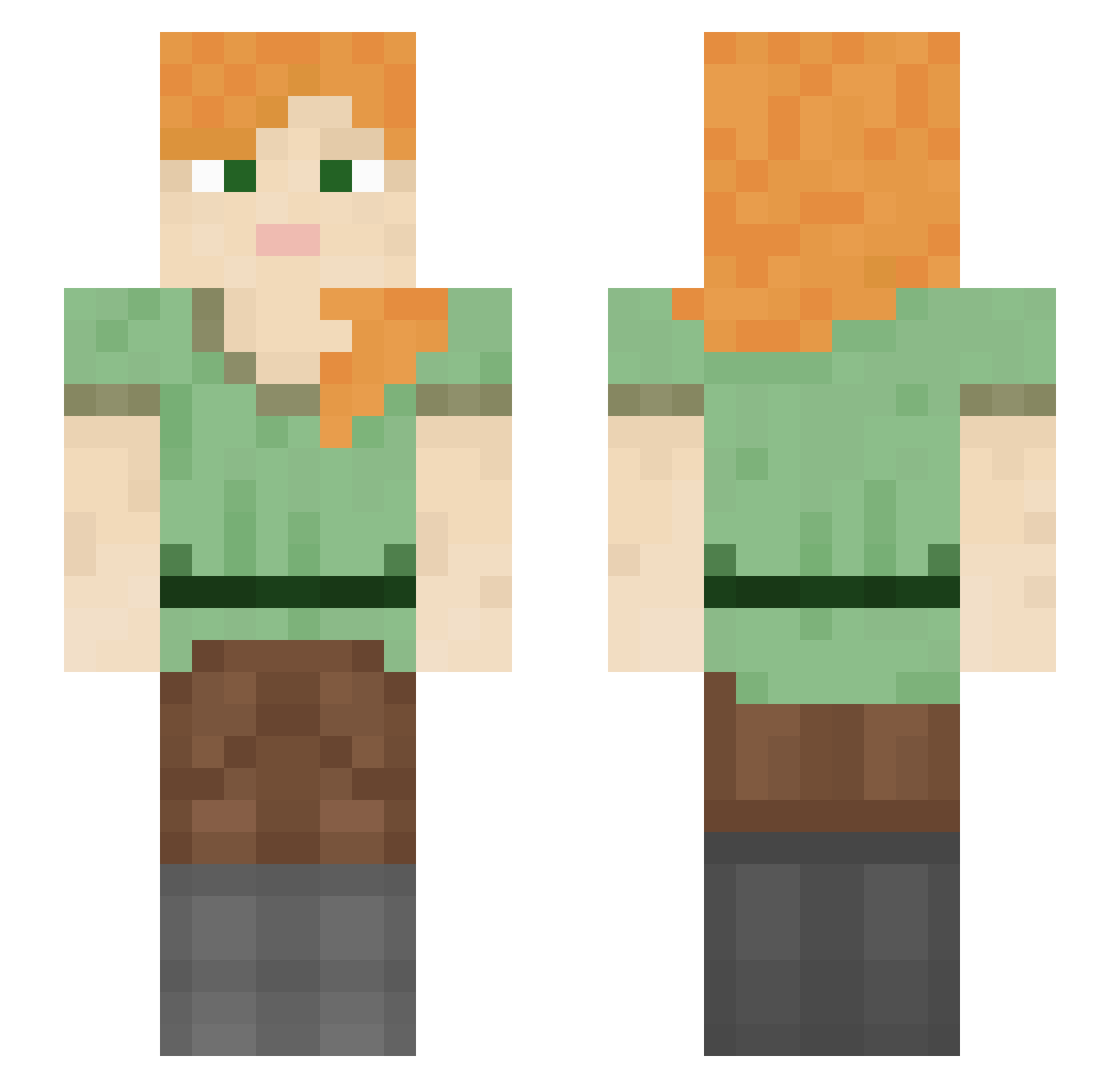
Current Minecraft skin of the player WOOPANGS, loaded from the official Mojang API. Rotate the 3D model with your mouse or finger, then download the skin as a PNG file and use it in Minecraft: Bedrock Edition or Java Edition for free. When WOOPANGS changes their skin, this page updates automatically and the old skin stays in the history below.
Other players with this skin (1052)
WOOPANGS was the 1006th player we have seen with this skin, first spotted on 19.10.2026. The same skin was seen on these players. Open a nickname to see their current skin and skin history.
 iiSFA7xPro Krispyd123 rekraq2 Laugh_Till_uPee4 jsuiunbogosse Hanzoou AmyLan MadisonnnB purplefant meagan Mallibero mhoo77777 Palpebra juninhob wossing charlottexdd Bubi575 SixNumbers ShayanBabajan DanTDM_CAS zDansbug MagicLlama Lucassassin_ Daxt tiggex Jasonvoz jiyoungE46 SergieP05 PeriwinkleJess cholecystectomy Otrava_ childsproof kramsti_ Rezzur Mors944 Stanko23 Veroniko _PixelMC_ Midmists jammyman21 Kasis22 Gardeners fukRacism George534 BJK_ llama779 Kurokinho dogarmy29 Lovity anggimotti_ xXx_eliza_xXx parkwoojin0622 Juney42 sinister_raven Marlee Rah425 JonyV TookenStar KIMmalsu213 notcharlei
How to install the WOOPANGS skin
- Press the Download button above to save the skin as a PNG file.
- Minecraft: Bedrock Edition (PE): open the Dressing Room from the main menu (or tap your character → Edit Character), go to Classic Skins → Owned, press the + (new skin) button, choose the downloaded PNG and pick the Slim (Alex) model. Works on PC and mobile; consoles cannot import custom skins.
- Minecraft: Java Edition: open the Minecraft Launcher, go to the Skins tab, click New Skin, load the PNG, pick the Slim (Alex) model and press Save & Use. You can also upload it at minecraft.net → Profile → Change Skin.
The skin does not show up after import - what should I do?
Restart Minecraft and open the Dressing Room again - imported skins sometimes appear only after a restart. Also make sure you selected the imported skin and picked the Slim (Alex) model.
Which model should I choose, Classic or Slim?
This skin is designed for the Slim (Alex) model. If you pick the wrong model, the arms of the skin will look stretched or squeezed.
Is the skin of WOOPANGS free to download?
Yes. Press Download, save the PNG file and use it in Minecraft: Bedrock Edition or Java Edition - no payment or registration needed. The skin also works on multiplayer servers and Realms.
More skins
Looking for more? Go back to all Minecraft skins and check the top skins of the week, month and all time, or find any player's skin by nickname.