
VileCookie030 - Minecraft Skins & Skin History
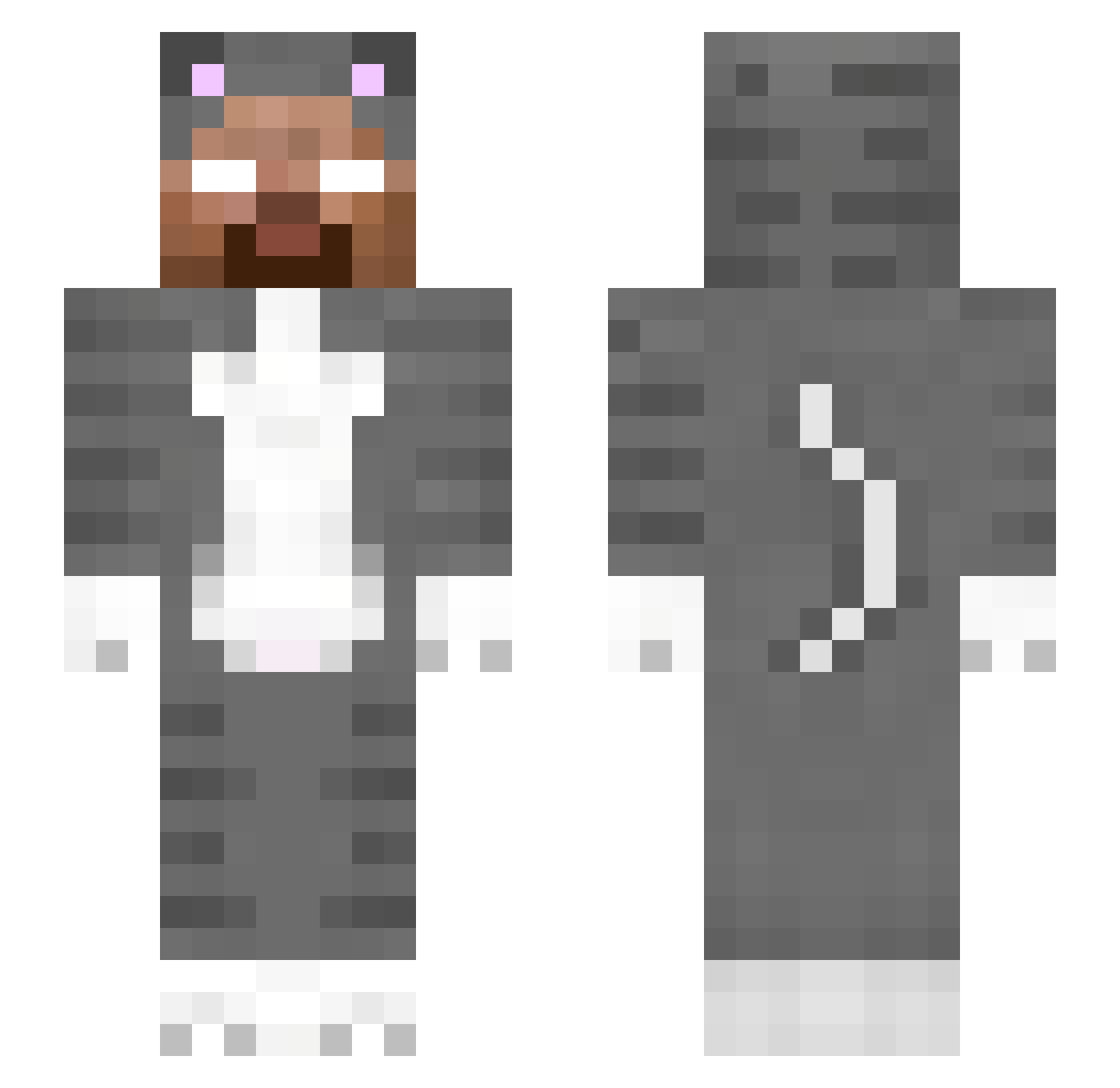
Current Minecraft skin of the player VileCookie030, loaded from the official Mojang API. Rotate the 3D model with your mouse or finger, then download the skin as a PNG file and use it in Minecraft: Bedrock Edition or Java Edition for free. When VileCookie030 changes their skin, this page updates automatically and the old skin stays in the history below.
Other players with this skin (305)
VileCookie030 was the 272nd player we have seen with this skin, first spotted on 06.11.2026. The same skin was seen on these players. Open a nickname to see their current skin and skin history.
 kbgqr Andreasverm97 rxzify lilxax Torne1rinha av3ryl0lz T0PSY Marianitoo123 DarkMiki00 dogcatwhat231 alipanz AwraChairanisa Egiptietis dobby_dob_dobsen swistakmaker hiwoofer Noelzq Kaimana22 Wyrm_Gaming Mr_Pavlige jorigaming11 kissmybladee T58 WindyCheeks swuggishh SSwastaken OgnjenTodorovic NotYourPichu Henristn LTGLTGLGT _ImDivad Applepen_32 snowy_36 EvilSin ArturL Absince Sweat_120 sidhu_rs22 mrbooody anthony011607 Maxiking2015 0x475435550A ButterflyGenshin 10jacke XxLooseButholexX clmi pmzi lol_ch_87 spacious_loads7 Yungestomire Nick0013 CDZOU 234es02rf7 pleb214 MrLegoGod44 mommytube DLtrem Justbest msik PrettyOddVices
More Herobrine Minecraft skins
How to install the VileCookie030 skin
- Press the Download button above to save the skin as a PNG file.
- Minecraft: Bedrock Edition (PE): open the Dressing Room from the main menu (or tap your character → Edit Character), go to Classic Skins → Owned, press the + (new skin) button, choose the downloaded PNG and pick the Slim (Alex) model. Works on PC and mobile; consoles cannot import custom skins.
- Minecraft: Java Edition: open the Minecraft Launcher, go to the Skins tab, click New Skin, load the PNG, pick the Slim (Alex) model and press Save & Use. You can also upload it at minecraft.net → Profile → Change Skin.
The skin does not show up after import - what should I do?
Restart Minecraft and open the Dressing Room again - imported skins sometimes appear only after a restart. Also make sure you selected the imported skin and picked the Slim (Alex) model.
Which model should I choose, Classic or Slim?
This skin is designed for the Slim (Alex) model. If you pick the wrong model, the arms of the skin will look stretched or squeezed.
Is the skin of VileCookie030 free to download?
Yes. Press Download, save the PNG file and use it in Minecraft: Bedrock Edition or Java Edition - no payment or registration needed. The skin also works on multiplayer servers and Realms.
More skins
Looking for more? Go back to all Minecraft skins and check the top skins of the week, month and all time, or find any player's skin by nickname.