
Varisty - Minecraft Skins & Skin History
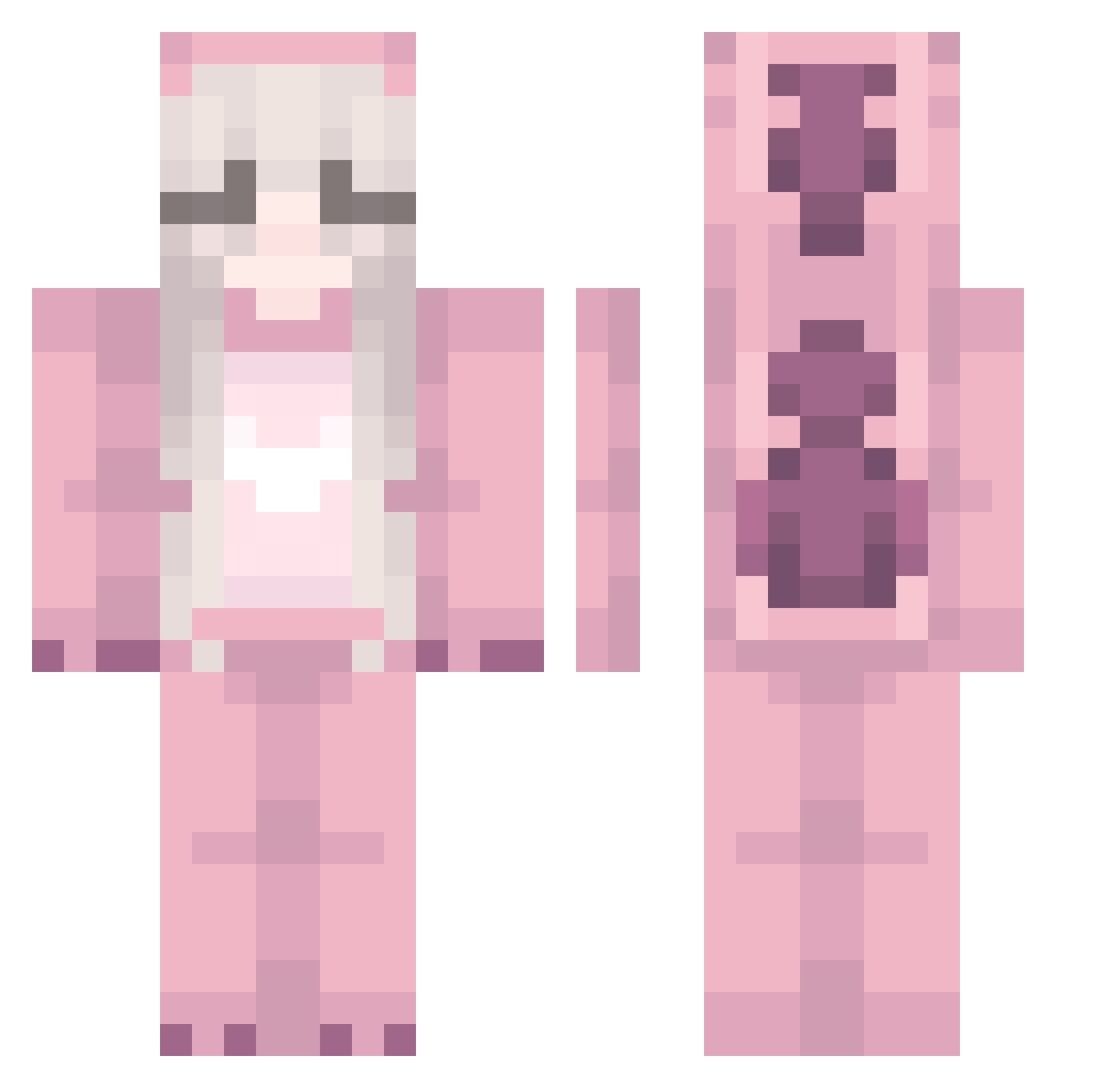
Current Minecraft skin of the player Varisty, loaded from the official Mojang API. Rotate the 3D model with your mouse or finger, then download the skin as a PNG file and use it in Minecraft: Bedrock Edition or Java Edition for free. When Varisty changes their skin, this page updates automatically and the old skin stays in the history below.
Other players with this skin (249)
Varisty was the 52nd player we have seen with this skin, first spotted on 22.08.2026. The same skin was seen on these players. Open a nickname to see their current skin and skin history.
 LenaGaymingHD torichu0_0 shirawashere yungjeet Misskillalotzz tim950321 Darthess XnostxlgiaX Jqurney LillyFee__ yukinko4171 LovelyDayToRuin CH4RC04L nonipapi HelionaYT __Makza_Pupsik__ ClowieV AylinGabriela jordyp3 didi119 CRISTH3L elviraNL HorseGirl104 o_Sour SleepyYuki esmasrico whintey Ria0808 booboo3583 Tyrciek yuiskoo Dixie123 kz0704 Gyro2 Keana01 EsmeKitty vWdhxi cuoliwciacu Alebazip MaximFil anygusus EllieXUwU Luna05230 Fizzings amxny sammiesthebest FR0G077 2_yee tomas_is_cool_69 youtube_cleaning xostitch sutodaa bron9137 xxheather sulha0806 Kitty_123 milkywaydive martz6969 DupedAccountt schrjjen
More Kigurumi Minecraft skins
How to install the Varisty skin
- Press the Download button above to save the skin as a PNG file.
- Minecraft: Bedrock Edition (PE): open the Dressing Room from the main menu (or tap your character → Edit Character), go to Classic Skins → Owned, press the + (new skin) button, choose the downloaded PNG and pick the Classic (Steve) model. Works on PC and mobile; consoles cannot import custom skins.
- Minecraft: Java Edition: open the Minecraft Launcher, go to the Skins tab, click New Skin, load the PNG, pick the Classic (Steve) model and press Save & Use. You can also upload it at minecraft.net → Profile → Change Skin.
The skin does not show up after import - what should I do?
Restart Minecraft and open the Dressing Room again - imported skins sometimes appear only after a restart. Also make sure you selected the imported skin and picked the Classic (Steve) model.
Which model should I choose, Classic or Slim?
This skin is designed for the Classic (Steve) model. If you pick the wrong model, the arms of the skin will look stretched or squeezed.
Is the skin of Varisty free to download?
Yes. Press Download, save the PNG file and use it in Minecraft: Bedrock Edition or Java Edition - no payment or registration needed. The skin also works on multiplayer servers and Realms.
More skins
Looking for more? Go back to all Minecraft skins and check the top skins of the week, month and all time, or find any player's skin by nickname.