
Valkalas - Minecraft Skins & Skin History
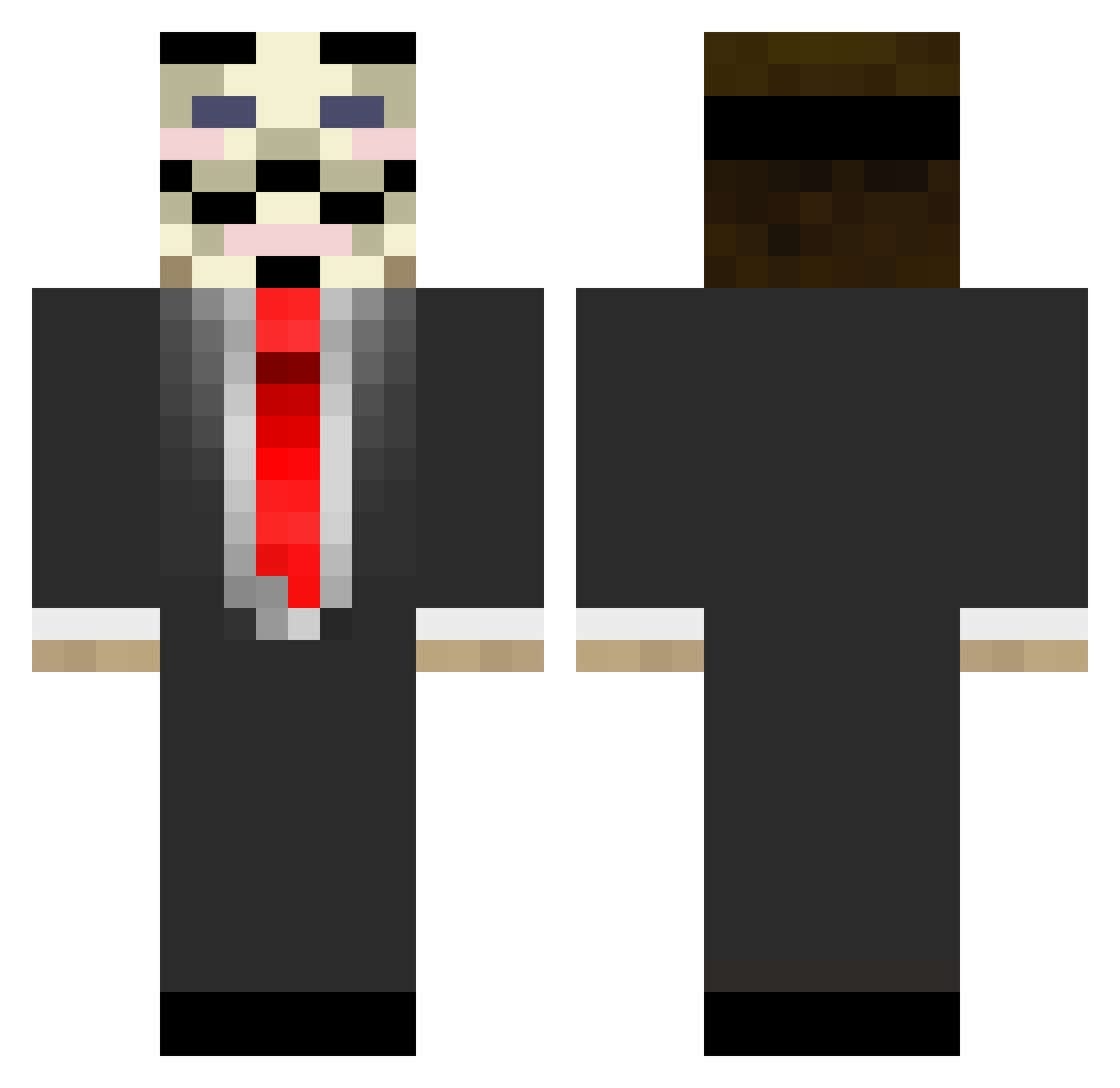
Current Minecraft skin of the player Valkalas, loaded from the official Mojang API. Rotate the 3D model with your mouse or finger, then download the skin as a PNG file and use it in Minecraft: Bedrock Edition or Java Edition for free. When Valkalas changes their skin, this page updates automatically and the old skin stays in the history below.
Other players with this skin (133)
Valkalas was the 44th player we have seen with this skin, first spotted on 28.08.2026. The same skin was seen on these players. Open a nickname to see their current skin and skin history.
 AAAUUU Zoral__ sl0wl0r1s Rando1976 Wiz3n_ Venturious ImMasquerade ABDH Sir_Dazai NightShadePL iPrleno jTanG0506 R0BER70 Marco_GG Squawk7700 alprenss knpyn Mafi3 LeTamales FuzzyMcDoodle Lairex2 j1mbo64 frenchbarbership Zaracail jinny1234 Sceadu42 BUGAJJ ecgfg BEAST0710 Nokey101 samca777 guson Hesamhacker Balkor666 Adp___ EmptyKniv1337 dancingcrabs PistachioMaru XANDYNzxz HaaWei FFubu KekezFilter Canadian5oh Uypang Mephis97 Twizz_29 Pal123 DavidLemes UberHug TheSSCrafty _iMLucio_ XineseWks Iron_Head_66 Skrimor _kariok_ BenSaponar Der_Flo_HD EIGHTYi Hurmat Stardunst
More V For Vendetta Minecraft skins
See all 257 V For Vendetta skins
How to install the Valkalas skin
- Press the Download button above to save the skin as a PNG file.
- Minecraft: Bedrock Edition (PE): open the Dressing Room from the main menu (or tap your character → Edit Character), go to Classic Skins → Owned, press the + (new skin) button, choose the downloaded PNG and pick the Classic (Steve) model. Works on PC and mobile; consoles cannot import custom skins.
- Minecraft: Java Edition: open the Minecraft Launcher, go to the Skins tab, click New Skin, load the PNG, pick the Classic (Steve) model and press Save & Use. You can also upload it at minecraft.net → Profile → Change Skin.
The skin does not show up after import - what should I do?
Restart Minecraft and open the Dressing Room again - imported skins sometimes appear only after a restart. Also make sure you selected the imported skin and picked the Classic (Steve) model.
Which model should I choose, Classic or Slim?
This skin is designed for the Classic (Steve) model. If you pick the wrong model, the arms of the skin will look stretched or squeezed.
Is the skin of Valkalas free to download?
Yes. Press Download, save the PNG file and use it in Minecraft: Bedrock Edition or Java Edition - no payment or registration needed. The skin also works on multiplayer servers and Realms.
More skins
Looking for more? Go back to all Minecraft skins and check the top skins of the week, month and all time, or find any player's skin by nickname.