
ValdemarLyng - Minecraft Skins & Skin History
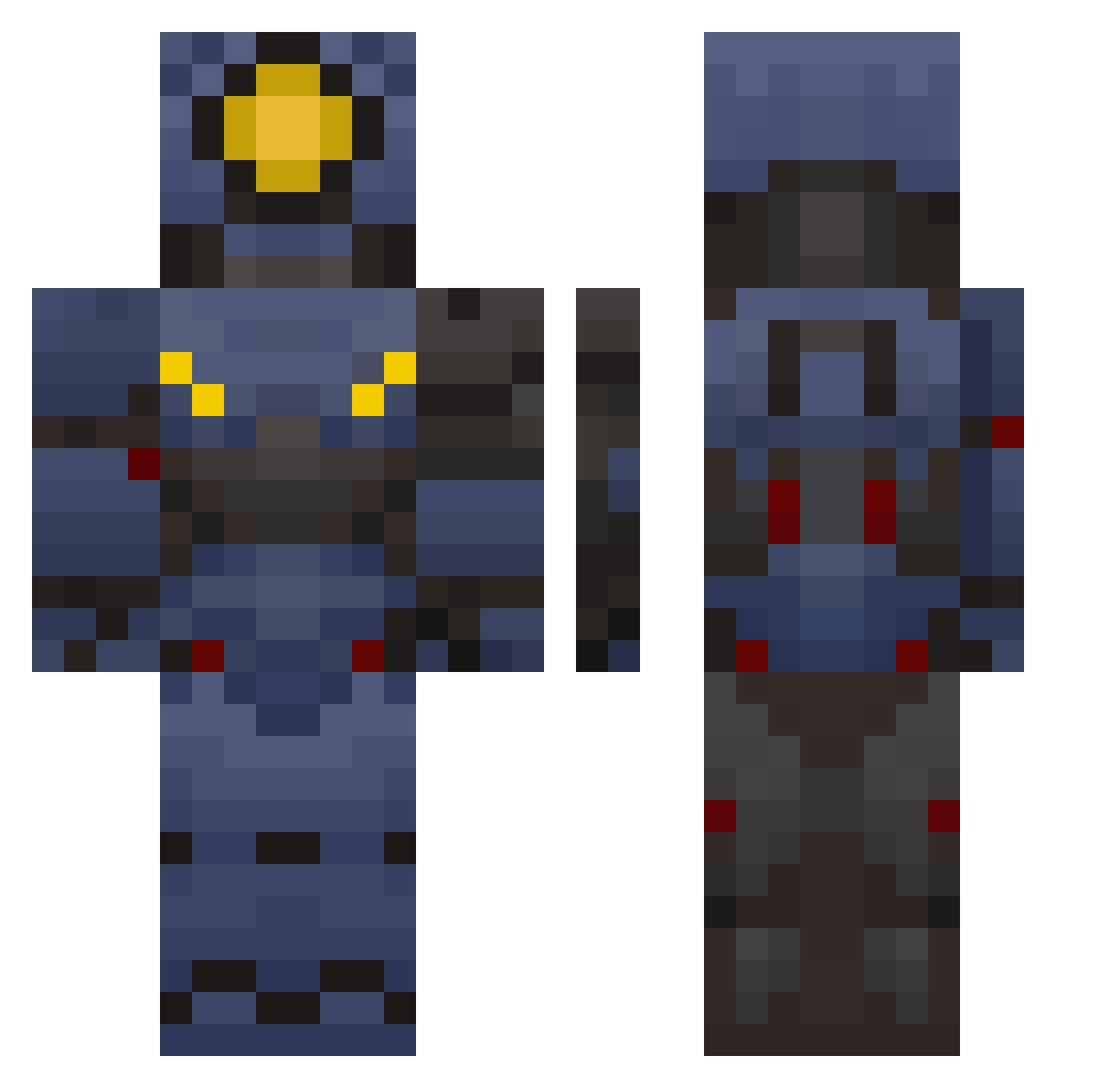
Current Minecraft skin of the player ValdemarLyng, loaded from the official Mojang API. Rotate the 3D model with your mouse or finger, then download the skin as a PNG file and use it in Minecraft: Bedrock Edition or Java Edition for free. When ValdemarLyng changes their skin, this page updates automatically and the old skin stays in the history below.
Other players with this skin (139)
ValdemarLyng was the 78th player we have seen with this skin, first spotted on 23.09.2026. The same skin was seen on these players. Open a nickname to see their current skin and skin history.
 Sp0ti SnipesLee f0kus_Cerberus busyboyys potent_nail Jetpackandres goobergod25 90striker Funware darissutton GT1278 MajinByakuya quepeo Blue_Robot_06 tickle4102 11_19 VIZION_ huskies709 ArtisticYam Raspberry_3_1415 Melkkik SocketHead dankpixel05 TheoZ27 HuffingFluff VulpitaTDM Something1132 Merrick0513 80UT Mr_Chimkin ArbeRBOI9482 Gareden blandbowl GoldenGam3r ledernierfeculen McDen41k ScarScor minecraftmisteri stenosz RDenn1 Heartstopper18 madorce kopmniee filegetcat MortisMari 76Broadcast QNTvv JMackGenesis Jackhammer1452 HUEVO7777 Grav1ty__ rens_yoitsme BluePhionix1 Scale5 SkaterBoiGoblin pep_per_o_ni
 rrraya81 MoJo4325 Dormer_Ice Dorashil
More V1 Minecraft skins
How to install the ValdemarLyng skin
- Press the Download button above to save the skin as a PNG file.
- Minecraft: Bedrock Edition (PE): open the Dressing Room from the main menu (or tap your character → Edit Character), go to Classic Skins → Owned, press the + (new skin) button, choose the downloaded PNG and pick the Classic (Steve) model. Works on PC and mobile; consoles cannot import custom skins.
- Minecraft: Java Edition: open the Minecraft Launcher, go to the Skins tab, click New Skin, load the PNG, pick the Classic (Steve) model and press Save & Use. You can also upload it at minecraft.net → Profile → Change Skin.
The skin does not show up after import - what should I do?
Restart Minecraft and open the Dressing Room again - imported skins sometimes appear only after a restart. Also make sure you selected the imported skin and picked the Classic (Steve) model.
Which model should I choose, Classic or Slim?
This skin is designed for the Classic (Steve) model. If you pick the wrong model, the arms of the skin will look stretched or squeezed.
Is the skin of ValdemarLyng free to download?
Yes. Press Download, save the PNG file and use it in Minecraft: Bedrock Edition or Java Edition - no payment or registration needed. The skin also works on multiplayer servers and Realms.
More skins
Looking for more? Go back to all Minecraft skins and check the top skins of the week, month and all time, or find any player's skin by nickname.