
UnyilR - Minecraft Skins & Skin History
Current Minecraft skin of the player UnyilR, loaded from the official Mojang API. Rotate the 3D model with your mouse or finger, then download the skin as a PNG file and use it in Minecraft: Bedrock Edition or Java Edition for free. When UnyilR changes their skin, this page updates automatically and the old skin stays in the history below.
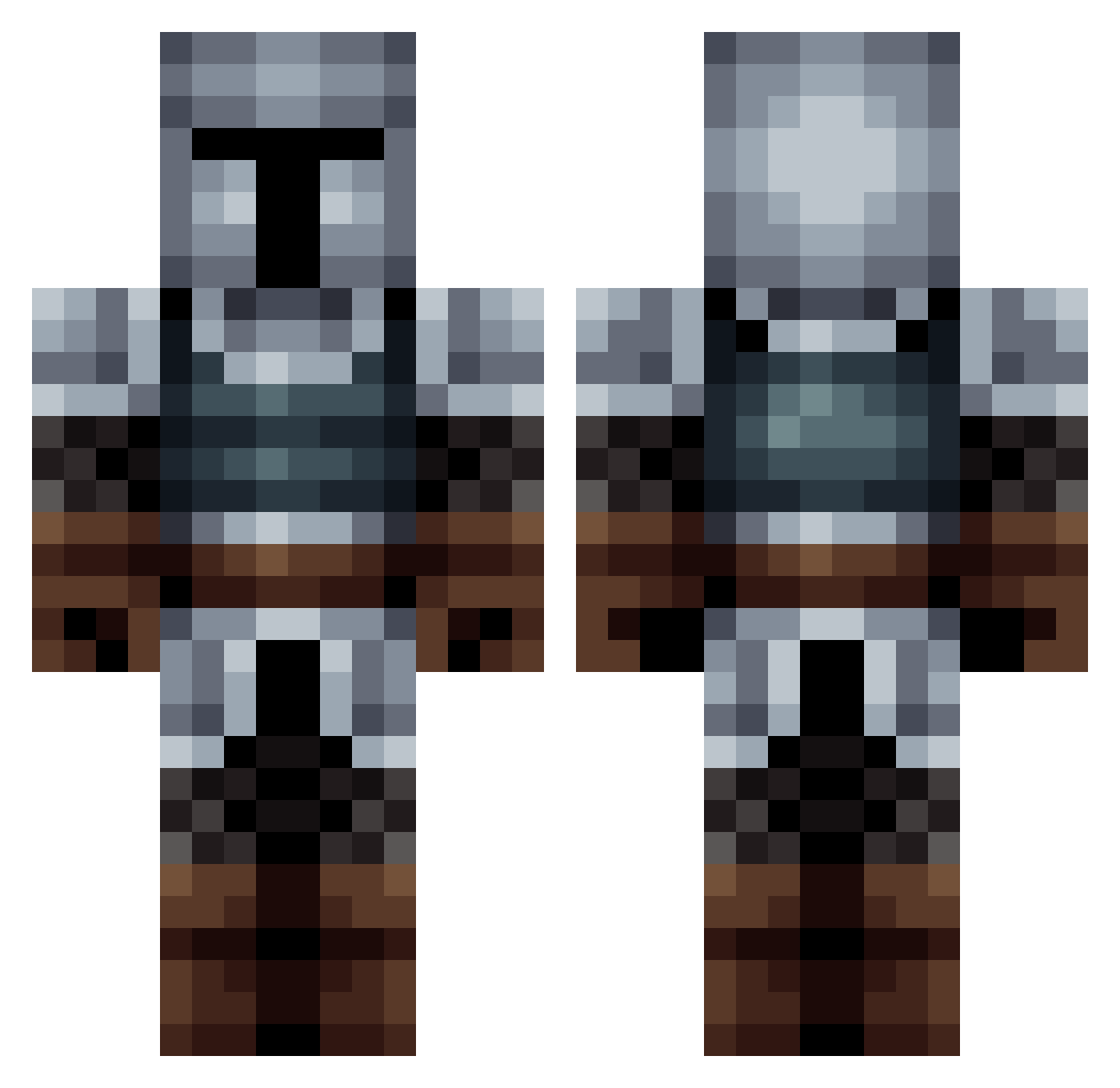
Other players with this skin (563)
UnyilR was the 31st player we have seen with this skin, first spotted on 30.07.2026. The same skin was seen on these players. Open a nickname to see their current skin and skin history.
 magnuslundgaard killercandy89 DashTheBear Timetiger6 libritator JamelDeBombe lUVKKsn Tozey04 RedAleGuy Based_Red Blitzkrieger8 Gildaaas Pasa553 capirara Tirranos Ralvr__ Camill23 TSanyi12 TsAr_VII ACDC666l
 poukolio AcaelusLocke P9M83 Bobaveccheveux11 sam32w Perzyval97
 Artifici4l LlywelynTheGreat JuruXSayokaX Cri01134 skyvhen repertoire8520 CXviana Aggielooblue BreadBoi1775 Kniteort Norton0101 Mastylee WrySeven4583 gucra C_N66 naujakas landmaschine1 A_Gr33n_Duck RFrankThank Fredsol14
 Kozmos6 MercerReport C0JA_ ohfam_ryankim Salac2005 Felipebuy Welerons Filon04 Zar_Nicolas ZiggyJR Revakk OasisOracle tranic72 ValentineBoy
More Medieval Minecraft skins
How to install the UnyilR skin
- Press the Download button above to save the skin as a PNG file.
- Minecraft: Bedrock Edition (PE): open the Dressing Room from the main menu (or tap your character → Edit Character), go to Classic Skins → Owned, press the + (new skin) button, choose the downloaded PNG and pick the Classic (Steve) model. Works on PC and mobile; consoles cannot import custom skins.
- Minecraft: Java Edition: open the Minecraft Launcher, go to the Skins tab, click New Skin, load the PNG, pick the Classic (Steve) model and press Save & Use. You can also upload it at minecraft.net → Profile → Change Skin.
The skin does not show up after import - what should I do?
Restart Minecraft and open the Dressing Room again - imported skins sometimes appear only after a restart. Also make sure you selected the imported skin and picked the Classic (Steve) model.
Which model should I choose, Classic or Slim?
This skin is designed for the Classic (Steve) model. If you pick the wrong model, the arms of the skin will look stretched or squeezed.
Is the skin of UnyilR free to download?
Yes. Press Download, save the PNG file and use it in Minecraft: Bedrock Edition or Java Edition - no payment or registration needed. The skin also works on multiplayer servers and Realms.
More skins
Looking for more? Go back to all Minecraft skins and check the top skins of the week, month and all time, or find any player's skin by nickname.