
UnluckXO - Minecraft Skins & Skin History
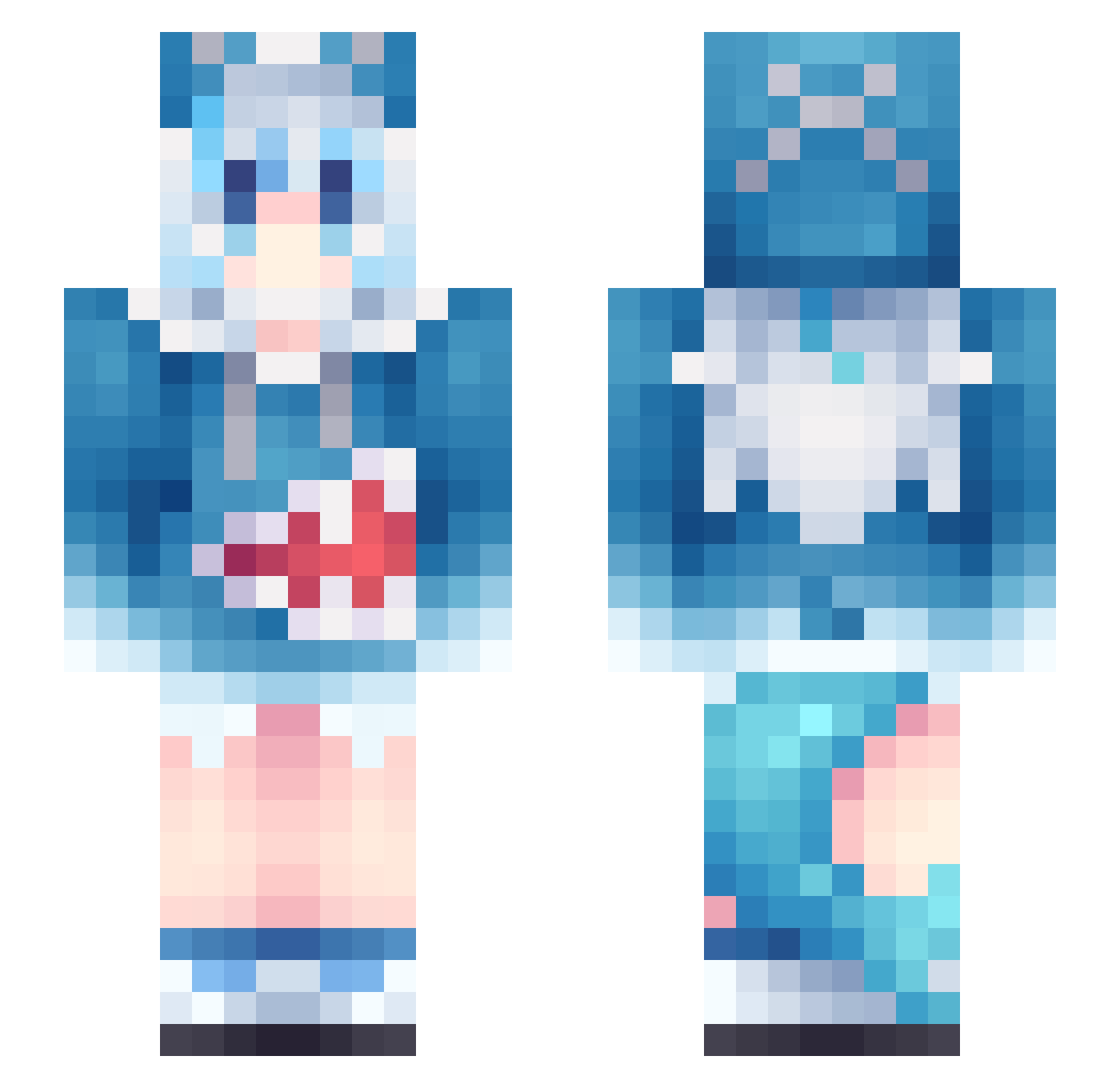
Current Minecraft skin of the player UnluckXO, loaded from the official Mojang API. Rotate the 3D model with your mouse or finger, then download the skin as a PNG file and use it in Minecraft: Bedrock Edition or Java Edition for free. When UnluckXO changes their skin, this page updates automatically and the old skin stays in the history below.
Other players with this skin (1134)
UnluckXO was the 564th player we have seen with this skin, first spotted on 24.09.2026. The same skin was seen on these players. Open a nickname to see their current skin and skin history.
 Legex__ yyz006 Andy668 rainbow_pH Yushenwang LoreKitty1 LiHan2004 Togank Hikari_C UnitMC Maximus2327 GianSamu0212 seanchoung6 Ligasis CookiesDN Aimer___________ moji7916 Enimiya whalepaii Caros99 Matrix0690 momO_Squirrel bruce04220 Loopoom moyu521 FlyFly_TTV Hui_01 LV_Kanashimi GKxiaomo_ HARITSAMA reekineek cozora JDHMJ kiaoti jae1hwan itsflay_ SaKaYaNaGiDoDate raiconGG T_Maxwell TheKayCraft_ Carlos_Honma lagoonS2 Sflowermeat Motabit72 Lisir69 RuiLS666 kamispower MianHu Henrik7777 henan87 UnitedMidfielder JustinDaAsian1 Mortis_22 Yuyu0604 KingsleyFish typeshiibal VeloOverFlow DEFEANT Ben0828 Novxy11
More Gawr Gura Minecraft skins
How to install the UnluckXO skin
- Press the Download button above to save the skin as a PNG file.
- Minecraft: Bedrock Edition (PE): open the Dressing Room from the main menu (or tap your character → Edit Character), go to Classic Skins → Owned, press the + (new skin) button, choose the downloaded PNG and pick the Slim (Alex) model. Works on PC and mobile; consoles cannot import custom skins.
- Minecraft: Java Edition: open the Minecraft Launcher, go to the Skins tab, click New Skin, load the PNG, pick the Slim (Alex) model and press Save & Use. You can also upload it at minecraft.net → Profile → Change Skin.
The skin does not show up after import - what should I do?
Restart Minecraft and open the Dressing Room again - imported skins sometimes appear only after a restart. Also make sure you selected the imported skin and picked the Slim (Alex) model.
Which model should I choose, Classic or Slim?
This skin is designed for the Slim (Alex) model. If you pick the wrong model, the arms of the skin will look stretched or squeezed.
Is the skin of UnluckXO free to download?
Yes. Press Download, save the PNG file and use it in Minecraft: Bedrock Edition or Java Edition - no payment or registration needed. The skin also works on multiplayer servers and Realms.
More skins
Looking for more? Go back to all Minecraft skins and check the top skins of the week, month and all time, or find any player's skin by nickname.