
Ungre488 - Minecraft Skins & Skin History
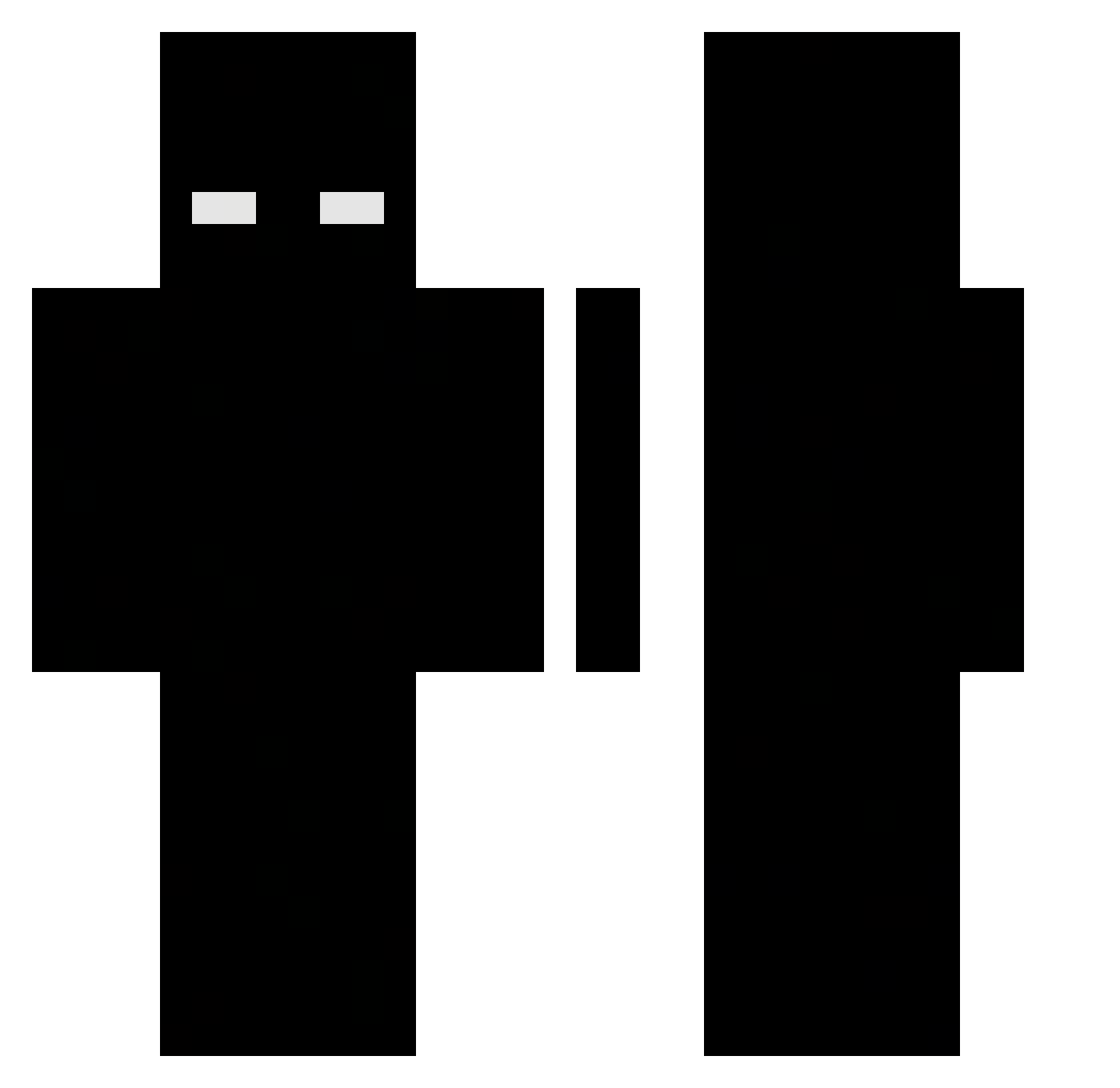
Current Minecraft skin of the player Ungre488, loaded from the official Mojang API. Rotate the 3D model with your mouse or finger, then download the skin as a PNG file and use it in Minecraft: Bedrock Edition or Java Edition for free. When Ungre488 changes their skin, this page updates automatically and the old skin stays in the history below.
Other players with this skin (422)
Ungre488 was the 363rd player we have seen with this skin, first spotted on 16.10.2026. The same skin was seen on these players. Open a nickname to see their current skin and skin history.
 Ufzx unlock_101 arrudaa22 Gel4d0o derdimvar Scarboi66 HellShepherd Shawks_ frostWLK Moinsen1278 iDeivd Schizophasie 4S4D4 xxxTercelBGxxx Ader_dz Lairu_0 OskuSwada Blackn77 kimjimq 228k nhatquang_ DAVIDE_ALPHA LoauJletMeGo ivexan_yt DarkAngell325 ItzXTelly JustBoughtMc voLyxc Yanniikzockt Faz4084 xAurap light_adx ddtejk666 xXBetter oblock4pf Tripaloski777 JacksonSt0rm 4ole NexoraClient Nyxqu Fr1zyy4ka Dreamyorlando Bil4lh Nakanoasta25 Xaneon romis77 NUORUN Ga_yaWal4620 Sideriuss XoN3__ Dinoscemo 9xian RipViper reh6b SouzaEu HEON39 nekug Moonfearr camoffutt69 v195
More Herobrine Minecraft skins
How to install the Ungre488 skin
- Press the Download button above to save the skin as a PNG file.
- Minecraft: Bedrock Edition (PE): open the Dressing Room from the main menu (or tap your character → Edit Character), go to Classic Skins → Owned, press the + (new skin) button, choose the downloaded PNG and pick the Classic (Steve) model. Works on PC and mobile; consoles cannot import custom skins.
- Minecraft: Java Edition: open the Minecraft Launcher, go to the Skins tab, click New Skin, load the PNG, pick the Classic (Steve) model and press Save & Use. You can also upload it at minecraft.net → Profile → Change Skin.
The skin does not show up after import - what should I do?
Restart Minecraft and open the Dressing Room again - imported skins sometimes appear only after a restart. Also make sure you selected the imported skin and picked the Classic (Steve) model.
Which model should I choose, Classic or Slim?
This skin is designed for the Classic (Steve) model. If you pick the wrong model, the arms of the skin will look stretched or squeezed.
Is the skin of Ungre488 free to download?
Yes. Press Download, save the PNG file and use it in Minecraft: Bedrock Edition or Java Edition - no payment or registration needed. The skin also works on multiplayer servers and Realms.
More skins
Looking for more? Go back to all Minecraft skins and check the top skins of the week, month and all time, or find any player's skin by nickname.