
Udyma - Minecraft Skins & Skin History
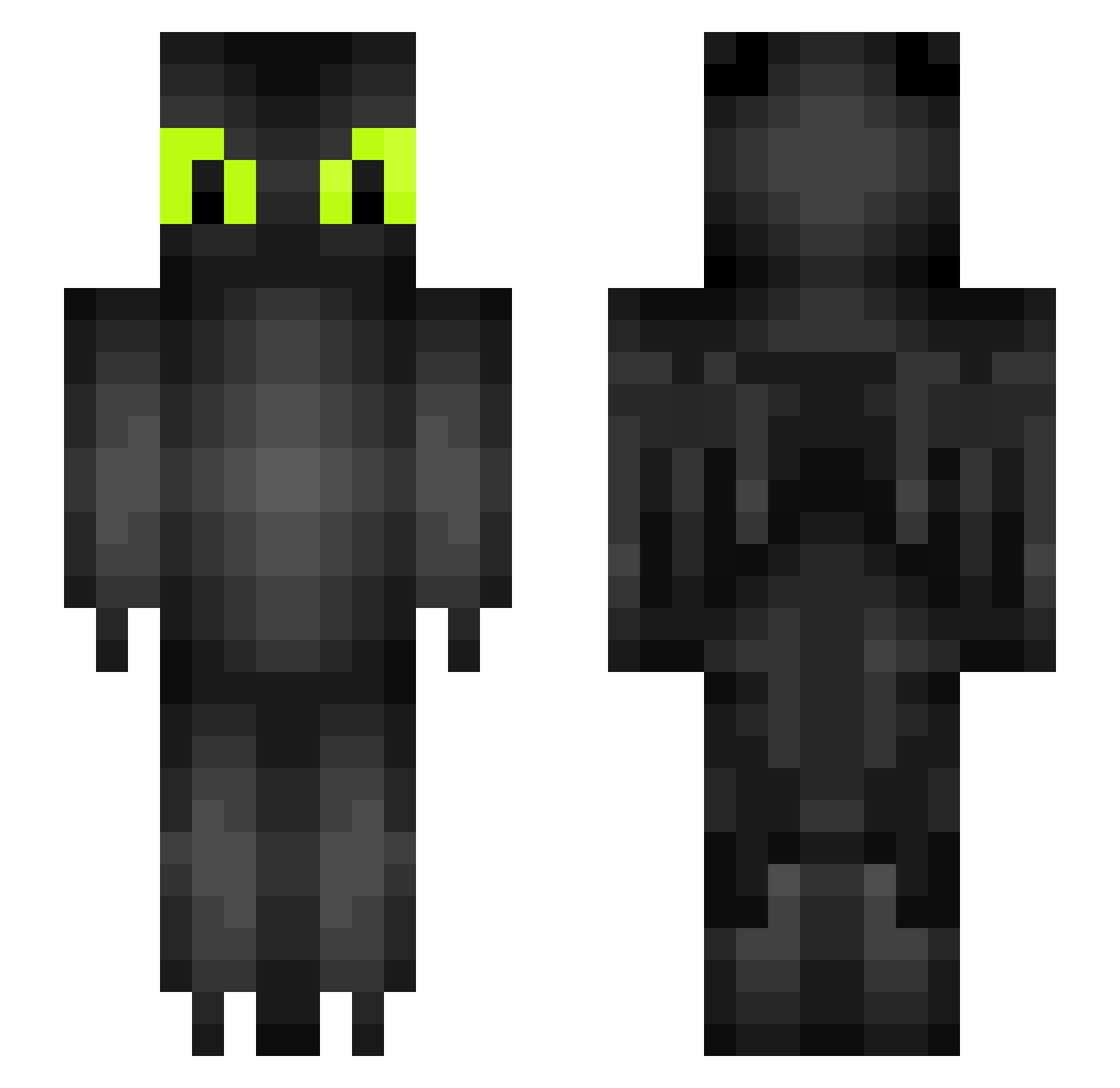
Current Minecraft skin of the player Udyma, loaded from the official Mojang API. Rotate the 3D model with your mouse or finger, then download the skin as a PNG file and use it in Minecraft: Bedrock Edition or Java Edition for free. When Udyma changes their skin, this page updates automatically and the old skin stays in the history below.
Other players with this skin (280)
Udyma was the 232nd player we have seen with this skin, first spotted on 30.10.2026. The same skin was seen on these players. Open a nickname to see their current skin and skin history.
 kaii505 kissajatski123 Suo_Yo Rilaxx_ Juizc 420Hazey420 Jaaxy7 xiaoyan1xiaopeng WacheighSasheigh Rubyroo0604 OblivRuinDev Maliakiya DiusAer Ju5tN0thing Flitys_ Conturtle Nate1220 A6over9 brnenskyprinc HeroElephant aantw bigsyd28 flayke geovannixb chenlun233 pwj0212 MrDragonsEye Nigthfury _Krokmou_ Gruja_ Aarrgon blueswrld_ TheLiangJie ChuyoChoyu Downhilly __Frann nightfurylung NicholasChen spygoose007 SchmoopNugget czzah miyiui jardrinster kingflylight Jordanco98 RyanWolfeh lionage95 Mindstyler Maikinil 02gon ItIsEdnaMode ripoll03 Tate0 gummy7174 OxbowSiren AbdouSN kevinwolf_ Nielzen Qartonix polciia9
More Toothless Minecraft skins
How to install the Udyma skin
- Press the Download button above to save the skin as a PNG file.
- Minecraft: Bedrock Edition (PE): open the Dressing Room from the main menu (or tap your character → Edit Character), go to Classic Skins → Owned, press the + (new skin) button, choose the downloaded PNG and pick the Slim (Alex) model. Works on PC and mobile; consoles cannot import custom skins.
- Minecraft: Java Edition: open the Minecraft Launcher, go to the Skins tab, click New Skin, load the PNG, pick the Slim (Alex) model and press Save & Use. You can also upload it at minecraft.net → Profile → Change Skin.
The skin does not show up after import - what should I do?
Restart Minecraft and open the Dressing Room again - imported skins sometimes appear only after a restart. Also make sure you selected the imported skin and picked the Slim (Alex) model.
Which model should I choose, Classic or Slim?
This skin is designed for the Slim (Alex) model. If you pick the wrong model, the arms of the skin will look stretched or squeezed.
Is the skin of Udyma free to download?
Yes. Press Download, save the PNG file and use it in Minecraft: Bedrock Edition or Java Edition - no payment or registration needed. The skin also works on multiplayer servers and Realms.
More skins
Looking for more? Go back to all Minecraft skins and check the top skins of the week, month and all time, or find any player's skin by nickname.