
TzsFrango - Minecraft Skins & Skin History
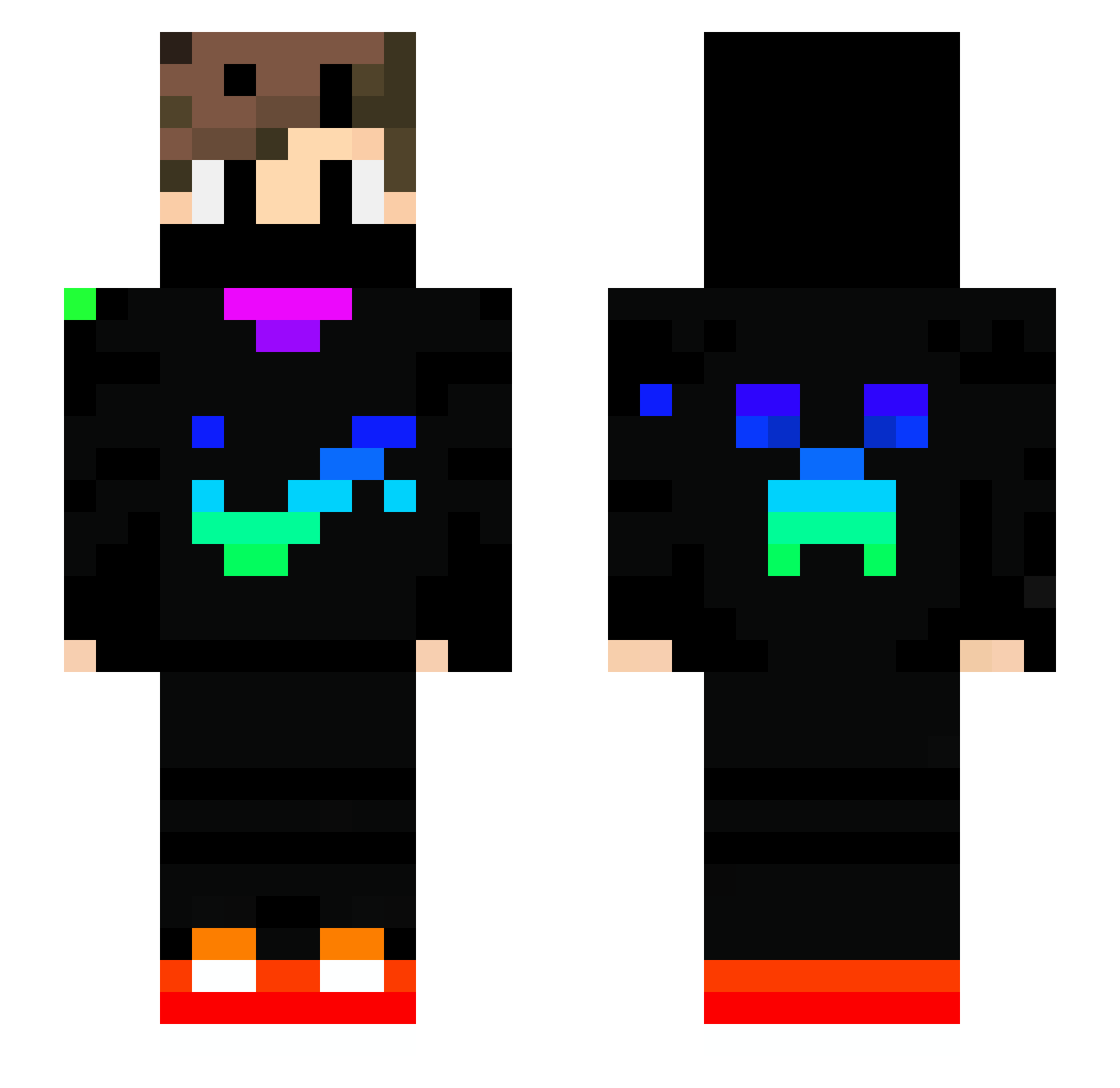
Current Minecraft skin of the player TzsFrango, loaded from the official Mojang API. Rotate the 3D model with your mouse or finger, then download the skin as a PNG file and use it in Minecraft: Bedrock Edition or Java Edition for free. When TzsFrango changes their skin, this page updates automatically and the old skin stays in the history below.
Other players with this skin (739)
TzsFrango was the 415th player we have seen with this skin, first spotted on 24.09.2026. The same skin was seen on these players. Open a nickname to see their current skin and skin history.
 knightevolucas Pertay JoaquimFernandes Patch690 SEVEN48 pozzisonic sharkin8tor J074P3 Darkness2336 Amun1812 dabi_xunik ad4mq0x CelesteGamer Firenium guigui3000 gasa12343 PelucaEnElPecho baseballmaster Jasonxkro Reaper1819 Schlafmutze0 sigama789 OminousAphid129 Dreamgamer890 lia44sanna FishyKitty2000 cris78910 d4wn89 _Oishi_ Loopiii CorruptFrags Gamingsmash ahahah326 LinuxMSC E8z9d633 Seth1sCool Chinmay4B ABIGOR17 Kaden4387 JoonaV12 SerhVax luffing16 SimiR007 lazarbi_sub Oatsie123 SnowRabbit821 MisterTe2k minto1213 UldWulf Mechrom MucaGamer sedoreis41 Parjai227 wulfsblut2 Gabriel19098 BAD_MAl zBiel_12 Nazgarth1 Riesker andreuy73
More Creeper Minecraft skins
How to install the TzsFrango skin
- Press the Download button above to save the skin as a PNG file.
- Minecraft: Bedrock Edition (PE): open the Dressing Room from the main menu (or tap your character → Edit Character), go to Classic Skins → Owned, press the + (new skin) button, choose the downloaded PNG and pick the Slim (Alex) model. Works on PC and mobile; consoles cannot import custom skins.
- Minecraft: Java Edition: open the Minecraft Launcher, go to the Skins tab, click New Skin, load the PNG, pick the Slim (Alex) model and press Save & Use. You can also upload it at minecraft.net → Profile → Change Skin.
The skin does not show up after import - what should I do?
Restart Minecraft and open the Dressing Room again - imported skins sometimes appear only after a restart. Also make sure you selected the imported skin and picked the Slim (Alex) model.
Which model should I choose, Classic or Slim?
This skin is designed for the Slim (Alex) model. If you pick the wrong model, the arms of the skin will look stretched or squeezed.
Is the skin of TzsFrango free to download?
Yes. Press Download, save the PNG file and use it in Minecraft: Bedrock Edition or Java Edition - no payment or registration needed. The skin also works on multiplayer servers and Realms.
More skins
Looking for more? Go back to all Minecraft skins and check the top skins of the week, month and all time, or find any player's skin by nickname.