
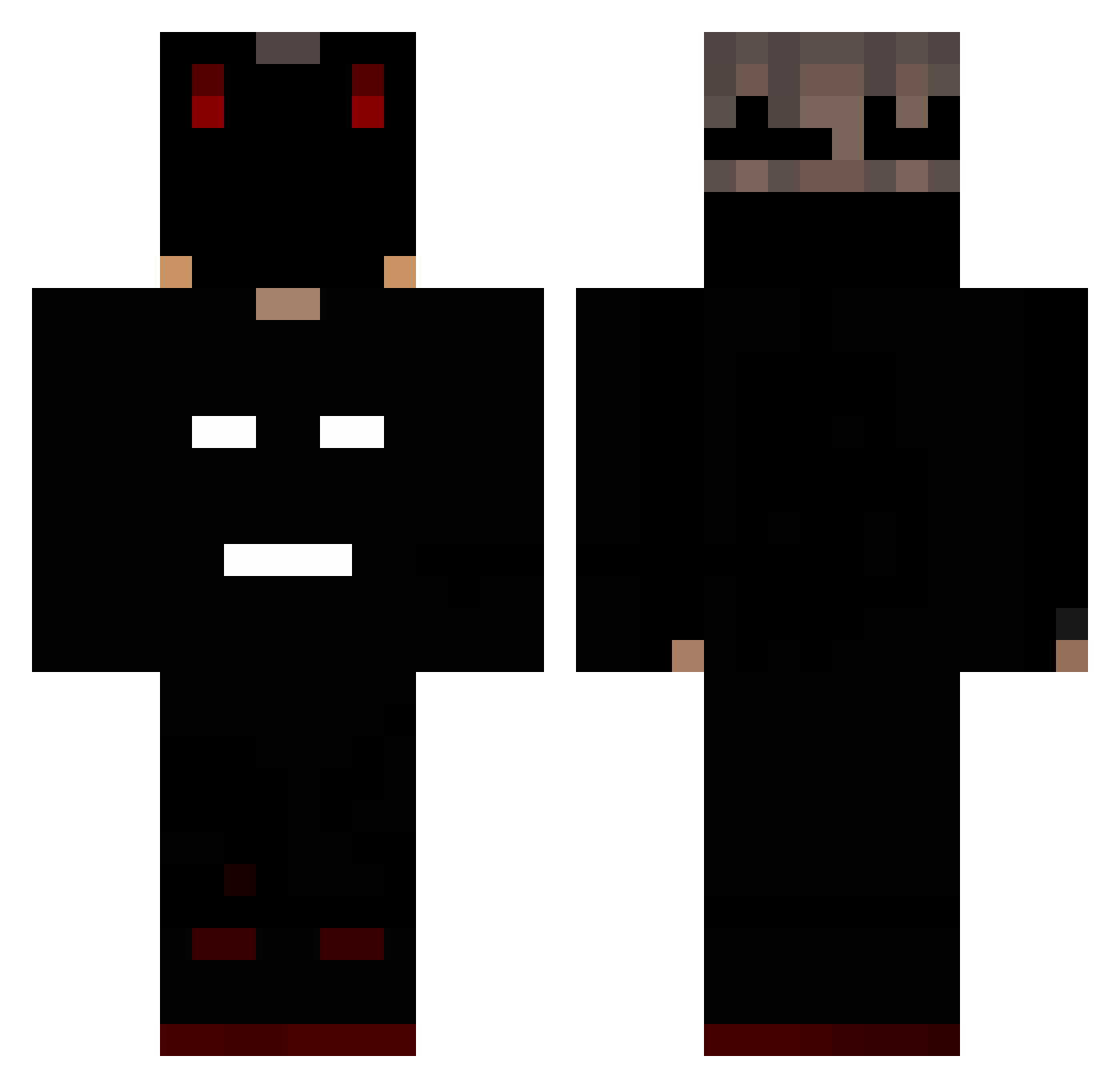
Current Minecraft skin of the player TurboGraphou, loaded from the official Mojang API. Rotate the 3D model with your mouse or finger, then download the skin as a PNG file and use it in Minecraft: Bedrock Edition or Java Edition for free. When TurboGraphou changes their skin, this page updates automatically and the old skin stays in the history below.
Other players with this skin (158)
TurboGraphou was the 34th player we have seen with this skin, first spotted on 21.08.2026. The same skin was seen on these players. Open a nickname to see their current skin and skin history.
 HamonsS _1DarknesFlame1_ Lolmaker092 Tomitas2010 DadinhoBoot _r0ob_ Gamer_Ruben5 g4ngus Bonedestroyer125 Laxivo XxOceanx Detfil
 breazee_ Defax TaironBv Njswitch12 Warner524 Jerxxn LuisHektor realqert
 Yiftach_shim Arschopossum YTWolf_ Lukaszs003 Fredin_plays felpis15 BakaaNero AmSanMC Yoex jack2829 jin07070 Rssk01 Cloudzy Nemos_Pl Sayrusfn Illuninite weegmac AbizuKiller LuchoesconChico Br573 Morrowling casspaa lilKeeper David3l DreadNaught_ FTP1020 Dezb129 Knivve ceareh xylo1234 marly443 dominixqpl Mzql xStrike2k Yberioon ZiomJ Ichbinsimran Gloxxinia Kx3R4 Flamb3
More Mask Minecraft skins
How to install the TurboGraphou skin
- Press the Download button above to save the skin as a PNG file.
- Minecraft: Bedrock Edition (PE): open the Dressing Room from the main menu (or tap your character → Edit Character), go to Classic Skins → Owned, press the + (new skin) button, choose the downloaded PNG and pick the Classic (Steve) model. Works on PC and mobile; consoles cannot import custom skins.
- Minecraft: Java Edition: open the Minecraft Launcher, go to the Skins tab, click New Skin, load the PNG, pick the Classic (Steve) model and press Save & Use. You can also upload it at minecraft.net → Profile → Change Skin.
The skin does not show up after import - what should I do?
Restart Minecraft and open the Dressing Room again - imported skins sometimes appear only after a restart. Also make sure you selected the imported skin and picked the Classic (Steve) model.
Which model should I choose, Classic or Slim?
This skin is designed for the Classic (Steve) model. If you pick the wrong model, the arms of the skin will look stretched or squeezed.
Is the skin of TurboGraphou free to download?
Yes. Press Download, save the PNG file and use it in Minecraft: Bedrock Edition or Java Edition - no payment or registration needed. The skin also works on multiplayer servers and Realms.
More skins
Looking for more? Go back to all Minecraft skins and check the top skins of the week, month and all time, or find any player's skin by nickname.